

Unsolved
This post is more than 5 years old
5 Journeyman
•
5.8K Posts
•
17.3K Points
0
54751
December 2nd, 2013 21:00
System Info: HWiNFO v4.26 Reviewed
HWiNFO is a a free information utility that analyses the hardware on your PC. It provides such info as component make and model numbers, serial numbers, and many other variables and performance specs.
Download:
http://www.hwinfo.com/download.php
It is a 2.8 MB download for 32 or 64 bit installer, supported by Windows all. Download took less than 1 minute.
Installation less than 1 minute. No bundled software. Nothing added to startup, or to services.
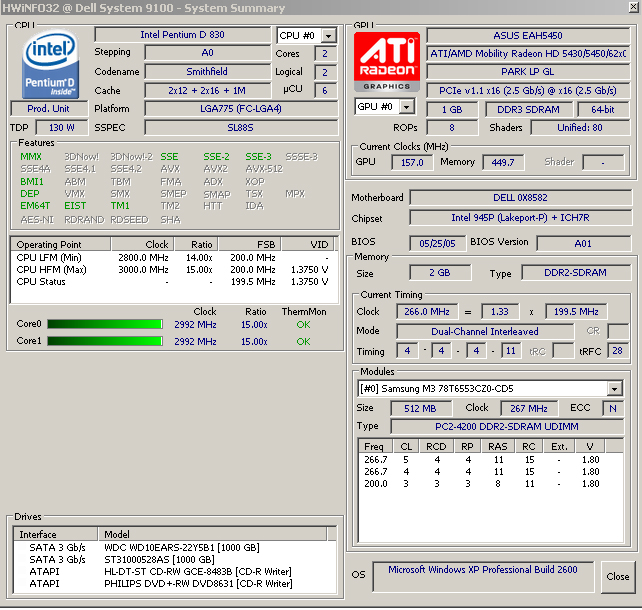
A system scan takes about 30-40 seconds. Information is displayed first as a handy summary page:
... then, upon closing this page, an expandable tree, yielding tons of useful info. For example:
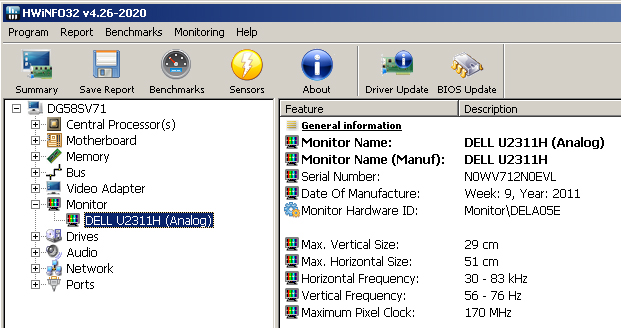
(I had to crop this image - there is lots more info on my monitor when I scroll down).
Real-time monitoring via sensors, if supported by your system (such as core temperatures) is included. Provides several benchmark tests of the CPU, with comparisons to other systems.
Can be uninstalled via control panel in the usual manner.
Comments:
- I have little hardware expertise, but have used several similar utilities to trouble-shoot hardware problems in the past. Most are out-dated or no longer in development:
AIDA32: Development of AIDA32 freeware was stopped on March 24, 2004 (latest version 3.94)
Everest Home Edition: The freeware Everest Home Edition was discontinued on December 1, 2005.
SIW: Free version no longer developed or available from their home website.
Belarc Advisor: Still being developed, but not nearly as much hardware info/specs. Much slower to scan and load info, as it also looks at software.
- HWiNFO is an easily used utility that provides hardware info only. Frankly, it provides more info than I can absorb. But I can see no reason not to include it in your tool chest.
Reference: http://www.techsupportalert.com/best-free-system-information-utility.htm
joe53
5 Journeyman
•
5.8K Posts
•
17.3K Points
0
December 2nd, 2013 22:00
Edit:
While I realise this is a departure from the topics and programs usually discussed in this forum, I posted here because I can recall several episodes where I mistook system hardware problems for malware, and spent a lot of time "barking up the wrong tree" to solve problems that were not related to software.
Moderators: feel free to transfer this to another forum, if deemed appropriate.
It appears that one can no longer edit one's own original post. Am I missing something here?
dalem29
2 Intern
•
2.2K Posts
0
December 3rd, 2013 13:00
I was able to edit a post earlier today. Will post this and see if I can get back in!
Edit button still there...don't know why something as simple as editing a post couldn't have been left alone as it was before! :emotion-40:
Although I have Speccy, I will take a look at this one. Unsure of which install button to push. This machine is 32 bit.
http://www.piriform.com/blog/2012/3/2/speccy-v116
joe53
5 Journeyman
•
5.8K Posts
•
17.3K Points
0
December 4th, 2013 08:00
Thanks Dale.
I wasn't aware of speccy. I installed it (unchecking the Google Chrome bundled software option in the process) and find it in many ways a simpler utility to use and understand than HWiNFO. Probably all the average user needs to know about their hardware.
(Also figured out the edit button).