

Unsolved
1 Rookie
•
8 Posts
0
847
March 20th, 2024 23:13
XPS 8940, GPU driver Intel's Arc Driver not working, no solution on Dell support
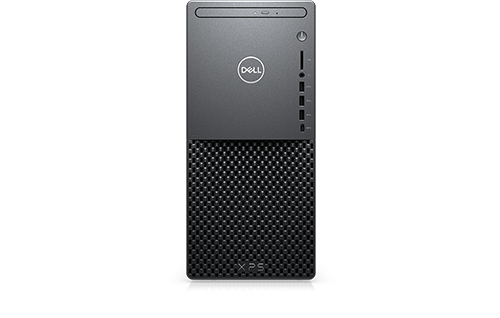
XPS 8940
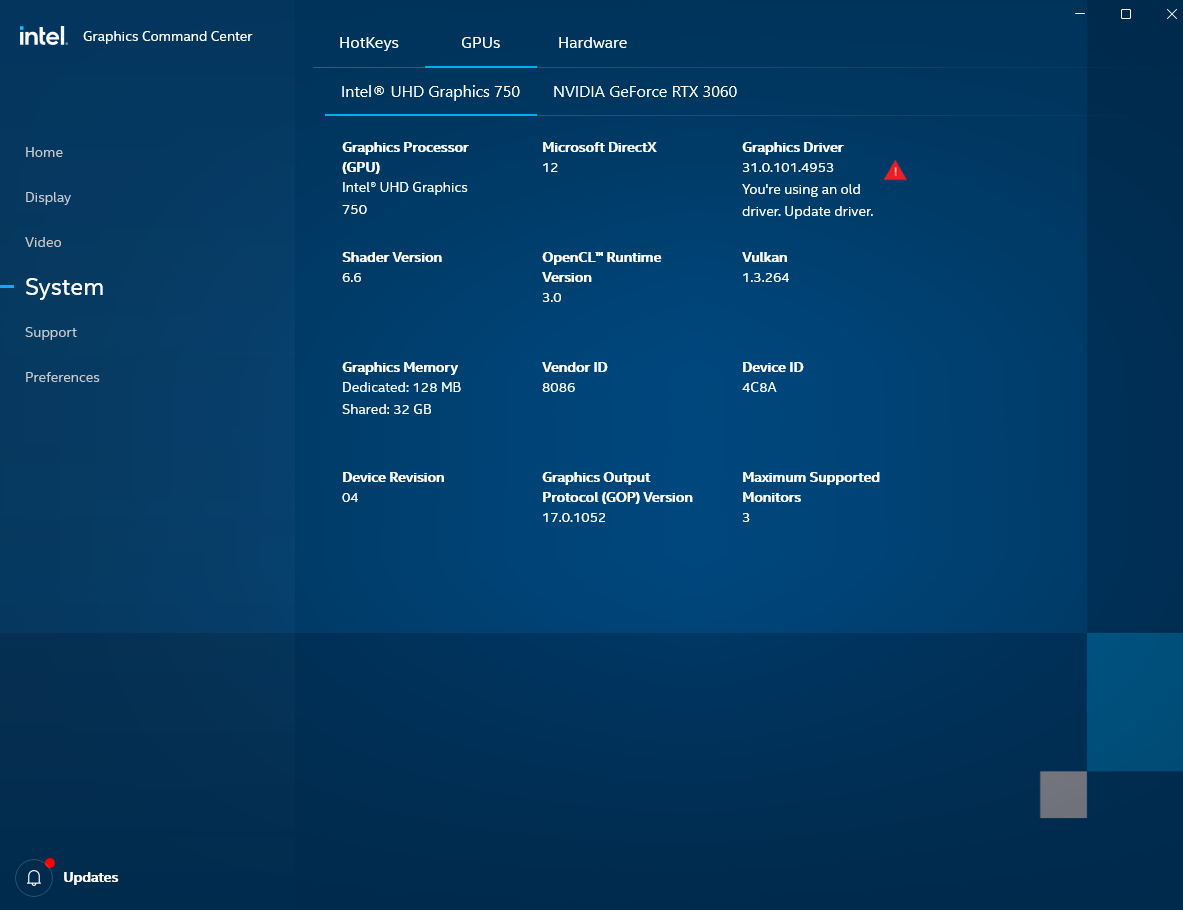
I've been trying to update my system's Intel UHD 750 GPU to the latest version of the Arc driver for Windows. A Microsoft update in the last few months installed an outdated version of the driver from last November (Arc driver version 31.0.101.4953). However that older version of the driver is producing instability with graphics intensive processes such as streaming and running Adobe video editing programs. So I've been trying to update to the version that Intel is recommending, linked to above, but every time I run the Intel installer in normal mode the screen goes black when it reaches the "installing new drivers" phase. Upon attempting to restart, the screen remains black after the windows startup tone has sounded.
I've tried running the DDU (display driver uninstaller) and doing a clean reinstall in both normal mode and safe mode. In safe mode, the new driver successfully installs (confirmed by a device manager check), but then upon normal restart there is again a black screen, no display.
The Intel community has suggested that this is likely an issue that the OEM needs to address for me. however, when I look for custom custom driver using my service tag, the list shows an ancient driver that's not even compatible with my CPU. The recommendation is for a driver from 2022 that's compatible with a different Intel GPU unit and a 10th generation Intel Core processor, whereas I'm running on an 11th generation (see image below for the driver recommended by Dell).
Any help would be much appreciated. Are there custom drivers that Dell's automated support is not showing that would work for my system?
Intel Graphics command center confirms I'm running an old driver (this version was signed by Microsoft):
Intel's recommended update:

Dell's (incorrect) driver update recommendation for my system:

kmharring
1 Rookie
•
8 Posts
0
March 20th, 2024 23:26
This seems to be a problem that other Dell users are having as well: https://community.intel.com/t5/GPU-Compute-Software/Latest-Intel-Graphics-drivers-above-31-0-101-4955-do-not-work/m-p/1575676
RoHe
12 Elder
•
45.2K Posts
•
172.6K Points
0
March 21st, 2024 00:29
No add-in (NVidia or AMD) video card in your PC?
I just looked at the support page for XPS 8940, and the latest Intel video driver offered is Intel driver 31.0.101.4953 for XPS 8940, XPS 8950 and XPS 8960, assuming it installs and runs correctly.
So until Intel sorts this out, you may have to use the older Intel version 31.0.101.4502. It should be compatible with your 11th Gen CPU with Intel UHD Graphics 750 since, under Applies to on that page it says: Intel UHD Graphics 610/630, Intel UHD Graphics 730, Intel UHD Graphics 750.
Knash63
7 Posts
0
March 21st, 2024 15:03
@RoHe I have been fighting this issue for quite some time, wondering why my system would hang, reboot, and the BSOD. When I went into the event viewer and found tons of errors, I dug around where the problem was, First, I removed all of the ARC components. That alone didn't quite do it although it helped somewhat. When other BSOD's started to happen, I dug around again and it led me to my graphics driver so, I went and rolled it back. That was a week ago now and I've had no issues since and, all of the errors in my event viewer disappeared.
Knash63
7 Posts
0
March 21st, 2024 15:05
I have been fighting this issue for quite some time, wondering why my system would hang, reboot, and the BSOD. When I went into the event viewer and found tons of errors, I dug around where the problem was, First, I removed all of the ARC components. That alone didn't quite do it although it helped somewhat. When other BSODs started to happen, I dug around again and it led me to my graphics driver so, I went and rolled it back. That was a week ago now and I've had no issues since, and, all of the errors in my event viewer disappeared.
ispalten
7 Practitioner
•
2.6K Posts
•
9.6K Points
0
March 21st, 2024 15:14
I've got the same situation, but the HD750 on the 8940 is NOT an Arc card. See https://www.intel.com/content/www/us/en/support/articles/000096182/graphics.html for this, 2 different adapters. Arc are Discrete video cards.
Intel Driver and Support Assist does OFFER me the Arc driver too, but as you discovered it will not install, and I knew that before and hide it.
This is what I see for DSA:
So it now thinks I am up to date.
Further down it does show the proper driver, but suggests I contact Dell to get it.
I don't use the Intel adapter, so I don't care.
Is there a reason not to use the Nvidia card? I assume it is due to the freezing/lock up? Setting the Power in the Control Panel for Nvidia to Max. has solved that problem for many users. If you've got the problem, try doing that.
RoHe
12 Elder
•
45.2K Posts
•
172.6K Points
0
March 21st, 2024 17:14
We don't know if @Knash63 has -or doesn't have- an add-in video card.
ispalten
7 Practitioner
•
2.6K Posts
•
9.6K Points
0
March 21st, 2024 20:56
@RoHe
You are right, but the add-in has to be an Intel HD750, not another vendor's card like Nvidia or AMD.
==================
Resolution
The Intel® Arc™ 750 and Intel® UHD 750 graphics drivers are different, as the Intel Arc 750 is a discrete graphics card while the Intel UHD 750 is an integrated graphics card. The difference between each technology is discussed in our online article: What Is the Difference Between Integrated Graphics and Discrete Graphics?
===================
The 8940 has the integrated Graphic card, just like the 8930 which has the HD730 (I think). Dell doesn't have a Discrete Intel card as an option, but if the user did have one installed, the ARC update would have installed.
As for the normal one not installing, I suspect Intel will not let it on a Dell? Note the 'warning' I posted above from Intel's support program. It knows I'm on a Dell, so it would not be odd that the Install file checks for that either. It doesn't tell you why though it doesn't install, just fails.
RoHe
12 Elder
•
45.2K Posts
•
172.6K Points
0
March 22nd, 2024 01:46
Yes, but the OP hasn't been clear. I assume the HD750 indicated in the OP is the "standard" onboard Intel Graphics, not some add-in card. That's why I linked to the latest HD750 drivers Dell is offering for XPS 8940.
As to why Intel would be offering ARC drivers if the system doesn't support ARC, is something Intel only can explain.
Chino de Oro
11 Legend
•
8.5K Posts
•
46.5K Points
0
March 22nd, 2024 01:54
OP's 8940 has a discrete RTX 3060.
RoHe
12 Elder
•
45.2K Posts
•
172.6K Points
0
March 22nd, 2024 01:56
So why is OP worrying about installing latest Intel HD750 drivers when the monitor should be connected to the RTX 3060 card?
Chino de Oro
11 Legend
•
8.5K Posts
•
46.5K Points
0
March 22nd, 2024 02:05
Good question!
ispalten
7 Practitioner
•
2.6K Posts
•
9.6K Points
0
March 22nd, 2024 12:47
@RoHe
Exactly what I asked?
Unless I'm missing something, this is a big nothing.
Ahh, the Intel Support program, NOT reliable. I've got an issue with it. It can't see my M.2 Intel Network card! Well, it did at one time. Suspect it got 'lost' when I switched SSID's on it, which created in the Registry a new Network... Intel Support is working on this.
Why use the program, well, it will check periodically for UPDATES... and even for the Killer S/W. It does have some value. However, that ARC driver is wrong, I discovered that long ago. Program stopped nagging me about it one I HID it.
JamieLinux
2 Intern
•
278 Posts
0
March 22nd, 2024 21:29
@ispalten You can use the onboard GPU in cases where you need more monitors then you can physically plug into Nvidia or AMD GPU installed. Or some people like to offload non-GPU intensive tasks like web browsing to the igpu and just use the Dgpu for gaming... its weird I know but some people do it.
ispalten
7 Practitioner
•
2.6K Posts
•
9.6K Points
0
March 22nd, 2024 23:57
@JamieLinux
Yeah, I know, I saw it somewhere on the list of programs? Remember now, under System, Display, Graphics and on the list of apps, Options...
Never fully understood why this would matter on a single monitor setup? I guess though, if you were taxing the discrete card and need some more out of it, shuttling apps to the Intel low feature card would help? Just don't see that happening too often? That property to do that is there for some reason though?
Windows 'supposedly' decides which to use as well. Of course, the list is not ALL the apps either, I've got about a dozen, most are 'let Windows decide'. I tried changing one to High Performance (VLC) and it said program might not work well, so I left it as let Windows decide.
Personally, I don't see a need/use for it?
RoHe
12 Elder
•
45.2K Posts
•
172.6K Points
0
March 23rd, 2024 00:54
Some PC models require at least one monitor be connected to the add-in video card before one is connected to the onboard Intel Graphics port. There may even be an error message if the only monitor connected is plugged into the onboard Intel Graphics port, rather than into the add-in GPU.
XPS 8940 has BIOS options to set the Primary Display (GPU) and to enable/disable Multi-Display to control GPU usage.