

1 Rookie
•
6 Posts
2
8231
September 9th, 2022 06:00
XPS 8940, USB Status Tests, D0605 Failed
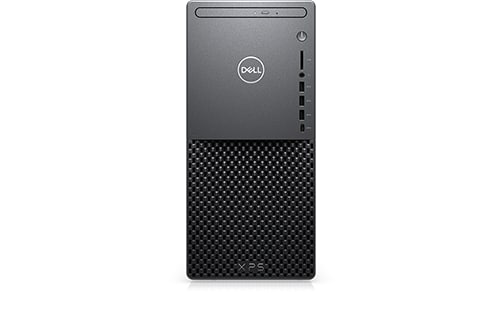
XPS 8940
I recently ran the SupportAssist Hardware test which reported the following failure:
- USB Status - Fail
Error Code List
- USB Status Tests - D0605
- USB - Fail
Error Code List
- USB Status Tests - D0605
- USB Composite - Pass
- Internal Hub - Pass
- PCI - Pass
- USB - Pass
All USB ports seem to be working normally. I'd appreciate any information on what this means and how to fix it.
No Events found!
Tesla1856
10 Wizard
•
17.9K Posts
•
71.4K Points
1
September 9th, 2022 10:00
Then it sounds like a "false positive". If they are working, I would not be concerned.
If you require further assistance, you might have better results reporting it here:
https://www.dell.com/community/SupportAssist-for-PCs/bd-p/supportassist-pcs?ref=lithium_menu
RoHe
12 Elder
•
45.2K Posts
•
172.6K Points
1
September 9th, 2022 12:00
The SupportAssist Dxxx codes are apparently irrelevant, according to a post by a Dell Cares Moderator on 08-07-2022 in the Precision forum. Dell will eventually hide these codes from users.
So just ignore your Dxxxx codes (and IMO, all of SupportAssist) since your PC is working normally.
JNic1
1 Rookie
•
6 Posts
0
September 9th, 2022 11:00
Thanks. Truly appreciate your timely response and suggestion.
JNic1
1 Rookie
•
6 Posts
0
September 9th, 2022 12:00
Sounds like good advice for me and for Dell.
MMonentes
1 Rookie
•
3 Posts
0
November 16th, 2022 06:00
Me too it just now reported the same on my Alienware Aurora
RoHe
12 Elder
•
45.2K Posts
•
172.6K Points
0
November 16th, 2022 11:00
@MMonentes Just ignore the Dxxxx codes. They don't indicate any hardware issues.
Megha Patel
1 Message
0
November 7th, 2023 18:03
I recently ran a quick test run using Dell support and it shows as below.
I am not able to access any USBs in a port. All drivers are updated and installed.
Any suggestions?
LeeB70
1 Rookie
•
2 Posts
3
November 18th, 2023 11:27
My PC does't have Bluetooth now, not showing in hardware? Error D0605 showing when i run a hardware test??
RoHe
12 Elder
•
45.2K Posts
•
172.6K Points
0
November 19th, 2023 00:33
@LeeB70 - Always include exact PC model and version of Windows in your posts.
Are you saying Bluetooth isn't listed in Device Manager?
Power off normally and unplug power cord from rear of PC. Press/hold power button on PC for ~30 sec. Reconnect power cord to rear of PC and boot up. See if BT works now.
If not, open Device Manager and click View>Show hidden on the toolbar. Now look everywhere in Device Manager for any "Unknown" devices. Right-click and uninstall every "Unknown" device. Now -without rebooting- click Action>Scan for hardware changes. Then see if BT is listed in Device Manager and is working again.
RobertEDS
1 Message
0
March 28th, 2024 18:57
@LeeB70 Same thing for me.
XPS 8930
RoHe
12 Elder
•
45.2K Posts
•
172.6K Points
0
March 28th, 2024 19:44
@RobertEDS - Version of Windows?
Are you saying BT doesn't work, and/or you got the D0605 when testing hardware? Are all USB ports still working?
Which WiFi+BT card is in your XPS 8930 (Qualcomm or Killer)?
Did you try what I suggested to LeeB70 on 11-18-2023, above?
When was last time you replaced motherboard battery?
FairAndJustCustomer
1 Rookie
•
1 Message
0
December 10th, 2024 11:09
I had the same issue this morning - same error code, and my ports are working. It might have something to do with the external all-in-one peripheral adapter that I'm using.