

Unsolved
1 Rookie
•
2 Posts
0
196
February 20th, 2024 14:16
XPS 8960, mouse issues
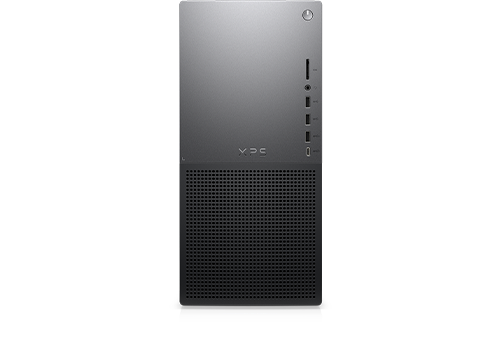
XPS 8960
Has anyone had issues with the mouse intermittently not responding on a new XPS? I've just received a replacement computer, switched it on and have exactly the same problems with the mouse. It took ages to go through the Windows startup as the mouse only responded intermittently. Technical support were involved with the first computer but couldn't resolve the issue so arranged for the computer to be replaced. It can't just be me that has this problem - I just want a computer that works!
No Events found!
JOcean
11 Legend
•
12.6K Posts
•
69.5K Points
0
February 20th, 2024 15:36
Wired or wireless mouse? Have you tried other USB ports and specifically the front and not the rear ports? Also have you tried other mouse types (brands) that are known working? If wireless then there could be some type of interference from another device close to the PC running at 2.4G such as a range extender.
(edited)
Nic22
1 Rookie
•
2 Posts
0
February 21st, 2024 09:01
Thanks for your response. It's the wireless mouse that came with the computer. I have tried the receiver in the front and back ports with no difference. There isn't another device near the computer and I don't have a range extender. Will try a different mouse today.
RoHe
12 Elder
•
45.2K Posts
•
172.6K Points
1
February 21st, 2024 19:26
If you have one, try a wired USB mouse...
jcgallagher
2 Posts
0
February 22nd, 2024 17:22
Same problem but both mouse and touch pad stop responding after a few seconds of not moving them. Takes several seconds and the the input device will work as long as I keep moving it
RoHe
12 Elder
•
45.2K Posts
•
172.6K Points
1
February 22nd, 2024 20:59
@jcgallagher - If you have a touchpad, this doesn't sound like an XPS 8960, so exactly what PC do you have and what version of Windows?
Have you gone into Device Manager and for every USB and every Human Interface Device listed that has a Power Management tab and disabled "Allow PC to turn off..."?
You may also have to go to Advanced power settings screen for the active Power plan and disable USB Selective Suspend and Hybrid Sleep too.