

Unsolved
1 Rookie
•
45 Posts
0
372
July 6th, 2022 21:00
Internal speakers don't seem to be working
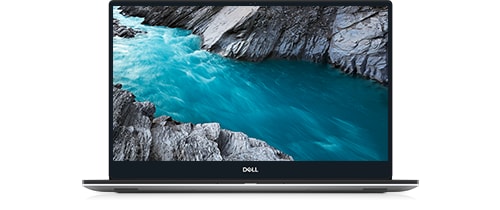
XPS 15 7590
For a couple of years, my laptop (XPS 15 7590) has been connected to a docking station, with two 32" monitors, external speakers, mouse, and keyboard all being driven from that docking station. Two days ago, I unplugged from the docking station to carry the laptop to another room, something I rarely do. I found at that time my internal speakers are not working. My default sound setting is "Speakers/Headphones, Realtek(R) Audio." When I go to properties and click "test" all the right graphics appears, as if everything works fine, but I'm getting no sound. I've tested with volume all the way up, at 50%, and at 20%....no sound. When I test, there are four options to select from, and I've tried them all (24 bit, 48000 Hz, 16 bit, 48000 Hz, 24 bit, 44100 Hz, and 16 bit, 44100Hz). I've checked for updated drivers for the Realtek icon in the Device Manager. I've also disabled then enabled the driver. I've restarted the laptop. Nothing gets the sound to work. Plugging speakers directly into the laptop works. Connecting back to the docking station works. Running with nothing attached to the laptop - no sound.
I did have a tech make a site visit last January to replace my laptop's keyboard under warranty. I'm wondering if he may have forgotten to plug my speakers back in, or knocked something loose if he didn't purposely disconnect them? (Yes, it's been that long since I've disconnected from the docking station).
What could I be missing?
System details copied from "About" in Windows 11:
Device name DESKTOP-OL0AOLT
Processor Intel(R) Core(TM) i7-9750H CPU @ 2.60GHz 2.59 GHz
Installed RAM 32.0 GB (31.7 GB usable)
Device ID 52568741-75D0-4FB8-B012-606B87BDD3BB
Product ID 00325-81635-18078-AAOEM
System type 64-bit operating system, x64-based processor
Pen and touch No pen or touch input is available for this display
Edition Windows 11 Home
Version 21H2
Installed on 10/29/2021
OS build 22000.778
Experience Windows Feature Experience Pack 1000.22000.778.0