

Unsolved
1 Rookie
•
1 Message
0
7363
January 26th, 2023 15:00
XPS 15 9520, Docking Station?
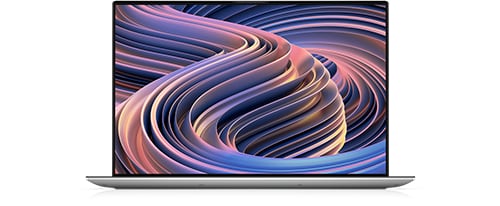
XPS 15 9520
Hi, I recently purchased this XPS 15 9520 that I am enjoying and want to transition it to be my main computer (my desktop is 12 years old!). I would like it to have its own power supply (don't have to go under my desk every time I travel), connect to 2 monitors, plus scanner and printers, and an external hard drive. I would also like to directly connect it to the internet modem. I have looked at the vast array of docking stations and am quite confused! Any help much appreciated!
No Events found!
Chino de Oro
11 Legend
•
8.4K Posts
•
46.4K Points
0
January 26th, 2023 16:00
Dell Thunderbolt Dock WD22TB4 is compatible with your laptop and it has all features you are looking for.
StZill
1 Rookie
•
40 Posts
0
January 26th, 2023 16:00
The docking station I use for my XPS 15 9510 is the WD19TBS. The newer version is the WD22TB4. This docking station has worked very well for me. I have an external 4K monitor, a printer, a scanner, multiple external hard drives, network cable from my router, and two Bose computer speakers hooked up to it. I can hook up a single type C thunderbolt cable to the laptop and the operation is seamless. I use my XPS as my desktop about 75% of the time with the remainder use done as a portable machine. The dock provides the same power as the XPS charger and I can turn the laptop on with the docking station button. When operating as a desktop I have my power supply set as AC ONLY in the BIOS and I change it to ADAPTIVE when using the laptop elsewhere. The only issue I had was the docking station would occasionally turn the machine on without input from me. After much troubleshooting I solved the issue easily by hooking the laptops power supply up to an inexpensive Remote Control Outlet which I use to shut off power to the docking station after shutting down the PC. An nice benefit is in using the remote control to turn the power back on also turns on the XPS too which boots up to windows within minutes: and all the peripherals are ready to go. .
kenrblan1901
1 Rookie
•
1 Message
•
2 Points
0
March 7th, 2026 17:34
For anyone who finds this post while researching dock options for the XPS 15 9520, the newest Dell WD25Z will not provide 4k resolution on dual monitors simultaneously. One display will get 4k, but the other will be limited to 2560x1440. If you want dual 4k, you may need to look for a product other than Dell's current docks. This is not apparent in the sales documentation or compatibility guide for the product which shows the laptop as supported, yet when I contacted support when not able to get the full 4k resolution on both monitors was informed that only one monitor would get 4k with this laptop. To say the least, I was disappointed that the newest offering is less capable than the 5 year old Pluggable triple 4k dock I was trying to replace.