
UNSOLVED
Wake on LAN issues
I just swapped an Optiplex 7070 with a newer 7000 unit. WoL worked perfect with the 7070 but not with the 7000.
In Windows 11 24H2, I've gone through the power settings and I have turned off any power saving features. I've done the same for the NIC settings. I've also turned off deep sleep in the BIOS and made sure WoL is enabled.
WoL is working but not as expected. I have to send multiple wake packets to the unit when I want to wake it, manually; sometimes six times before it finally wakes.
I have two tasks in the Task Scheduler. Each one has the "Wake the computer..." checkbox ticked. One set at 12:23 AM and the other at 12:25 AM but I noticed that the tasks are running at 3:00 AM which makes no sense.
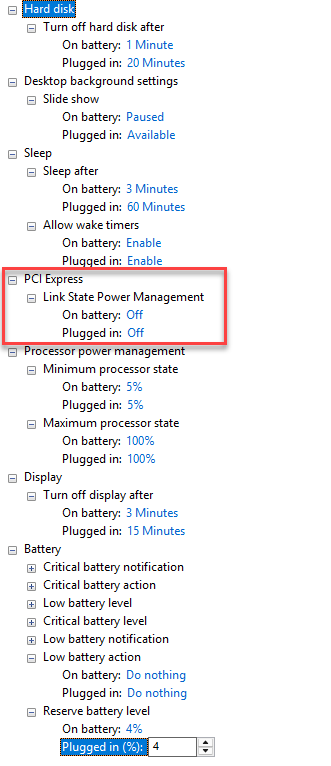
Power plan settings:
NIC settings:

There is no power management tab on the NIC properties, in the Device Manager, like you have with older versions of Windows 11.
The fact that the 12:30ish tasks are running at 3:00 AM is very puzzling. I haven't added any tasks that run at 3:00 AM.
Fast Start Up is not even an option so it is disabled:
PS C:\Users\Jeff\Desktop> (GP "HKLM:\SYSTEM\CurrentControlSet\Control\Session Manager\Power")

"HiberbootEnabled"0
PS C:\Users\Jeff\Desktop> powercfg -a
The following sleep states are available on this system:Standby (S0 Low Power Idle) Network ConnectedThe following sleep states are not available on this system:Standby (S1)The system firmware does not support this standby state.This standby state is disabled when S0 low power idle is supported.Standby (S2)The system firmware does not support this standby state.This standby state is disabled when S0 low power idle is supported.Standby (S3)The system firmware does not support this standby state.This standby state is disabled when S0 low power idle is supported.HibernateHibernation has not been enabled.Hybrid SleepStandby (S3) is not available.Hibernation is not available.Fast StartupHibernation is not available.PS C:\Users\Jeff\Desktop> powercfg -devicequery wake_armed
HID-compliant mouseHID Keyboard Device (003)(edited)
