
UNSOLVED
T
thumper300zx
2 Intern
•
48 Posts
0
2934
July 10th, 2024 20:58
Webcam on Latitude 3550 getting marked Unknown USB Device (Device Descriptor Request Failed)
Our org is having a problem with some brand new 3550's we are adding into our workforce.
The webcams on several of the devices (but not all) are getting flagged/marked Unknown USB Device (Decvice Descriptor Request Failed). Resolutions have varied, and for some users it has returned.
Our current most useful solution is to remove the device from Device Manager, disable BitLocker, and re-run a Dell BIOS .exe file (even if it's the same version). Once the laptop reboots, the webcam is working again. We've had about 50 of these occur, and about a dozen user have returned and had to have the same 'fix' applied again.
We use Crowdstrike and block USB Storage -- but other USB Devices work fine as designed.
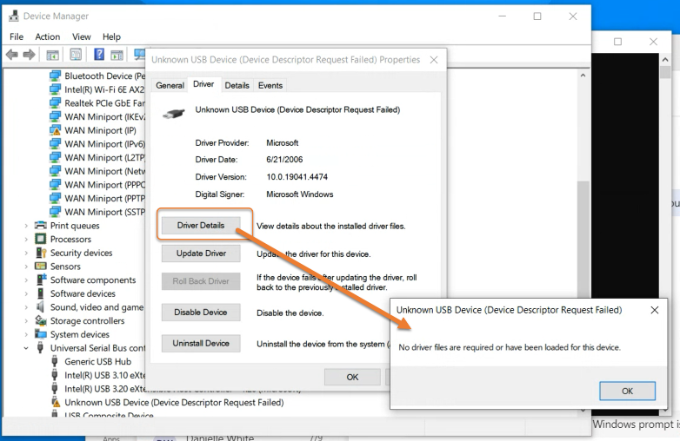
When we look at the Driver File Details (when not working) it is showing up as seen in the image here...
However, we have tested removing Crowdstrike as well -- then rebooting, and the device still does not work until we re-run the BIOS .exe. (see next screenshot, that DOESN'T Show up as Crowdstrike driver).
We have hundreds of Latitude 3500, 3510, 3520, 5511, etc...never had this occur. We still suspect something about Crowdstrike but having removed it on an affected device, and still running Firmware update again, we're running into a wall. Any help/ideas appreciated.
(edited)
