Самостоятельный ремонт, обслуживание или детали для модернизации вашего устройства Dell
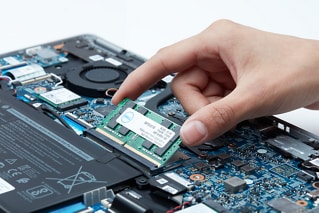
Customers can still perform self-service repairs, upgrades, and maintenance on their Dell devices after the original hardware warranty expires. Dell offers several options to assist customers with hardware upgrades, troubleshooting, and parts replacement.
To start, find your device model using the service tag or serial number.
If you purchased a Dell device in a region not directly served by Dell, parts availability and repair services will not be listed. Please contact your reseller for information about parts availability and repair services.
 |  |
Component replacement using augmented reality | Documentation |
| Use the Dell AR Assistant app to help you replace components on your Dell devices. | Operation manuals and disassembly guides |
 |  |
Diagnostics | Drivers and BIOS |
| Perform a quick check or identify your product to learn about additional diagnostic options | Identify your product to get the latest available updates |
Video materials (in English)
Видеоматериалы
Дополнительные сведения см.вразделеЧасто задаваемые вопросы о Dell AR Assistant
|
Dell AR Assistant для Android |
Dell AR Assistant для iOS |



Другие ресурсы

SupportAssist для ПК
Используйте SupportAssist, чтобы оптимизировать работу компьютера Dell SupportAssist для ПК
Библиотека поддержки (на английском языке)
Доступ ко всем статьям нашей базы знаний Библиотека поддержки (на английском языке)