PowerStore: Unable to establish vCenter Server connection after STIG Enablement
Summary: Some systems may encounter a connection issue with vCenter after Security Technical Implementation Guide (STIG) enablement. This results in the inability to connect to vCenter or impacts existing connections. ...
This article applies to
This article does not apply to
This article is not tied to any specific product.
Not all product versions are identified in this article.
Symptoms
Post-STIG enablement, attempt to connect PowerStore to vCenter server fails with error "unable to connect to vCenter".
Screenshot from PowerStore Manager:
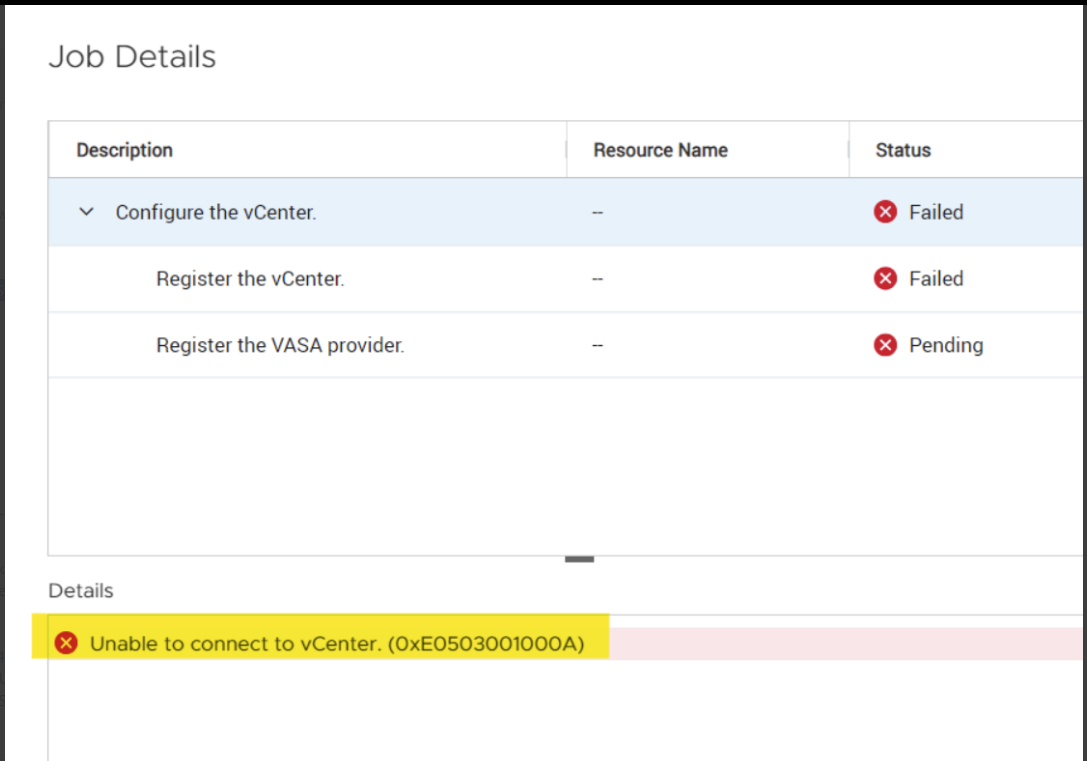
Screenshot from PowerStore Manager:
Cause
The VASA server certificate may not load into the keystore due to a timing issue, leading to failed connections on port 8443. This is because the certificate loading process is inadvertently linked to the admin password state, which changes after STIG enablement.
Resolution
- Enable STIG on PowerStore and then connectivity from vcenter photonOS run openssl against port 8443.
-vcenter [ ~ ]# openssl s_client -connect <PowerStore_Cluster_IP>:8443If no certificate returns, proceed to the next steps.
- Change the admin password through the GUI.
- Start an SSH connection to the PowerStore clusterIP with the service user and restart the ControlPath (CP) container by running the following command:
svc_container_mgmt restart CP
- Run openssl against port 8443 again. The VASA server certificate should now be visible.
- Re-try vCenter Server Connection
Affected Products
PowerStoreArticle Properties
Article Number: 000225415
Article Type: Solution
Last Modified: 09 Sept 2025
Version: 4
Find answers to your questions from other Dell users
Support Services
Check if your device is covered by Support Services.