NVIDIA Control Panel Will Not Install After Installing NVIDIA Geforce Driver
Summary: Learn about NVIDIA officially announcing the retirement of the NVIDIA control panel.
Symptoms
NVIDIA has officially announced that the classic NVIDIA Control Panel is officially retiring. After this version 32.0.16.1060, NVIDIA Control Panel is removed from the driver install package.
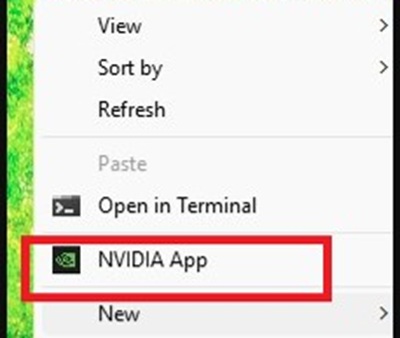
Control GPU Settings From The NVIDIA App

If you do a clean Windows Operating System (OS) install and install NVIDIA driver version 32.0.16.1060 or later, the NVIDIA Control Panel no longer installs.
Cause
NVIDIA officially announced that the classic NVIDIA Control Panel is retiring.
Resolution
If the computer already has the NVIDIA Control Panel installed, updating the driver to version 32.0.16.1060 or later, the NVIDIA Control Panel does not uninstall and you can keep using the NVIDIA Control Panel.
If you do a clean Windows install on the computer, when installing driver version 32.0.16.1060 or later, the NVIDIA Control Panel no longer installs.
For consumer systems (example: Alienware):
- You can install the NVIDIA app through the NVIDIA-GeForce-GTX-1xx0-RTX-x0x0-Graphics-Application_75KWV_WIN64_32.0.16.1060_A00.EXE download from the Dell Support website.
- You can download the NVIDIA app from the Microsoft Store.
For commercial systems (example: Dell Tower):
- You can download the NVIDIA Control Panel from the Microsoft Store.