PowerEdge: 17G - BIOS does not include the option to disable virtualization
Summary: The BIOS processor settings on 17G PowerEdge servers do not have the option to disable virtualization technology.
Symptoms
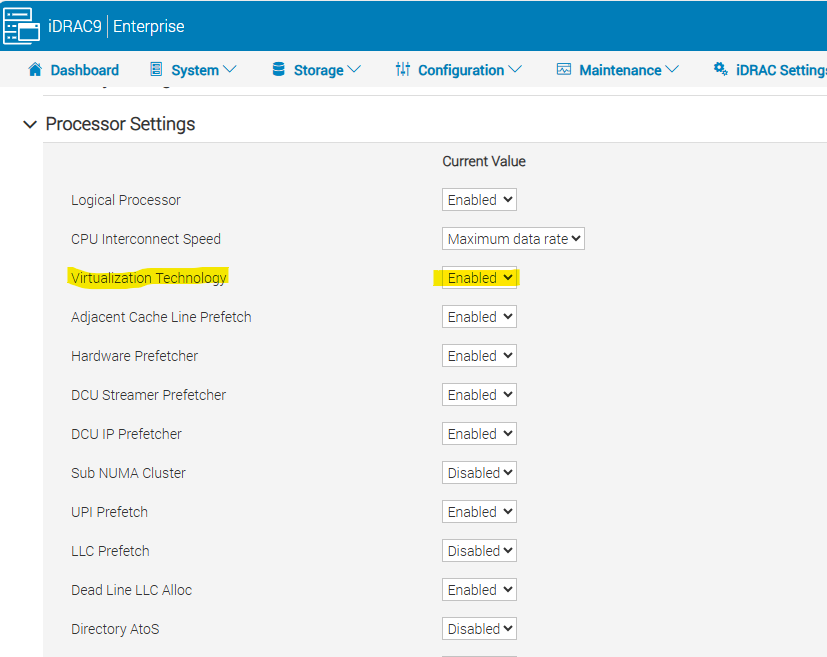
PowerEdge 14G-16G servers had the option to enable or disable Virtualization Technology in the BIOS.
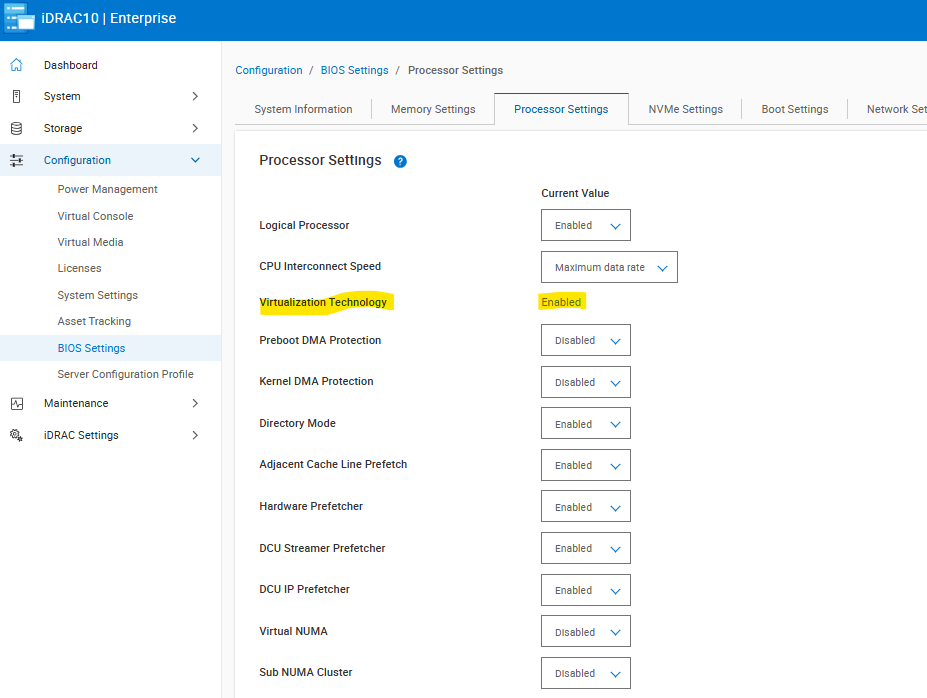
This field can no longer be changed in 17G PowerEdge servers and is set to enabled.
Cause
This feature was originally removed from 17G PowerEdge servers; however some customers may require the ability to disable virtualization technology especially for low latency environments.
Resolution
This option has been added back in starting with BIOS 1.6.4.
There are some limitations to this for newer processors, the Xeon Platinum 8592+, and quad processor systems.
For additional information, please see the articles below.
PowerEdge: R860 and R960 Servers Present No Option to Disable Virtualization Technology or x2APIC in BIOS Setup
PowerEdge XE9680: No Virtualization Technology "disable" Option in BIOS with Intel Xeon Platinum 8592+ processor