Dell ESA 7.0 PAK Manager PAK file DellEMCEnterpriseStorageAnalytics-7.0.0-build-2260_signed.pak zip biçiminde değil.
Summary: PAK Manager PAK file DellEMCEnterpriseStorageAnalytics-7.0.0-build-2260_signed.pak zip biçiminde değil.
This article applies to
This article does not apply to
This article is not tied to any specific product.
Not all product versions are identified in this article.
Symptoms
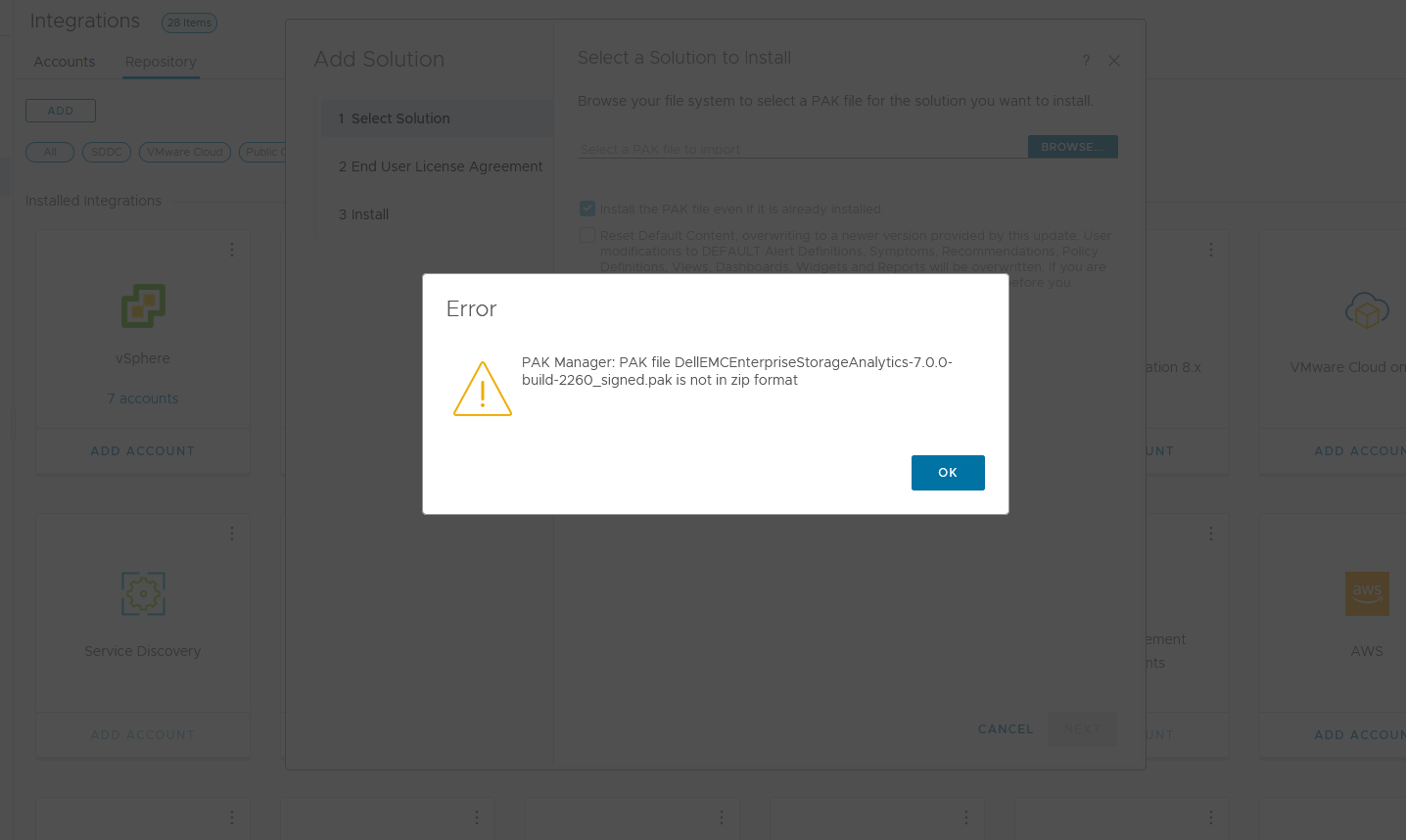
VMware vRealize Operations'ta (vROps) DellEMCEnterpriseStorageAnalytics-7.0.0-build-2260_signed.pak PAK dosyasını yüklemeye çalışırken şu mesaj görüntülenir:
PAK Manager: PAK file DellEMCEnterpriseStorageAnalytics-7.0.0-build-2260_signed.pak is not in zip format.VEYA
PAK Manager: PAK file reservedTemp_2696460655826554461.pak is not in zip format
Cause
İndirilen pak dosyası bozuktu.
Resolution
İndirilen dosyayı kullanmadan önce, dosyanın bütünlüğünü doğrulamak için bir sağlama çalıştırmak her zaman iyi bir uygulamadır.
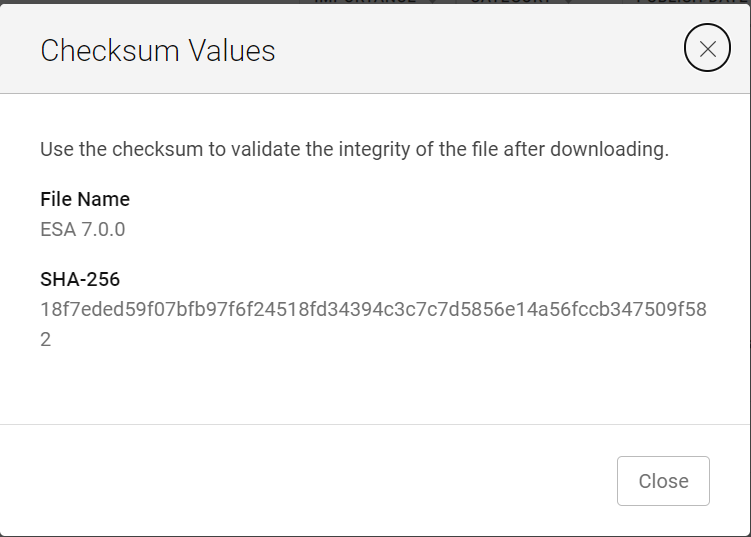
1. ESA 7.0 dosyasını (DellEMCEnterpriseStorageAnalytics-7.0.0-build-2260_signed.pak) indirin ve sağlama değerini alın.
2. PowerShell'i Çağırma
3. İndirilen dosyanın alfasayısal sağlama toplamı değerinin, web sitesinde belirtilenle eşleştiğini doğrulamak için sağlamayı çalıştırın.

4. Yüklemek
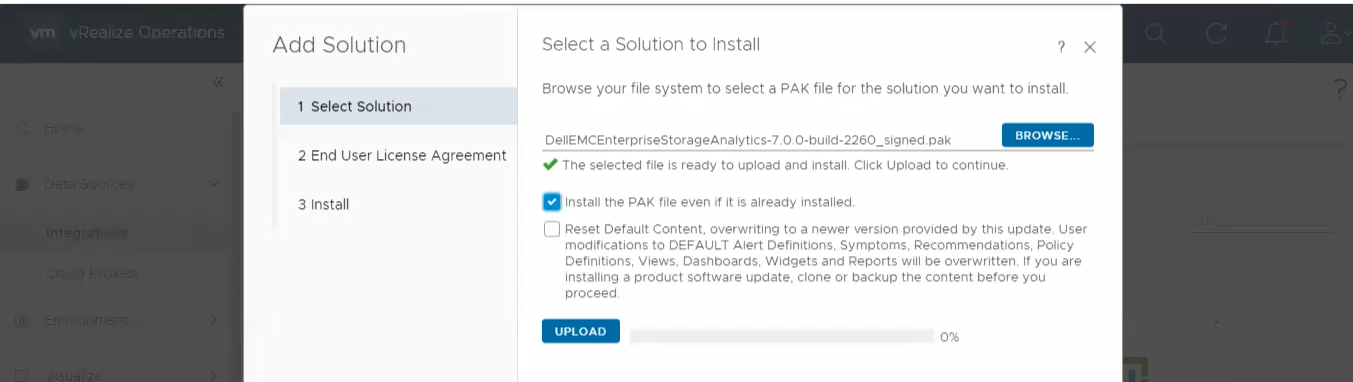
için bir çözüm seçin 5. UPLOAD" öğesine tıklayın ve doğrulanmış dosyanın başarıyla yüklendiğini görün.
1. ESA 7.0 dosyasını (DellEMCEnterpriseStorageAnalytics-7.0.0-build-2260_signed.pak) indirin ve sağlama değerini alın.
2. PowerShell'i Çağırma
Giriş:
Press winkey+ R.
Type cmd.
The command prompt is opened.
Type PowerShell and press enter.
3. İndirilen dosyanın alfasayısal sağlama toplamı değerinin, web sitesinde belirtilenle eşleştiğini doğrulamak için sağlamayı çalıştırın.
4. Yüklemek
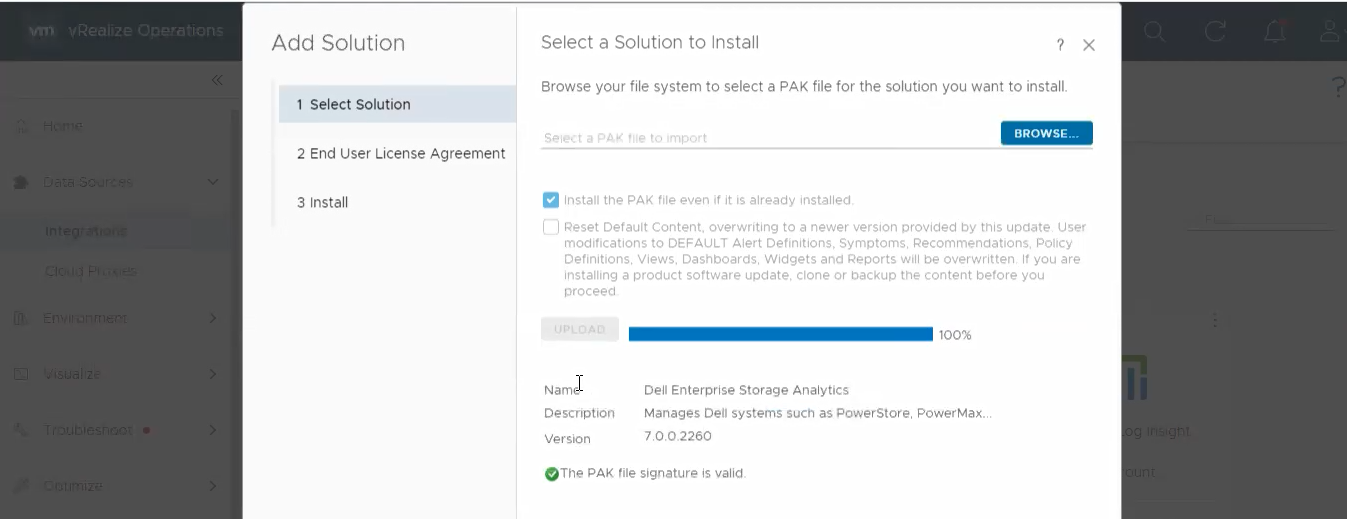
için bir çözüm seçin 5. UPLOAD" öğesine tıklayın ve doğrulanmış dosyanın başarıyla yüklendiğini görün.
Article Properties
Article Number: 000204311
Article Type: Solution
Last Modified: 12 آذار 2024
Version: 2
Find answers to your questions from other Dell users
Support Services
Check if your device is covered by Support Services.