Data Domain: External key manager key-rotation failed to create key
Summary: External key manager key rotation failed to create key (warning EVT-ENCRYPTION-00008) occurs when the file system is down. It also occurs if Storage Management Service (SMS) or Key Management Interoperability Protocol daemon (KMIPD) processes are down, or if the external manager is unreachable. Resolve by manually creating a new encryption key using Command-Line Interface (CLI) or User Interface (UI) and verify that the next rotation date is updated. ...
This article applies to
This article does not apply to
This article is not tied to any specific product.
Not all product versions are identified in this article.
Symptoms
Key rotation failure indicators
When a key rotation policy is active, the system attempts to rotate encryption keys at the defined interval.
The filesys encryption key-manager show command displays the next scheduled rotation date.
Example:

# filesys encryption key-manager show
The current key-manager configuration is:
Key Manager:                                Enabled
Server Type:                                CipherTrust
Server:                                     xx.xxx.xx.xxx
Port:                                       5696
Status:                                     Online
Key-class:                                  test_doc
KMIP-user:                                  user1
Key rotation period:                        1 weeks
Last key rotation date:                     01:01:12 12/14 2022
Next key rotation date:                     01:01:00 12/21 2022
The system generates the following alert when automatic rotation does not succeed:
WARNING Filesystem EVT-ENCRYPTION-00008: External key manager key rotation failed to create key- Alert
EVT-ENCRYPTION-00008appears in system logs. - The encryption key is not created at the scheduled time.
- The next key rotation date remains unchanged after the missed rotation.
Cause
Reasons for key rotation failure
The system logs warning EVT-ENCRYPTION-00008 when the external key manager cannot create a new key.
- The file system is down at the scheduled rotation time.
- The services SMS or
kmipdare not running during rotation. - The external key manager cannot be reached from the appliance.
WARNING: Automatic key rotation stops when any of these conditions occur.
Resolution
Rotate the encryption key manually or wait for the next Key rotation date.

Example:  Using command line
 # filesys encryption key-manager keys create
This command requires authorization by a user having a 'security' role.
Please present credentials for such a user below.
        Username: secadmin
        Password:
New encryption key was successfully created.

sysadmin@ddve4# filesys encryption key-manager show
The current key-manager configuration is:
Key Manager:                                Enabled
Server Type:                                CipherTrust
Server:                                     xx.xxx.xx.xxx
Port:                                       5696
Status:                                     Online
Key-class:                                  test_doc
KMIP-user:                                  user1
Key rotation period:                        1 weeks
Last key rotation date:                     20:27:47 12/20 2022
Next key rotation date:                     01:01:00 12/27 2022
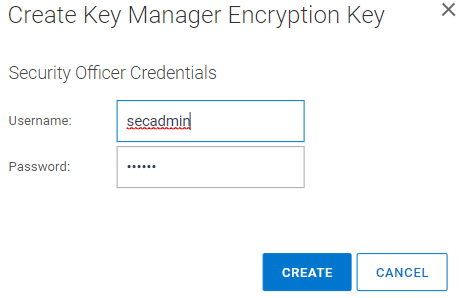
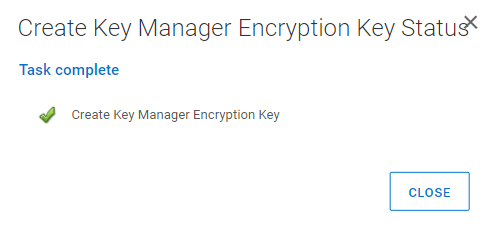
Note: The next key rotation period is updated appropriately. If manual key creation is not tried, then key rotation will be retried at the next set interval. Example: Using UI Log in to PowerProtect DD System Manager UI Go to "Data Management => File system => DD ENCRYPION => Key Manager Encryption Keys." Select "Add" Enter security username and password. Select "CREATE"
Affected Products
Data DomainArticle Properties
Article Number: 000206765
Article Type: Solution
Last Modified: 05 فبراير 2026
Version: 3
Find answers to your questions from other Dell users
Support Services
Check if your device is covered by Support Services.