PowerStore:執行狀況檢查,以識別具有內部檔案資料網路裝置的區塊系統
Summary: 本文說明在升級至 PowerStoreOS 4.4 的僅限區塊型裝置上,內部檔案資料網路裝置檢查的 PowerStore 執行狀況檢查警示。
Symptoms
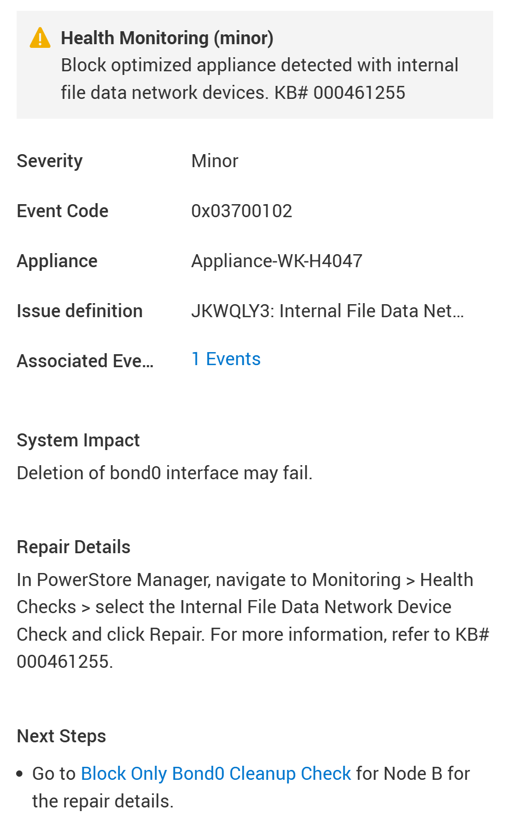
執行狀況檢查會偵測到此問題,並提出警示:
"Block optimized appliance detected with internal file data network devices."
Cause
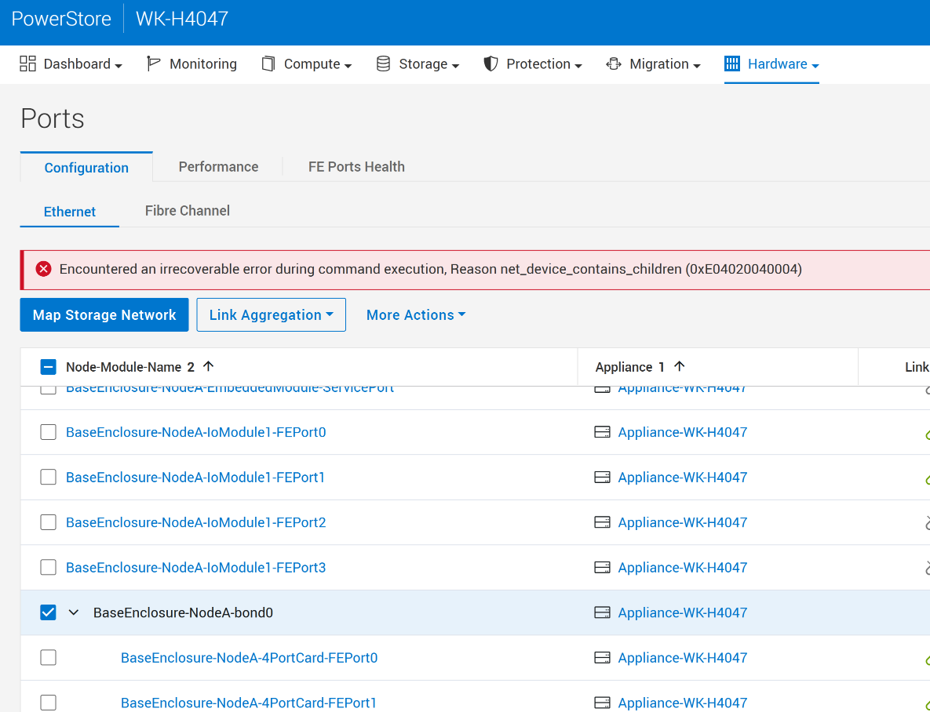
若為 4.4.x 之前的 PowerStoreOS 版本,僅限區塊應用裝置的 bond0 連接埠具有底層 eth_data0 網路裝置 (檔案資料介面)。將僅限區塊的裝置升級至 PowerStoreOS 4.4.x 後,此eth_data0裝置仍會保持與 bond0 相關聯。 因此,後續嘗試從 GUI 刪除 bond0 介面會失敗。
在全新安裝 4.4.x 且 bond0 連接埠沒有底層 eth_data0 網路裝置的僅限區塊裝置上,不會發生此問題。
根本原因是即使在僅塊配置中也會創建 eth_data0(檔案數據介面)。軟體修正可確保在僅區塊模式下運作時,不會建立或附加eth_data0。
如需其他詳細資料,請參閱 KB#000452127 PowerStore:無法刪除 PowerStoreOS 4.4.0.0 上的 bond0,原因 net_device_contains_children (0xE04020040004)
Resolution
此警示通知包含自動修復功能,可從 PowerStore Manager (GUI) -> 設定 -> 支援 -> 自動修復啟用或停用。
如果已啟用自動修復:
- PowerStore 會自動修正問題,並在補救成功時清除警示。
如果自動修復已停用:
- 自動修復可從 PowerStore Manager (GUI) 啟用 -> 設定 -> 支援 -> 自動修復 -> 從「僅警示」模式切換至「自動修復」模式。
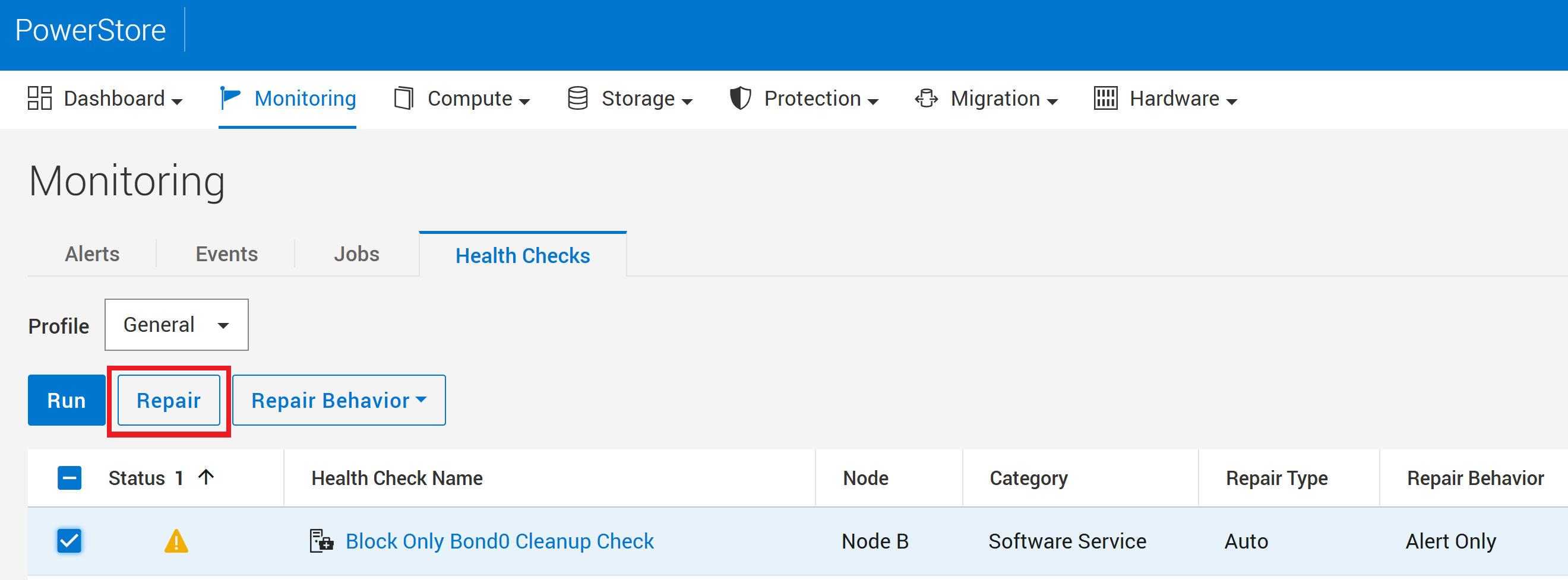
- 或者,您也可以從 PowerStore Manager -> 監控 -> 執行狀況檢查 -> 僅封鎖 Bond0 清理檢查 -> 修復,手動啟動此警示的修復程序。
若為已停用自動修復的系統,可從託管控制修補程式容器之節點的服務容器執行下列服務命令。 請聯絡 技術支援部門 以取得協助。
svc_health_check run --repair -rhc pd_block_only_bond0_cleanup
重要:
修復後,您只能在單一裝置區塊專用叢集中刪除 bond0 連接埠。若為多應用裝置組態,則 bond0 介面會用於叢集通訊。
如果問題仍然存在,請聯絡技術支援,以便他們檢查錯誤的根本原因,以決定最佳的行動方案。請提及此 KB 文章 ID,以加速處理。
Additional Information
請參閱 KB#000193518PowerStore:RxDefinitions 問題登陸頁面,以取得執行狀況檢查機制、RxDefinitions 套裝,以及 RxDefinitions 警示完整清單的詳細資訊。
如需其他問題詳細資料,請參閱 KB#000452127 PowerStore:無法刪除 PowerStoreOS 4.4.0.0 上的 bond0,原因 net_device_contains_children (0xE04020040004)