vSphere 7은 DIMM 오류 후 영구 메모리(NVDIMM-N)를 0MB로 표시합니다.
Summary: DIMM 오류 후 vSphere 7.0이 영구 메모리(NVDIMM-N)를 0MB로 표시 PMEM 네임스페이스가 "사용 안 됨"으로 표시됨
This article applies to
This article does not apply to
This article is not tied to any specific product.
Not all product versions are identified in this article.
Instructions
vSphere Web UI는 DIMM 오류 후 영구 메모리를 0MB로 표시합니다.
참고: 이 문제는 물리적 DIMM 문제를 해결한 후에 발생합니다.
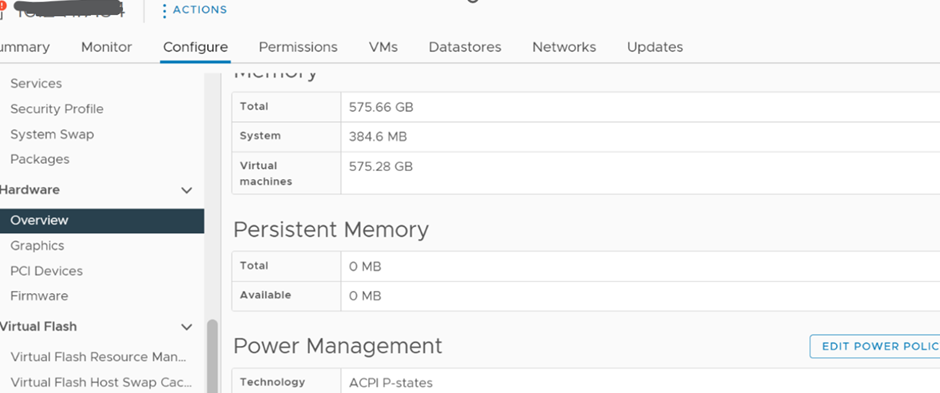
해결 방법:
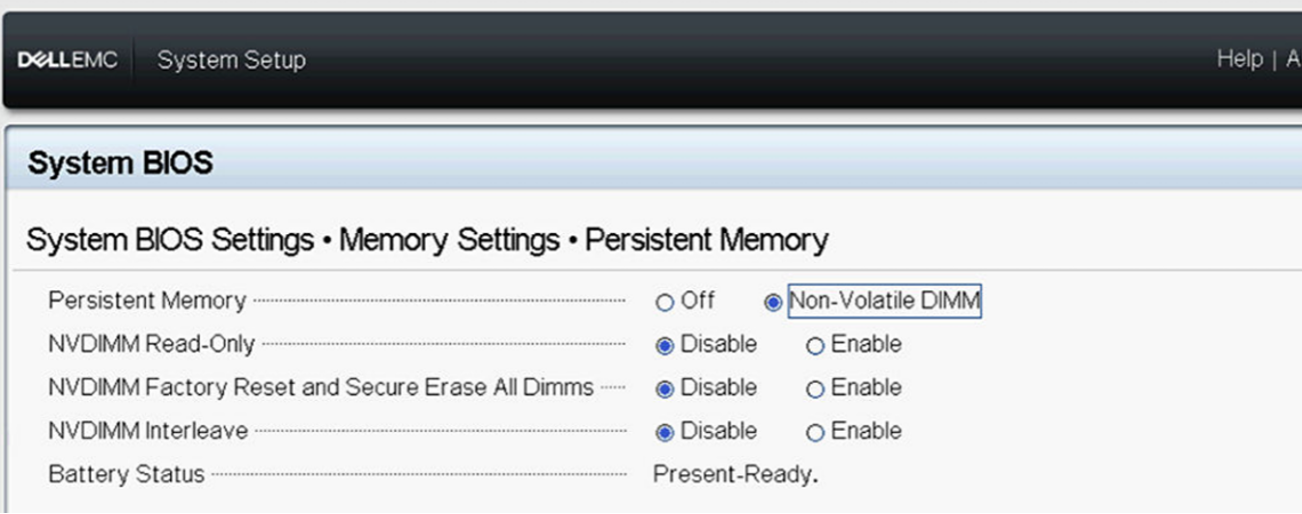
1) 아래와 같이 BIOS에서 영구 메모리가 활성화되어 있는지 확인합니다.
2) ESXI 호스트 UI에 로그인하여 영구 메모리 네임스페이스 설정
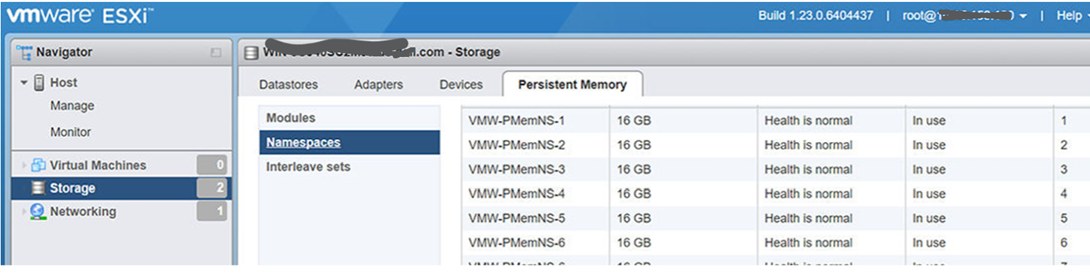
이 "사용되지 않음"으로 표시되는 경우 네임스페이스 삭제를 확인한 다음 호스트를 재부팅하여 ESXi가 네임스페이스를
자동으로 다시 생성하도록 합니다. 3) 재부팅하면 네임스페이스가 다시 생성되고 정상적으로 작동합니다.
참고: 이 문제는 물리적 DIMM 문제를 해결한 후에 발생합니다.
해결 방법:
1) 아래와 같이 BIOS에서 영구 메모리가 활성화되어 있는지 확인합니다.
2) ESXI 호스트 UI에 로그인하여 영구 메모리 네임스페이스 설정
이 "사용되지 않음"으로 표시되는 경우 네임스페이스 삭제를 확인한 다음 호스트를 재부팅하여 ESXi가 네임스페이스를
자동으로 다시 생성하도록 합니다. 3) 재부팅하면 네임스페이스가 다시 생성되고 정상적으로 작동합니다.
Affected Products
VMware ESXi 6.7.X, VMware ESXi 7.x, VMware ESXi 8.xArticle Properties
Article Number: 000211598
Article Type: How To
Last Modified: 30 ذو القعدة 1447
Version: 5
Find answers to your questions from other Dell users
Support Services
Check if your device is covered by Support Services.