在 DIMM 錯誤後,vSphere 7 顯示持續性記憶體 (NVDIMM-N) 為 0 MB
Summary: 在 DIMM 錯誤後,vSphere 7.0 顯示持續性記憶體 (NVDIMM-N) 為 0 MB PMEM Namespace 顯示為「Not in use」
This article applies to
This article does not apply to
This article is not tied to any specific product.
Not all product versions are identified in this article.
Instructions
在 DIMM 錯誤後,vSphere Web UI 顯示持續性記憶體為 0 MB。
注意:此問題會在修復實體 DIMM 問題後發生。
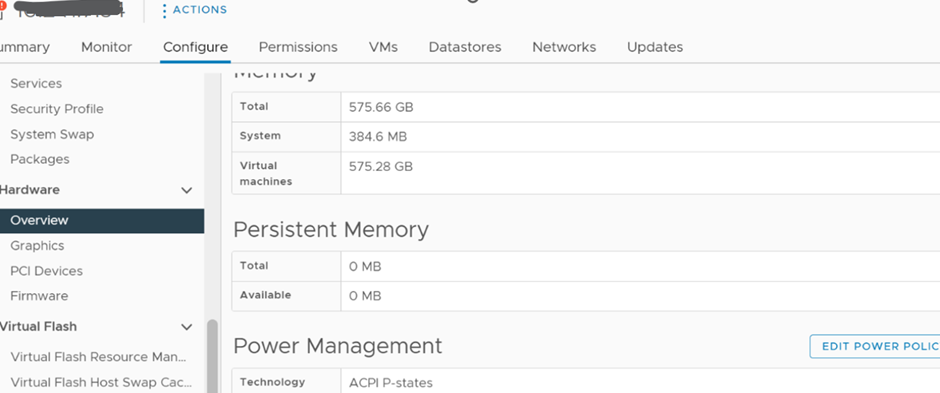
解決方案:
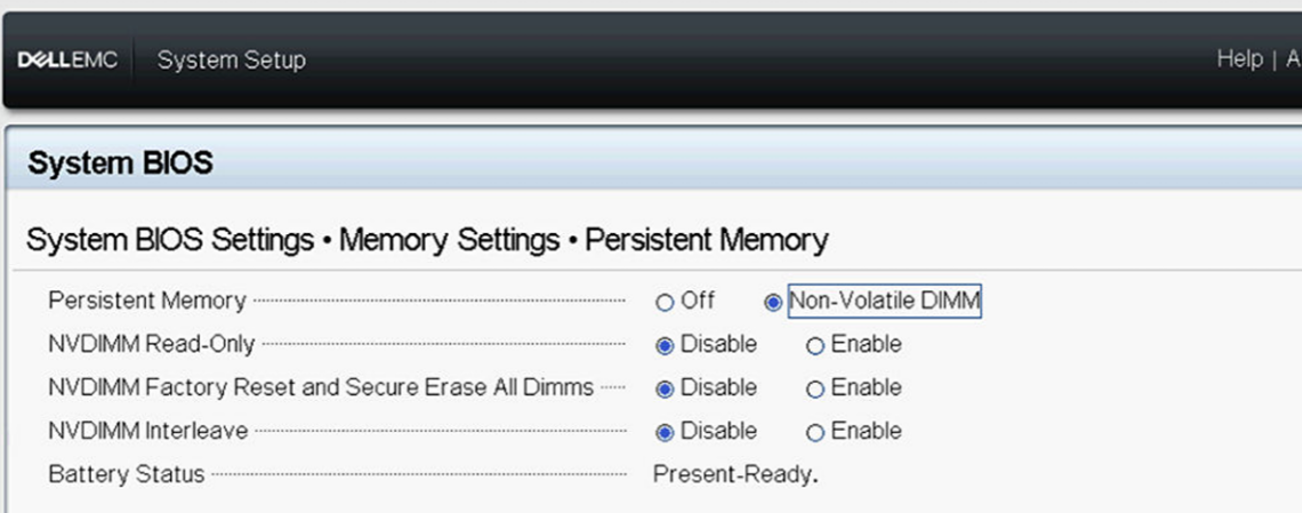
1) 確定 BIOS 中已啟用持續性記憶體,如下所示:
2) 登入 ESXI 主機 UI 以檢查 Persistent Memory Namespace 設定
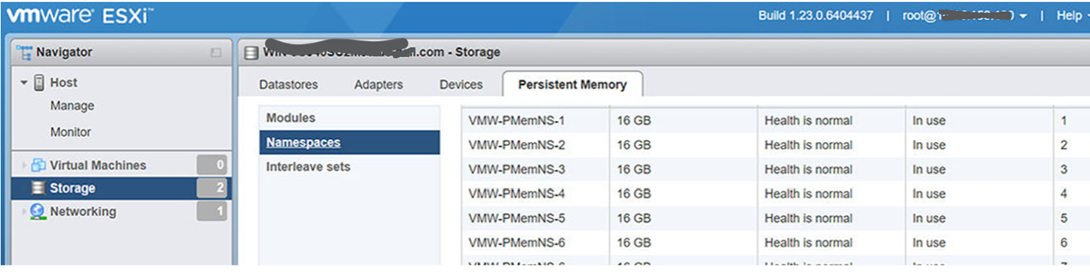
,如果命名空間顯示為「Not in use」,請刪除命名空間,然後重新開機主機,讓 ESXi 自動重新建立 Namespace
3) 重新開機後,將重新建立命名空間並照常運作。
注意:此問題會在修復實體 DIMM 問題後發生。
解決方案:
1) 確定 BIOS 中已啟用持續性記憶體,如下所示:
2) 登入 ESXI 主機 UI 以檢查 Persistent Memory Namespace 設定
,如果命名空間顯示為「Not in use」,請刪除命名空間,然後重新開機主機,讓 ESXi 自動重新建立 Namespace
3) 重新開機後,將重新建立命名空間並照常運作。
Affected Products
VMware ESXi 6.7.X, VMware ESXi 7.x, VMware ESXi 8.xArticle Properties
Article Number: 000211598
Article Type: How To
Last Modified: 30 ذو القعدة 1447
Version: 5
Find answers to your questions from other Dell users
Support Services
Check if your device is covered by Support Services.