Data Domain: How to gather TSR logs
Summary: This article outlines the process for generating a Technical Support Report (TSR) log (also known as a SupportAssist bundle), on PowerProtect Data Domain platforms. These logs are essential for Support to diagnose and resolve various system-related issues. ...
Αυτό το άρθρο ισχύει για
Αυτό το άρθρο δεν ισχύει για
Αυτό το άρθρο δεν συνδέεται με κάποιο συγκεκριμένο προϊόν.
Δεν προσδιορίζονται όλες οι εκδόσεις προϊόντων σε αυτό το άρθρο.
Instructions
Applies to:
- All Data Protection Appliances using the Dell PowerEdge Platform:
- e.g., DD3300, DD6400, DD640, DD6900, DD9400, DD9410, DD9900, DD9910, DP4400, DM5500
Purpose:
This article details the basic steps to generate a TSR log bundle (also known as SupportAssist) on PowerProtect Data Domain platforms.
The Technical Support Report (TSR) is a collection of logs for the Dell Server platform gathered from the iDRAC interface. To Configure iDRAC, see Installation Guide for relevant product on dell.com/support.
Tech Support uses these logs to identify various issues.
Procedure:
- Log in to iDRAC (Point a Web-Browser at the iDRAC IP address)
- Select the Maintenance tab
- Select SupportAssist tab
- Select Start a Collection button
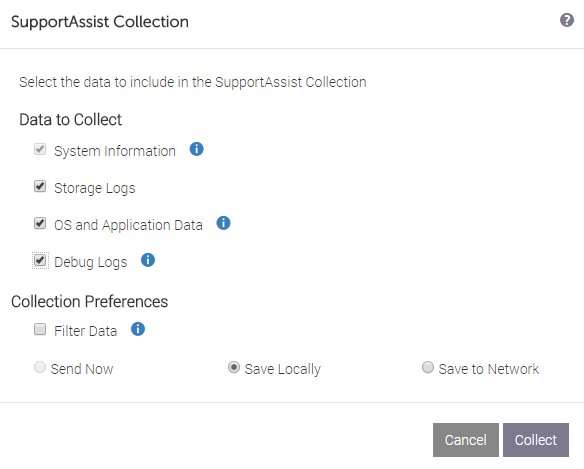
- Select All logs to be in the bundle, then click Collect to start the log generation.
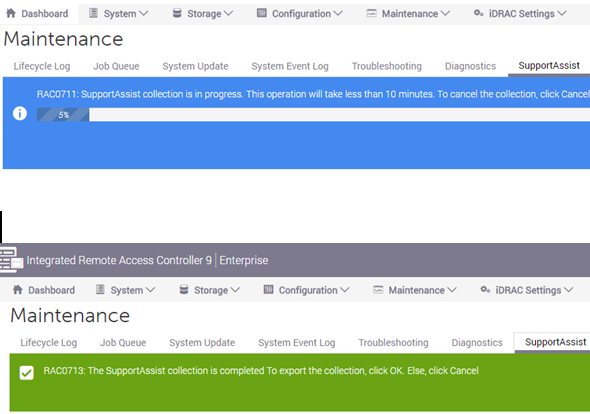
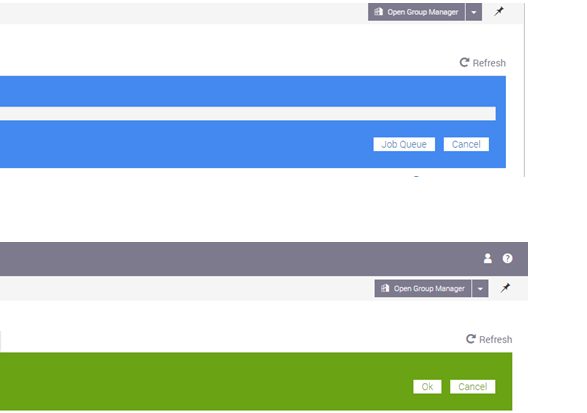
- Once the log collection is completed, select OK to start the download to your workstation.
- Upload to Dell Support with your preferred method.
- Attach to Service Request.
Or
- Request MFT link from Support.
Additional Information
How to Read the TSR Log:
- Extract the TSR file.
- Browse to the 'TSR' folder contained within.
- Open the 'viewer.html' file using a Web Browser (such as Chrome)
- Use the menus to browse to relevant or required content.
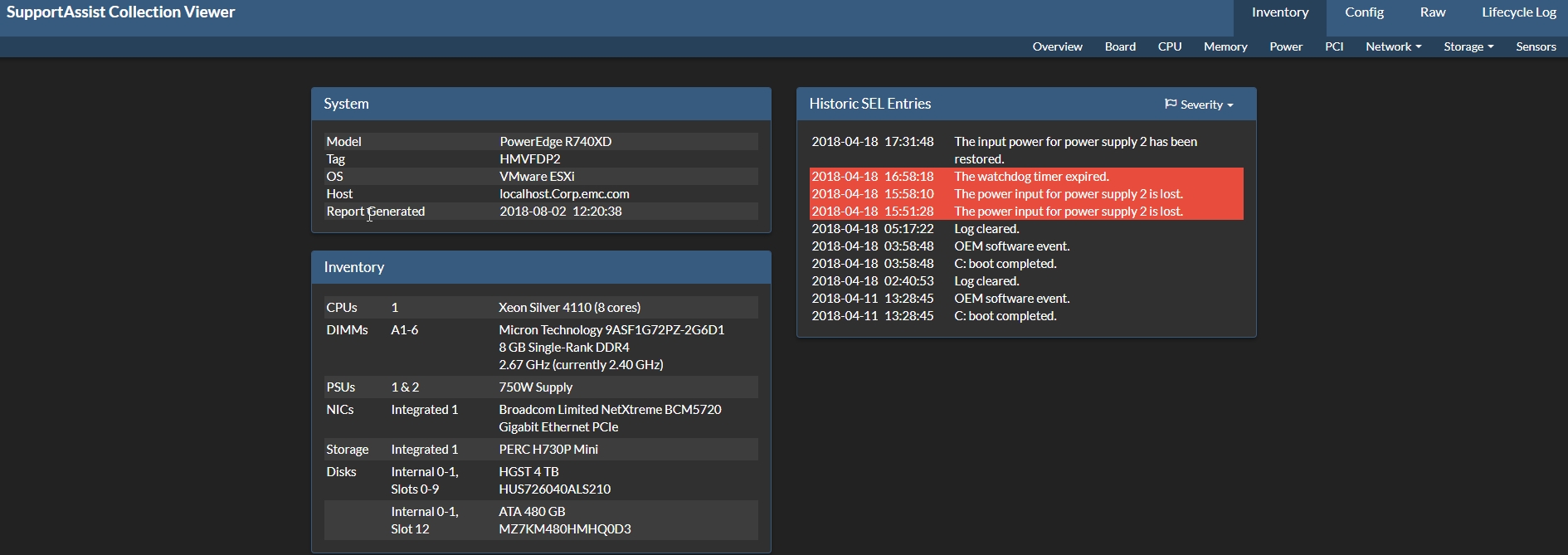
Example of the 'viewer.html' page:
Related References:
- KB article 21505: How to: Connect to iDRAC via USB (All Data Protection Appliances on the Dell PowerEdge Platform) - if IP connection is not available. (Log in to Dell Support is required for access to this article.)
- See Product Installation Guides (on Dell.com/support ) for details on configuring iDRAC.
- KB article 22891: How to generate ESXi host logs and vCenter Support Bundle from the command line? (Log in to Dell Support is required for access to this article.)
- KB article 11126: IDPA: How to create and download a log bundle.
- KB article 22859: Avamar: How to run "getlogs" to gather Avamar server logs. (Log in to Dell Support is required for access to this article.)
- KB article 22926: Data Domain: How to collect/upload a support bundle (SUB) from a Data Domain Restorer (DDR). (Log in to Dell Support is required for access to this article.)
- PERC Logs (from ESXi):
- #
perccli show (Gather relevant Controller Number - Examples below are for Ctl 0) #perccli /c0 show termlog > termlog.txt#perccli /c0 show events type=includedeleted >perc_events.log
- #
This video shows how to collect and view the TSR:
Επηρεαζόμενα προϊόντα
PowerProtect Data Protection Appliance, Data DomainΠροϊόντα
Data Domain, PowerProtect DP4400, DD6900 Appliance, DD9400 Appliance, DD9900 Appliance, Integrated Data Protection Appliance FamilyΙδιότητες άρθρου
Article Number: 000021925
Article Type: How To
Τελευταία τροποποίηση: 17 Απρ 2026
Version: 9
Βρείτε απαντήσεις στις ερωτήσεις σας από άλλους χρήστες της Dell
Υπηρεσίες υποστήριξης
Ελέγξτε αν η συσκευή σας καλύπτεται από τις Υπηρεσίες υποστήριξης.