PowerEdge MX7000: How to Fail Over a Management Module
Summary: Platform training video that covers how to failover a Management Module (MM) in OpenManage Enterprise Modular.
Αυτό το άρθρο ισχύει για
Αυτό το άρθρο δεν ισχύει για
Αυτό το άρθρο δεν συνδέεται με κάποιο συγκεκριμένο προϊόν.
Δεν προσδιορίζονται όλες οι εκδόσεις προϊόντων σε αυτό το άρθρο.
Instructions
Management Module Failover on Your MX7000 Chassis
Duration: 00:02:42 (hh:mm:ss)
When available, closed caption (subtitles) language settings can be chosen using the CC icon on this video player.
Overview:
When performing a failover of a Management Module (MM) in a dual MM configuration, the active MM reboots, and the standby MM becomes active. An MM failover performs the same action as an MM reset, in a dual MM configuration.Prior to performing a failover on an MM, check to see which MM is active and which is standby by going to Devices > Chassis. From this page, select the chassis to view, and go to Hardware > Management Module.
Verify that the MM is redundant and healthy and that MM firmware versions match before proceeding with an MM failover. This is important; if either scenario exists, OpenManage Enterprise Modula configuration data may be lost.
Below, notice that the MM in slot 1 is active, and the MM in slot 2 is the standby MM.
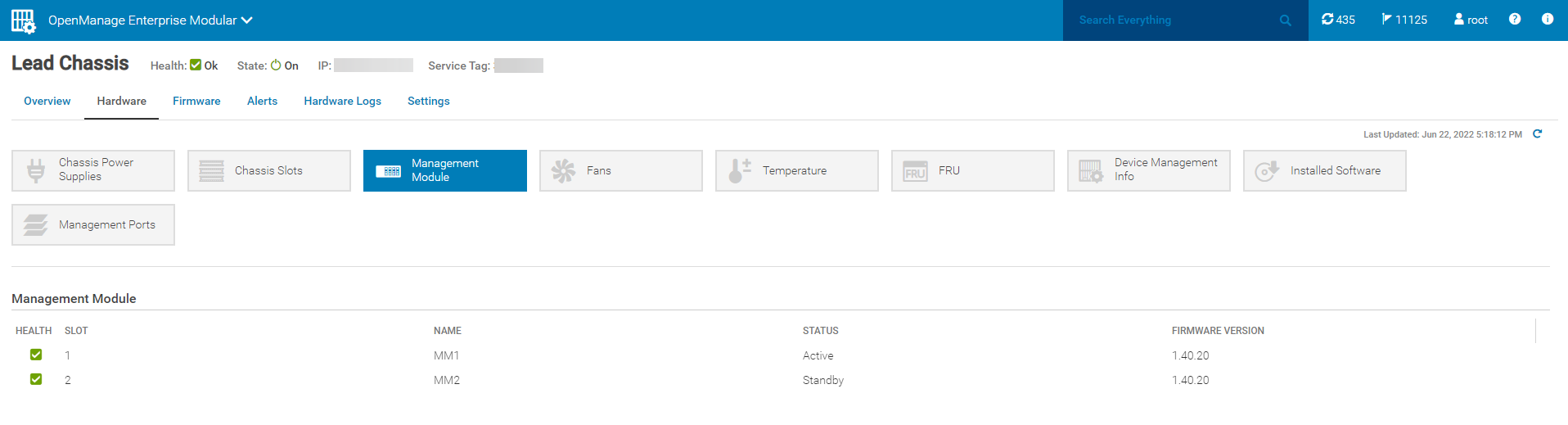
Steps on how to failover an MM:
- Go to Devices > Chassis and select the chassis to failover MM on.
- On the Chassis' page, go to More Actions > Failover.
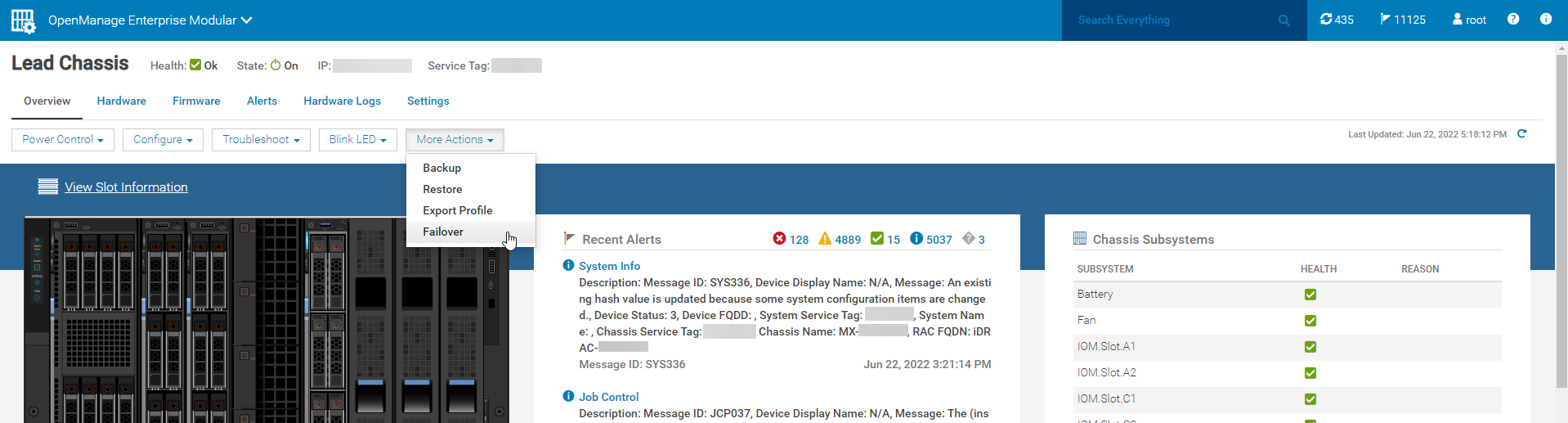
- Select Yes to proceed.
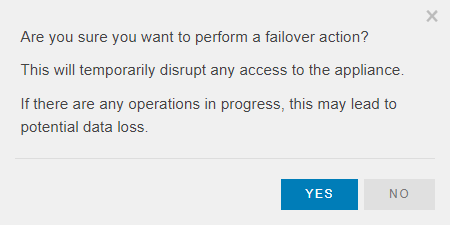
- After selecting Yes, you are logged out of OpenManage Enterprise Modular.
- You can set up a continuous ping to OpenManage Enterprise Modular with the command:
ping <chassisIP> -t. - Once the active MM reboots, the ping requests time-out.
- Once ICMP ping replies are received again, access OpenManage Enterprise Modular once more and confirm that the passive MM has taken over as the now active MM. (It is normal to see no value for the standby MM firmware for a few more minutes.)
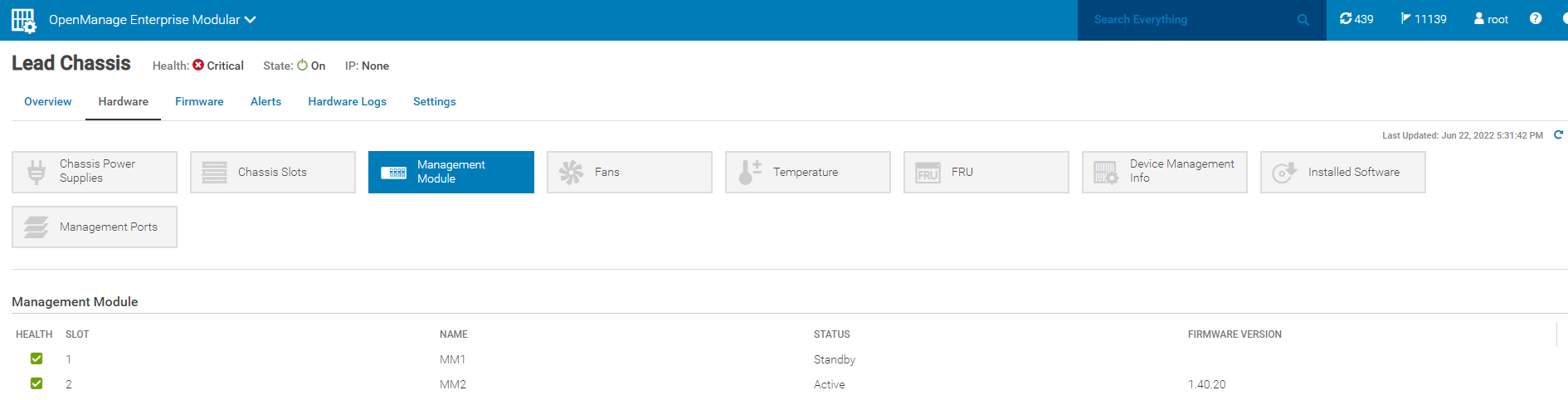
- Under Devices > Chassis on the chassis' page, Recent Alerts show multiple inventory refresh jobs (as does the Job Queue page in Monitor > Jobs, by changing the Source filter from User Generated to System Generated).
- After the inventory refreshes, alerts indicate that MM redundancy is restored. Eventually, the lead chassis health shows a status of OK when an alert appears stating, Device Health has Improved. The last item to change is the alert under MM in the Chassis Subsystems section on the right side of the chassis page, which disappears.
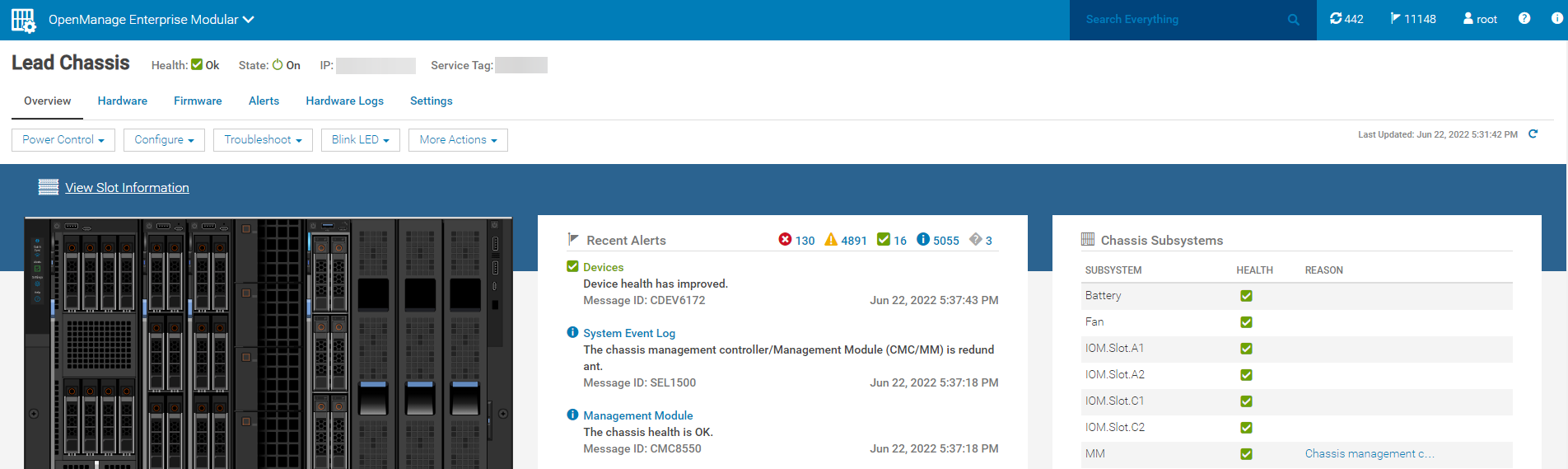
- Once the chassis health shows a status of OK, and the alert under MM in the Chassis Subsystems section on the right side of the chassis page disappears, the MM failover process is complete, and the user may proceed with other chassis related tasks.
Επηρεαζόμενα προϊόντα
Dell OpenManage Enterprise-Modular, PowerEdge MX7000Ιδιότητες άρθρου
Article Number: 000200872
Article Type: How To
Τελευταία τροποποίηση: 23 Μαΐ 2025
Version: 11
Βρείτε απαντήσεις στις ερωτήσεις σας από άλλους χρήστες της Dell
Υπηρεσίες υποστήριξης
Ελέγξτε αν η συσκευή σας καλύπτεται από τις Υπηρεσίες υποστήριξης.