使用触摸板或触摸屏时桌面文件夹无响应
Summary: 有关 Windows 11(版本 23H2 22631.2428)中无法使用触摸板或触摸屏拖动或单击桌面文件夹的信息。
Αυτό το άρθρο ισχύει για
Αυτό το άρθρο δεν ισχύει για
Αυτό το άρθρο δεν συνδέεται με κάποιο συγκεκριμένο προϊόν.
Δεν προσδιορίζονται όλες οι εκδόσεις προϊόντων σε αυτό το άρθρο.
Symptoms
如果您使用触摸板或触摸屏,单击 Windows 桌面文件夹没有响应。
受影响的操作系统:
- Windows 11(版本 23H2 22631.2428)
受影响的型号:
- Latitude 5430
- Latitude 5431
- Latitude 5440
- Latitude 7030 Rugged Extreme 平板电脑
- Latitude 7230 Rugged Extreme 平板电脑
- Latitude 7320
- Latitude 7330
- Latitude 7430
- Latitude 7440
- Latitude 7640
- Latitude 7530
- Latitude 9330
- Latitude 9430
- Latitude 9440
- Precision 3470
- Precision 3480
- Precision 5470
- Precision 5480
- Precision 5570
- Precision 5680
- Precision 7670
- Precision 7680
- Precision 7770
- Precision 7780
- 戴尔 Pro 13 Premium
Cause
这是 Windows 11(版本 23H2 22631.2428)的问题。
Resolution
Windows 热修复程序
Windows 修补程序 22631.2861 纠正了此问题,并在 Microsoft 商店中提供。
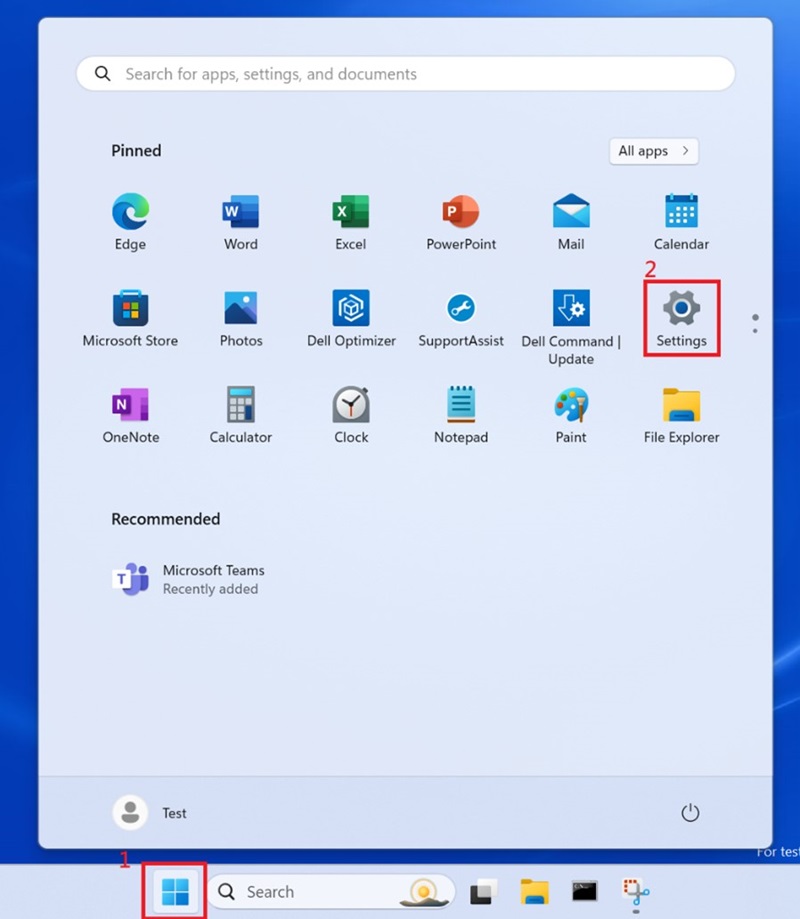
单击 Windows 框 并选择 设置。
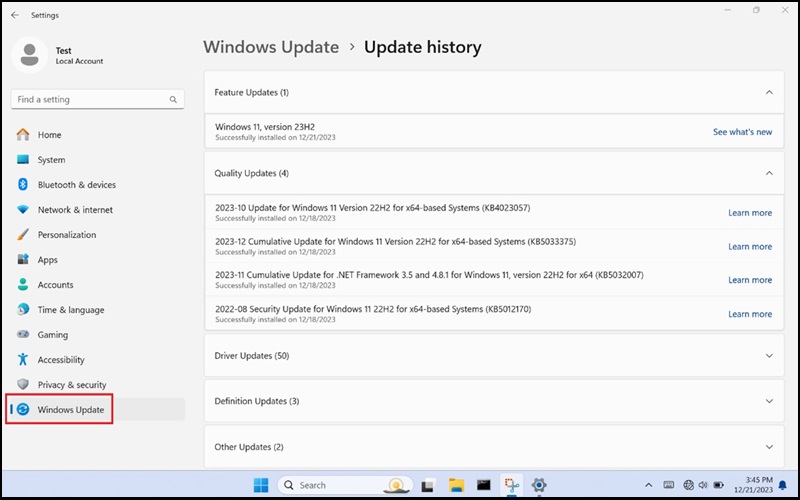
选择 Windows 更新 并更新 Windows。
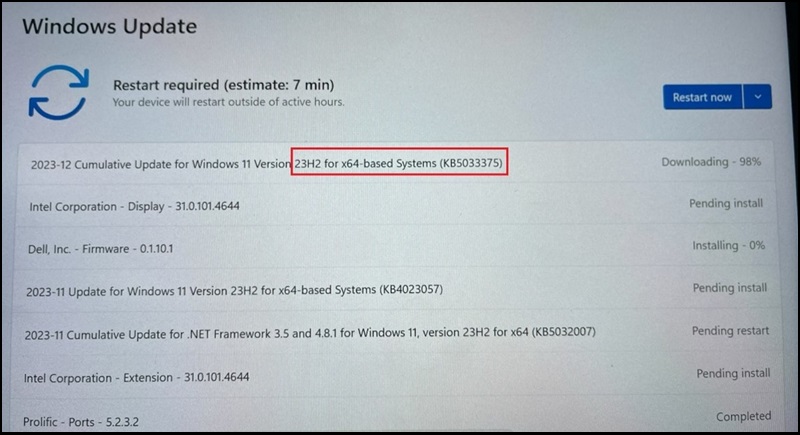
Windows 应更新至版本 23H2 22631.2861。
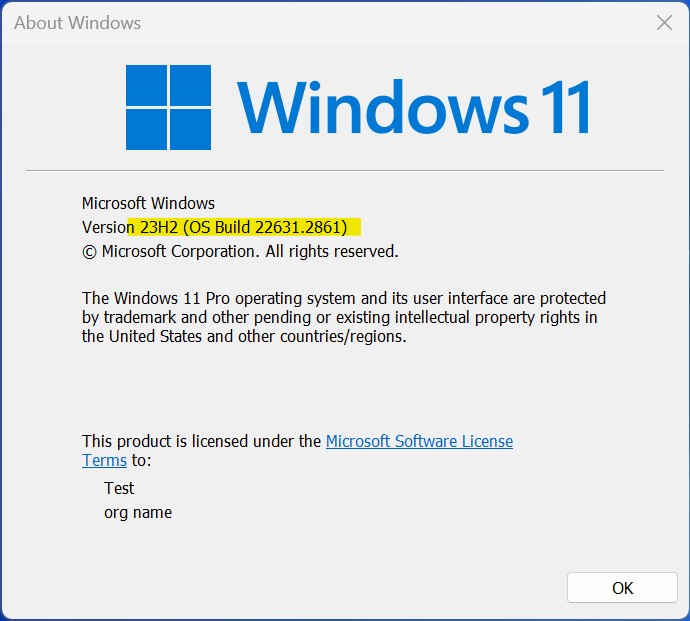
更多信息:2023 年 12 月 12 日 - KB5033375(作系统内部版本 22621.2861 和 22631.2861)
Επηρεαζόμενα προϊόντα
Dell Pro 13 Premium PA13250, Latitude 7030 Rugged Extreme Tablet, Latitude 7230 Rugged Extreme Tablet, Latitude 7320, Latitude 7330, Latitude 9330, Latitude 5431, Latitude 5440, Latitude 7430, Latitude 7440, Latitude 9430, Latitude 9440 2-in-1
, Latitude 7530, Latitude 7640, Latitude 5430, Precision 3470, Precision 3480, Precision 5470, Precision 5480, Precision 5570, Precision 5680, Precision 7670, Precision 7680, Precision 7770, Precision 7780
...
Ιδιότητες άρθρου
Article Number: 000220837
Article Type: Solution
Τελευταία τροποποίηση: 19 Μαΐ 2026
Version: 9
Βρείτε απαντήσεις στις ερωτήσεις σας από άλλους χρήστες της Dell
Υπηρεσίες υποστήριξης
Ελέγξτε αν η συσκευή σας καλύπτεται από τις Υπηρεσίες υποστήριξης.