Alienware Pro 无线游戏鼠标无法保存 Alienware Command Center 设置
Summary: 了解如果 Alienware Pro 无线游戏鼠标无法在 Alienware Command Center 中保存预设或调整设置,该怎么做。
This article applies to
This article does not apply to
This article is not tied to any specific product.
Not all product versions are identified in this article.
Symptoms
在非 Alienware 计算机上使用 Alienware Pro 无线游戏鼠标时,可能会遇到两个不同的问题。安装 Alienware Command Center (AWCC) 版本 6.1.11 时,会出现这些问题。问题包括:
- 连接 Alienware Pro 无线游戏鼠标后,无法在 Alienware Command Center 中保存预设
- 连接 Alienware Pro 无线游戏鼠标后,无法在 Alienware Command Center 中调整轮询速率、每线性英寸点数 (DPI) 级别、节电模式和解除距离 (LOD)
受影响的产品
- Alienware Command Center
- Alienware Pro 无线游戏鼠标
Cause
Alienware Command Center 安装程序未在不需要 RGB 照明控制的计算机(非 Alienware 计算机)上加载 FX 数据库。
Resolution
在计算机上更新到 Alienware Command Center 版本 6.1.13 或更高版本可解决此问题。要下载并安装 Alienware Command Center 更新,请参阅支持 Alienware Pro 无线游戏鼠标驱动程序和下载。
如果计算机上已安装 Alienware Command Center 版本 6.1.11,则在安装过程中会显示一条消息。此消息显示“Alienware Command Center Package Manager:软件包 FXCoreInstaller 错误:安装程序必须更新在系统运行时无法更新的文件或服务。如果您选择继续,则需要重新启动才能完成设置。如果出现这种情况,请单击 “确定 ”以完成安装,然后重新启动计算机。
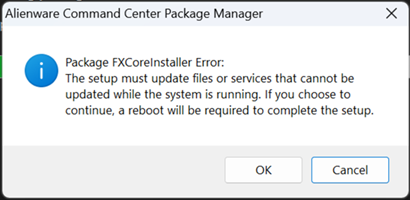
如果计算机上尚未安装 Alienware Command Center 版本 6.1.11,请在安装完成后重新启动计算机。
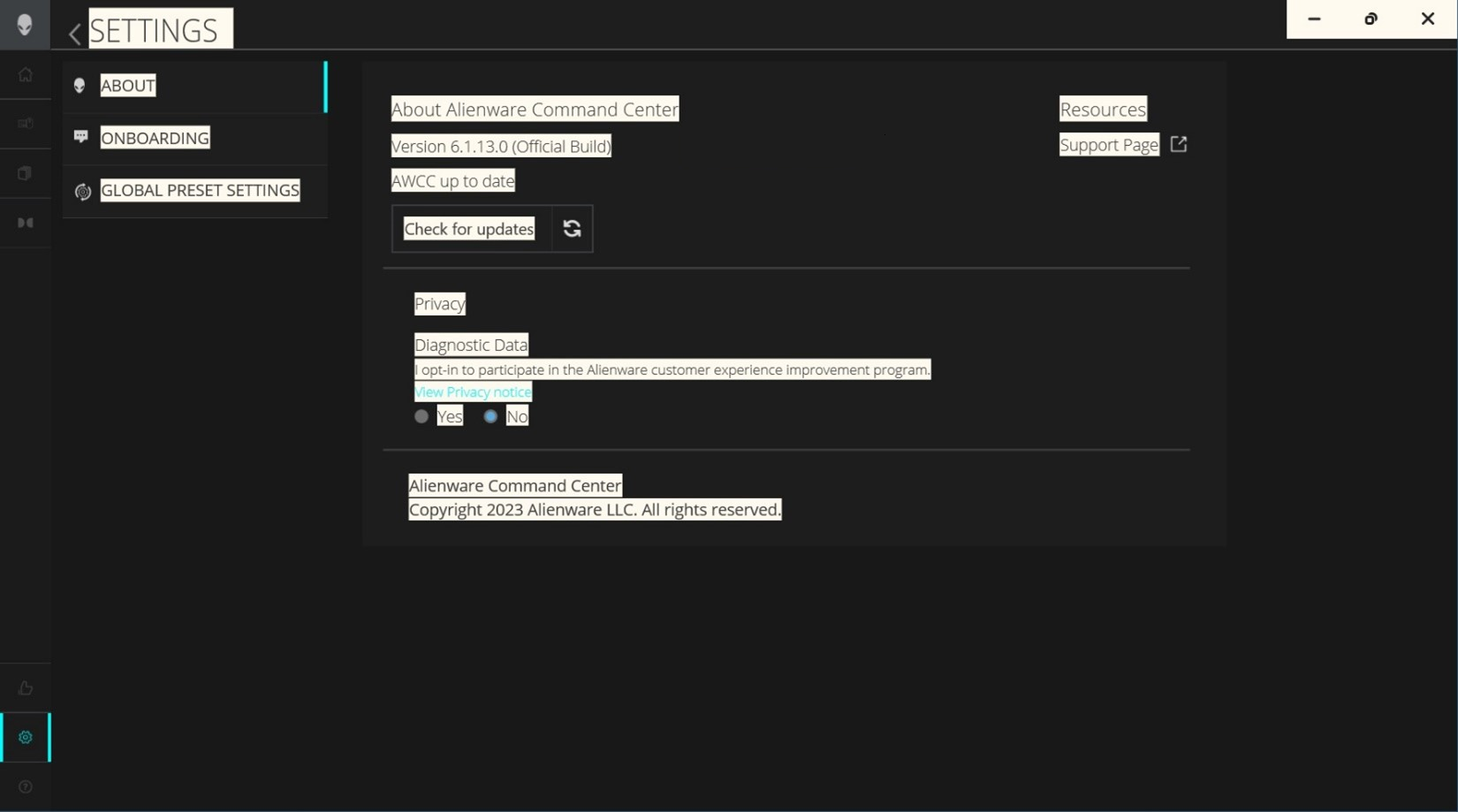
安装 Alienware Command Center 6.1.13 或更高版本后,通过单击左下角的 设置 图标确认 Alienware Command Center 版本。
Affected Products
Alienware Command Center, Alienware Pro Wireless Gaming MouseArticle Properties
Article Number: 000221866
Article Type: Solution
Last Modified: 19 May 2026
Version: 8
Find answers to your questions from other Dell users
Support Services
Check if your device is covered by Support Services.