Data Domain: SNMP-agent uitschakelen in iDRAC voor DD3300, DD6400, DD6900, DD9400 en DD9900
Summary: In dit artikel wordt uitgelegd hoe u de SNMP-agent in iDRAC uitschakelt voor DD3300, DD6400, DD6900, DD9400 en DD9900 systemen.
This article applies to
This article does not apply to
This article is not tied to any specific product.
Not all product versions are identified in this article.
Instructions
Stappen
- Typ in een webbrowser het iDRAC IP-adres dat is opgegeven tijdens de iDRAC-configuratie.
- Meld u aan met de referenties die zijn gemaakt voor het iDRAC-account.
- Ga naar iDRAC Settings>Services>SNMP Agent.
- Selecteer uitschakelen en toepassen in de vervolgkeuzelijst.
OPMERKING: De wijziging is onmiddellijk en opnieuw opstarten of opnieuw opstarten is niet vereist.
OPMERKING: In toekomstige DDOS-releases kan dit standaard worden uitgeschakeld en permanent na opnieuw opstarten en upgrades.
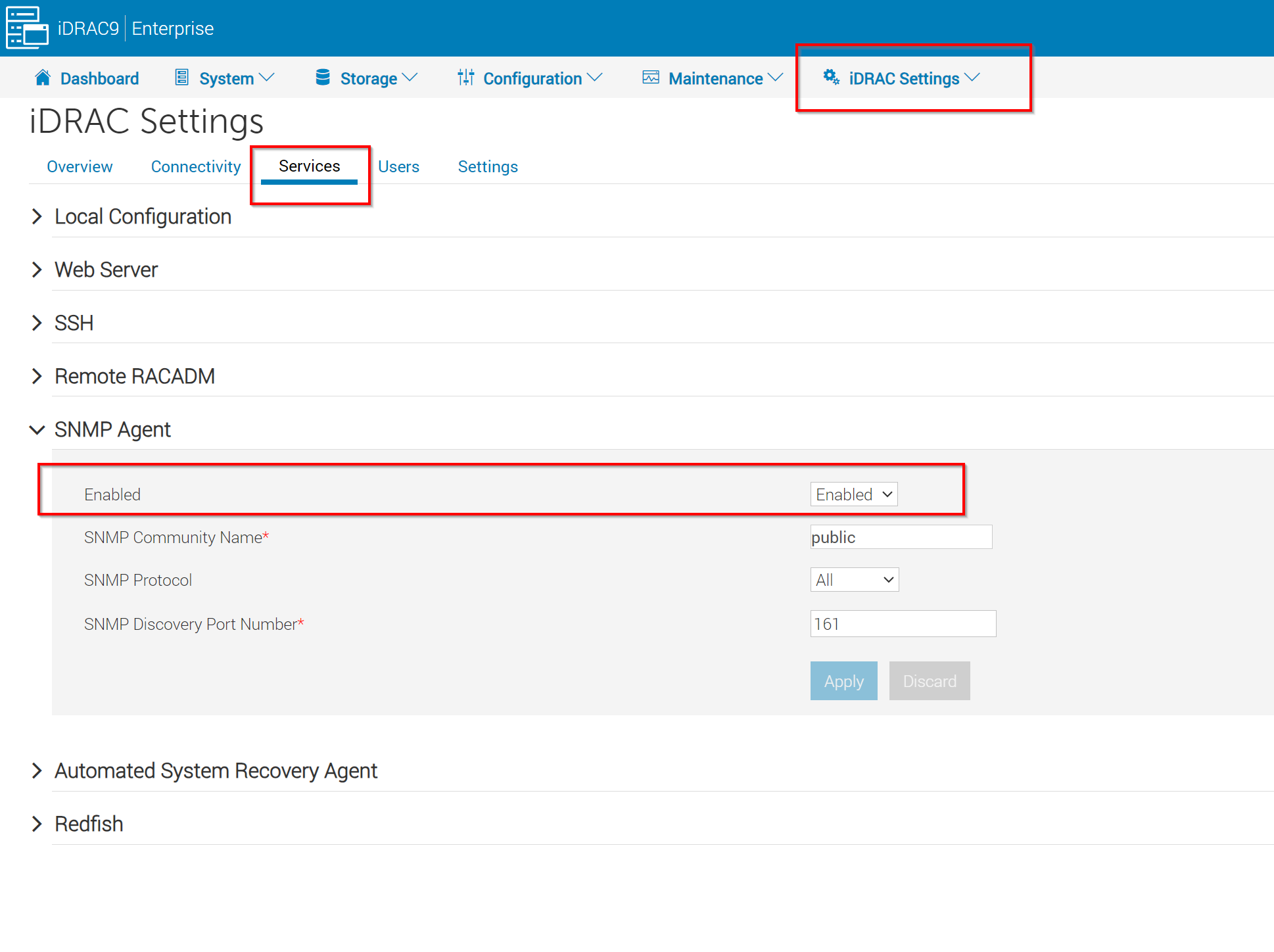
Afbeelding 1: Schermafbeelding van iDRAC-instellingen om de SNMP-agent uit te schakelen.
Affected Products
Data DomainArticle Properties
Article Number: 000219718
Article Type: How To
Last Modified: 01 Dec 2023
Version: 2
Find answers to your questions from other Dell users
Support Services
Check if your device is covered by Support Services.