Dell Unity: How to create a quota tree
Summary: This article describes how to create quota trees through the Unisphere Command-Line Interface (UEMCLI) or the Unity UI.
This article applies to
This article does not apply to
This article is not tied to any specific product.
Not all product versions are identified in this article.
Instructions
- A user quota limits the amount of storage consumed by an individual user storing data on a file system or quota tree.
- You can create user quotas on a file system or quota tree:
- Create a user quota on a file system to limit or track the amount of storage space that an individual user consumes on that file system. When you create or modify a user quota on a file system, you have the option to use default hard and soft limits that are set at the file-system level.
- Create a user quota on a quota tree to limit or track the amount of storage space that an individual user consumes on that tree. When you create a user quota on a quota tree, you have the option to use the default hard and soft limits that are set at the quota-tree level.
Unisphere
UI > STORAGE > File > File System > FS Properties > Quota > File System or Quota Tree
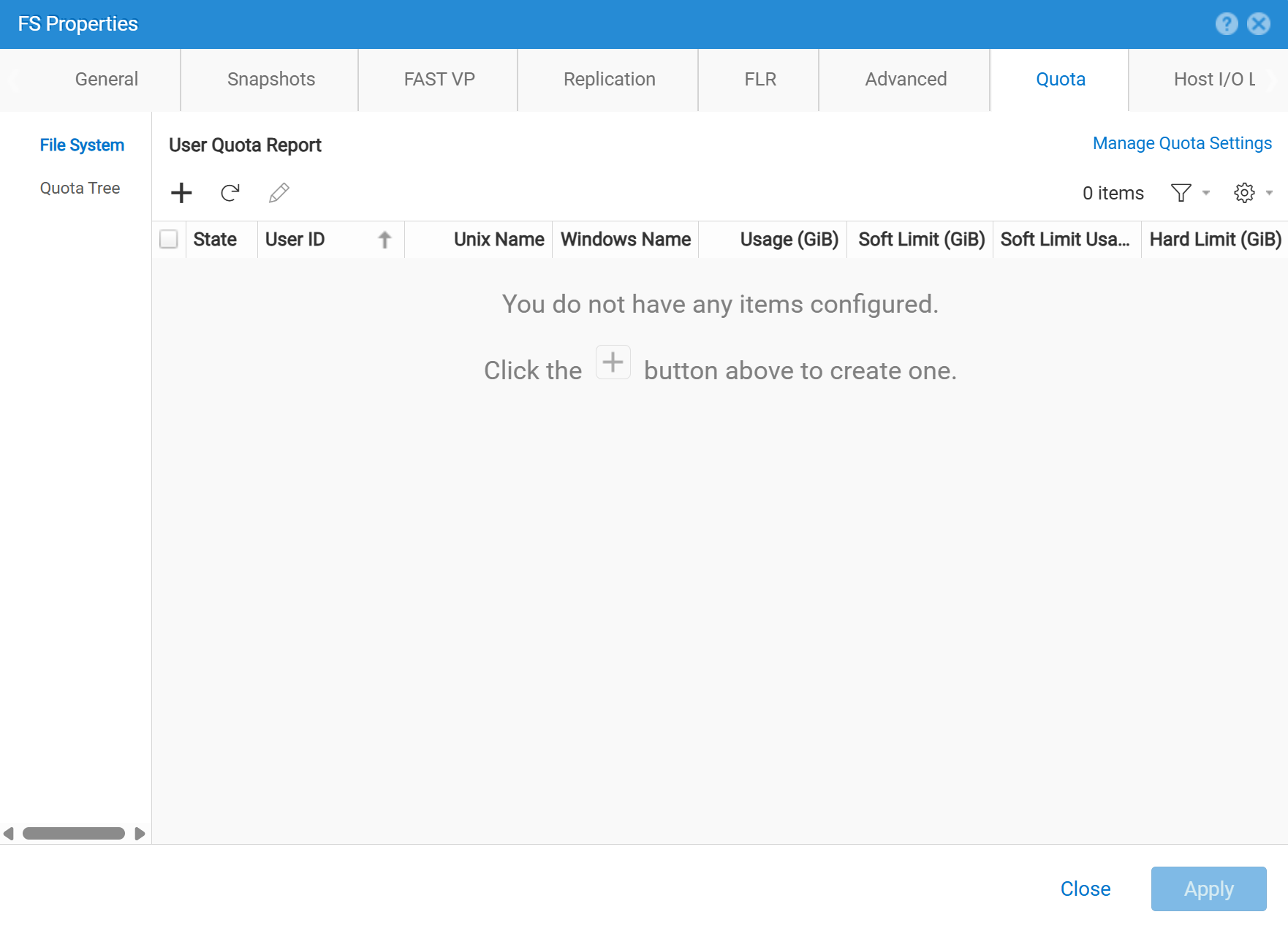
CLI
uemcli /quota/user create [-async] {-fs | -fsName } [-path ] {-userId | -unixName | -winName } {-default | [-softLimit ] [- hardLimit ]}
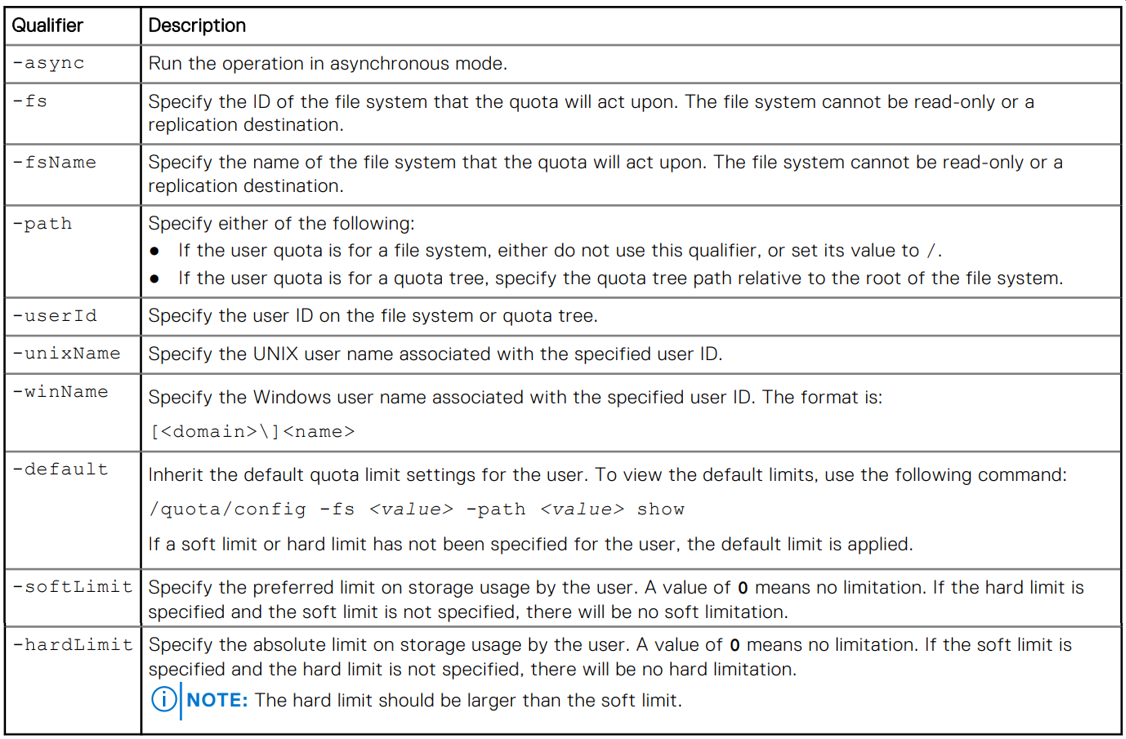
Additional Information
See the Dell Unity Family Unisphere Command Line Interface User Guide Version 5.5.1 (July 2025)
Quota Tree command syntax starts on page 356.
Affected Products
Dell EMC Unity, Dell EMC Unity Family |Dell EMC Unity All Flash, Dell EMC Unity HybridArticle Properties
Article Number: 000004518
Article Type: How To
Last Modified: 11 Nov 2025
Version: 4
Find answers to your questions from other Dell users
Support Services
Check if your device is covered by Support Services.