VNX1 PN's for SPS(Standby Power Supply)
Summary: This article explains VNX1 PN's for SPS (Standby Power Supply).
This article applies to
This article does not apply to
This article is not tied to any specific product.
Not all product versions are identified in this article.
Instructions
Informational:
When replacing a SPS(Standby Power supply) on a VNX1, VNX5700 or VNX7500.
Note the below:
Use a dual 2U SPS when a 4U DAE with Flash drives is used in a Vault drive configuration. Otherwise, the dual 1U SPS is used with the 2U or 3U DAE as the Vault drive.
When replacing a SPS(Standby Power supply) on a VNX1, VNX5700 or VNX7500.
Note the below:
Use a dual 2U SPS when a 4U DAE with Flash drives is used in a Vault drive configuration. Otherwise, the dual 1U SPS is used with the 2U or 3U DAE as the Vault drive.
Additional Information
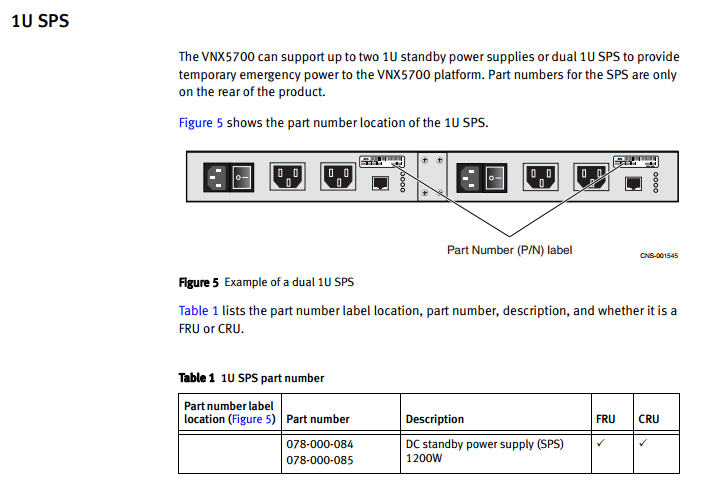
Image of a VNX5700 with 1U SPS's:
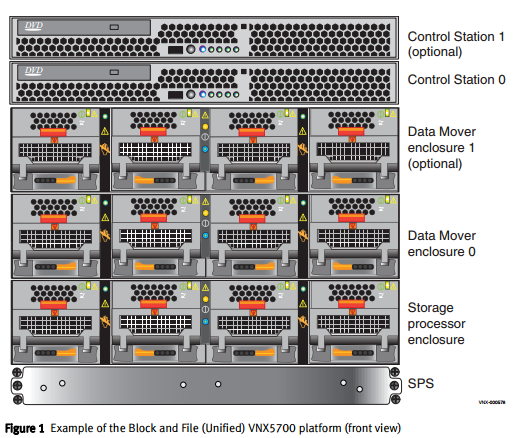
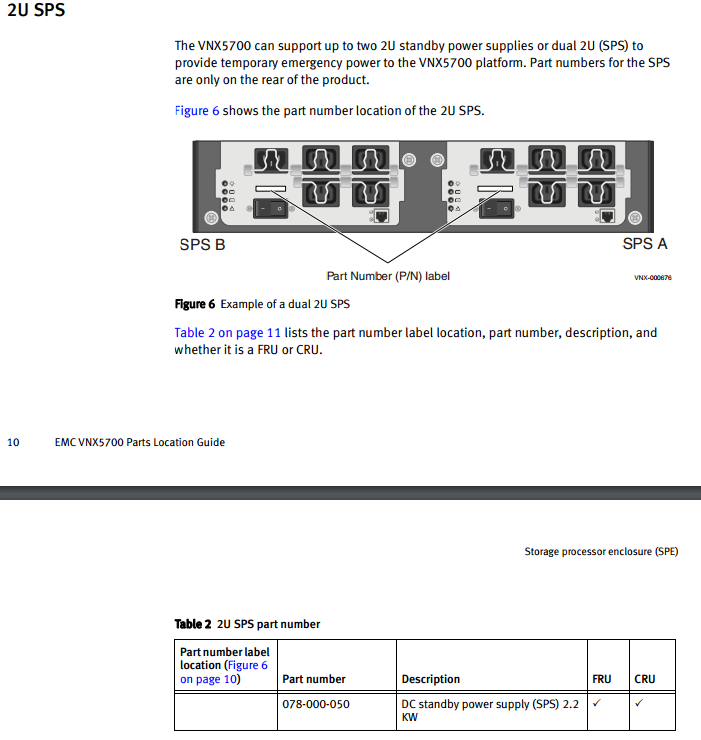
Image of a VNX5700 with 2U SPS's, Please note the Important note below:
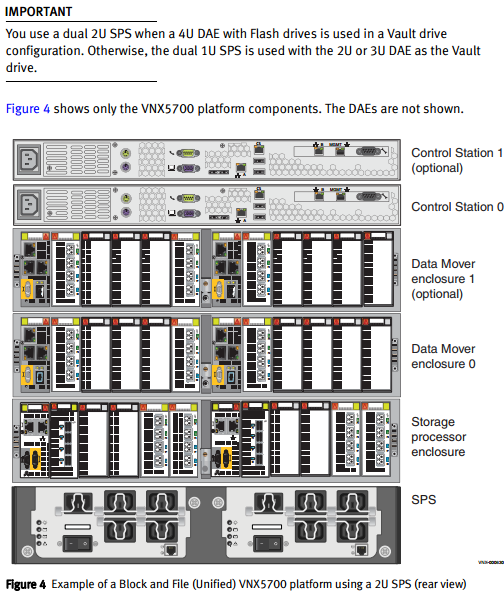
Image of a VNX7500 with a 1U SPS's
Important:
Use a dual 2U SPS when a 4U DAE with Flash drives is used in a Vault drive configuration. Otherwise, the dual 1U SPS is used with the 2U or 3U DAE as the Vault drive.
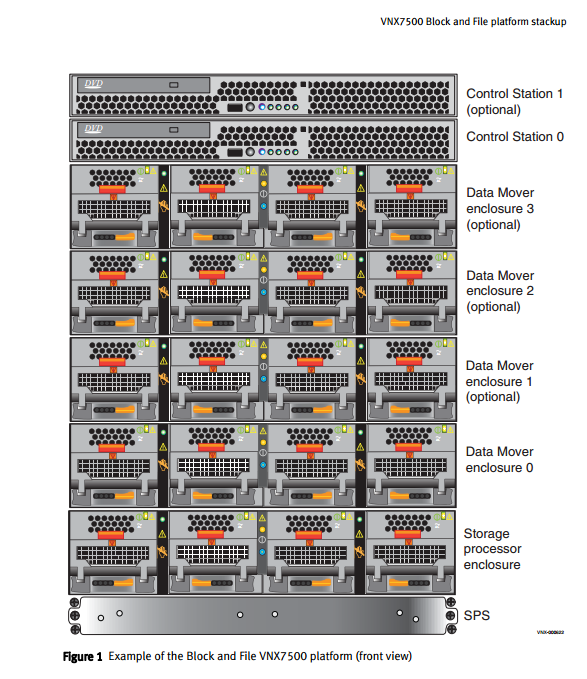
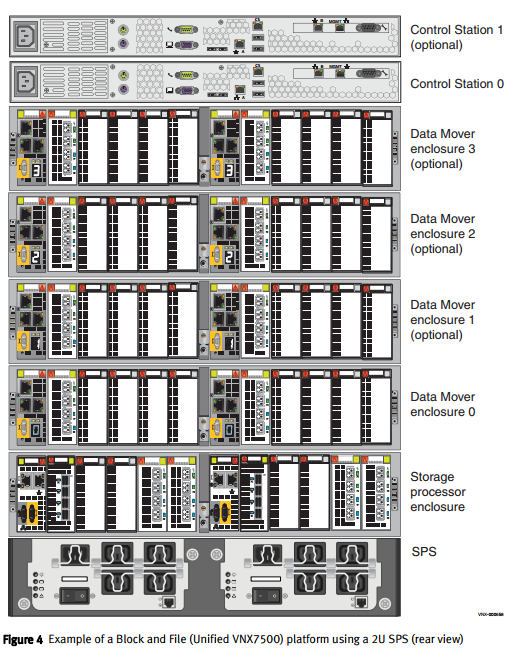
Image of a VNX7500 with a 2U SPS's,
Part Numbers:
Image of a VNX5700 with 2U SPS's, Please note the Important note below:
Image of a VNX7500 with a 1U SPS's
Important:
Use a dual 2U SPS when a 4U DAE with Flash drives is used in a Vault drive configuration. Otherwise, the dual 1U SPS is used with the 2U or 3U DAE as the Vault drive.
Image of a VNX7500 with a 2U SPS's,
Part Numbers:
Affected Products
VNX1 Series, VNX5700, VNX7500Article Properties
Article Number: 000022708
Article Type: How To
Last Modified: 01 Aug 2025
Version: 5
Find answers to your questions from other Dell users
Support Services
Check if your device is covered by Support Services.