VxRail: Windows VM slukker med jævne mellemrum.
Summary: Windows Virtual Machine (VM) slukkes på grund af udløbet eller ugyldig aktivering
This article applies to
This article does not apply to
This article is not tied to any specific product.
Not all product versions are identified in this article.
Symptoms
Windows VM slukker med jævne mellemrum.
Den Vmware.log fil, der er placeret i vmfs/diskenheder på den vært, som VM'en kører på, viser, at gæsteoperativsystemet startede slukningen.
Logposter kan se nogenlunde sådan ud:
2020-04-29T11:55:47.259Z| vcpu-0| I125: PIIX4: PM Soft Off.  Good-bye.
2020-04-29T11:55:47.259Z| vcpu-0| I125: Chipset: Issuing power-off request...
2020-04-29T11:55:47.259Z| vcpu-0| A100: ConfigDB: Setting softPowerOff = "TRUE"
Cause
Ikonet wlms starter en nedlukning med jævne mellemrum, fordi Windows ikke er aktiveret.
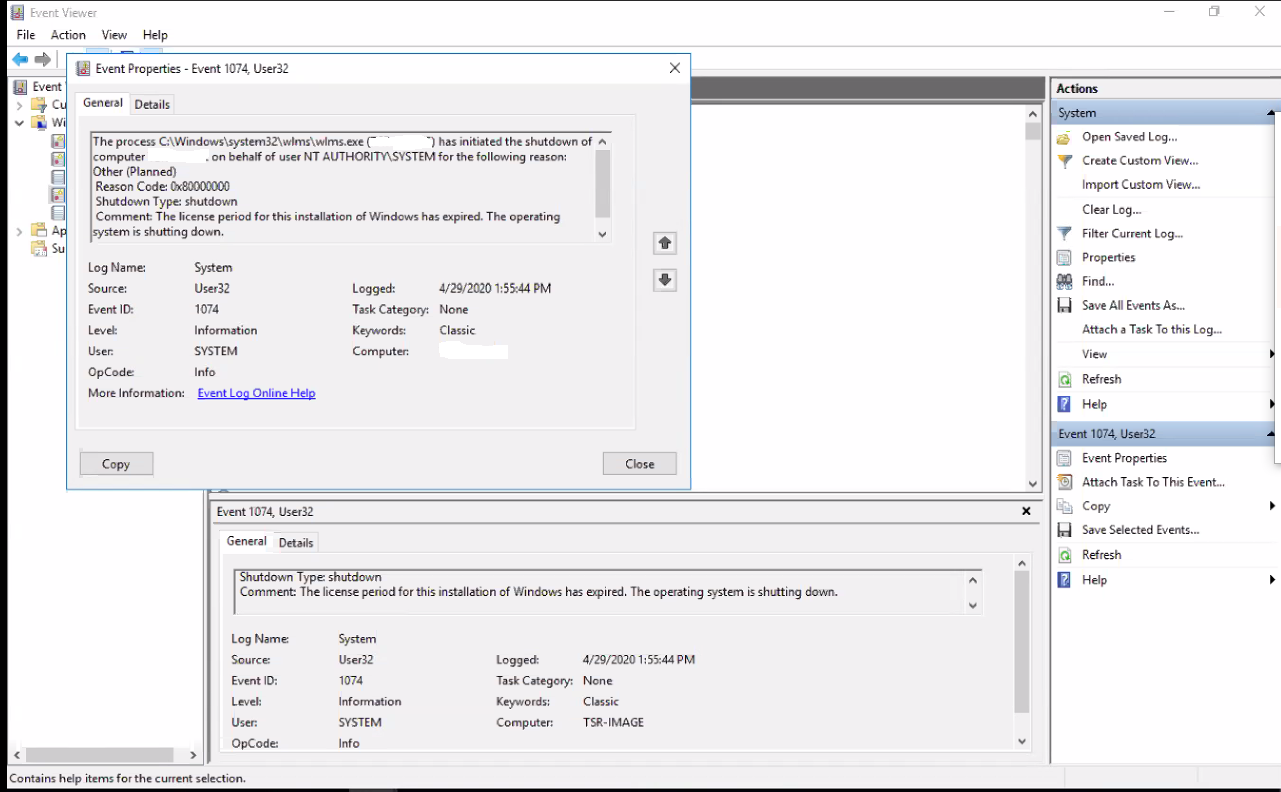
Når du ser på Windows Event Viewer på VM, viser den følgende fejl:
Event ID 1074:

The process C:\Windows\system32\wlms\wlms.exe (VM_NAME) has initiated the shutdown of computer VM_NAME on behalf of user NT AUTHORITY\SYSTEM for the following reason: Other (Planned)
 Reason Code: 0x80000000
 Shutdown Type: shutdown
 Comment: The license period for this installation of Windows has expired. The operating system is shutting down.
Resolution
Aktivering af Windows VM med en gyldig produktnøgle løser dette problem.
Article Properties
Article Number: 000062449
Article Type: Solution
Last Modified: 14 Aug 2025
Version: 5
Find answers to your questions from other Dell users
Support Services
Check if your device is covered by Support Services.