VxRail: La máquina virtual de Windows se apaga de forma intermitente.
Summary: La máquina virtual (VM) de Windows se apaga debido a una activación vencida o no válida
This article applies to
This article does not apply to
This article is not tied to any specific product.
Not all product versions are identified in this article.
Symptoms
La máquina virtual de Windows se apaga de forma intermitente.
El archivo Vmware.log, ubicado en vmfs/volúmenes en el host en el que se ejecuta la VM, muestra que el SO huésped inició el apagado.
Las entradas de registro pueden tener un aspecto similar al siguiente:
2020-04-29T11:55:47.259Z| vcpu-0| I125: PIIX4: PM Soft Off.  Good-bye.
2020-04-29T11:55:47.259Z| vcpu-0| I125: Chipset: Issuing power-off request...
2020-04-29T11:55:47.259Z| vcpu-0| A100: ConfigDB: Setting softPowerOff = "TRUE"
Cause
La variable wlms El servicio inicia un apagado periódicamente debido a que Windows no está activado.
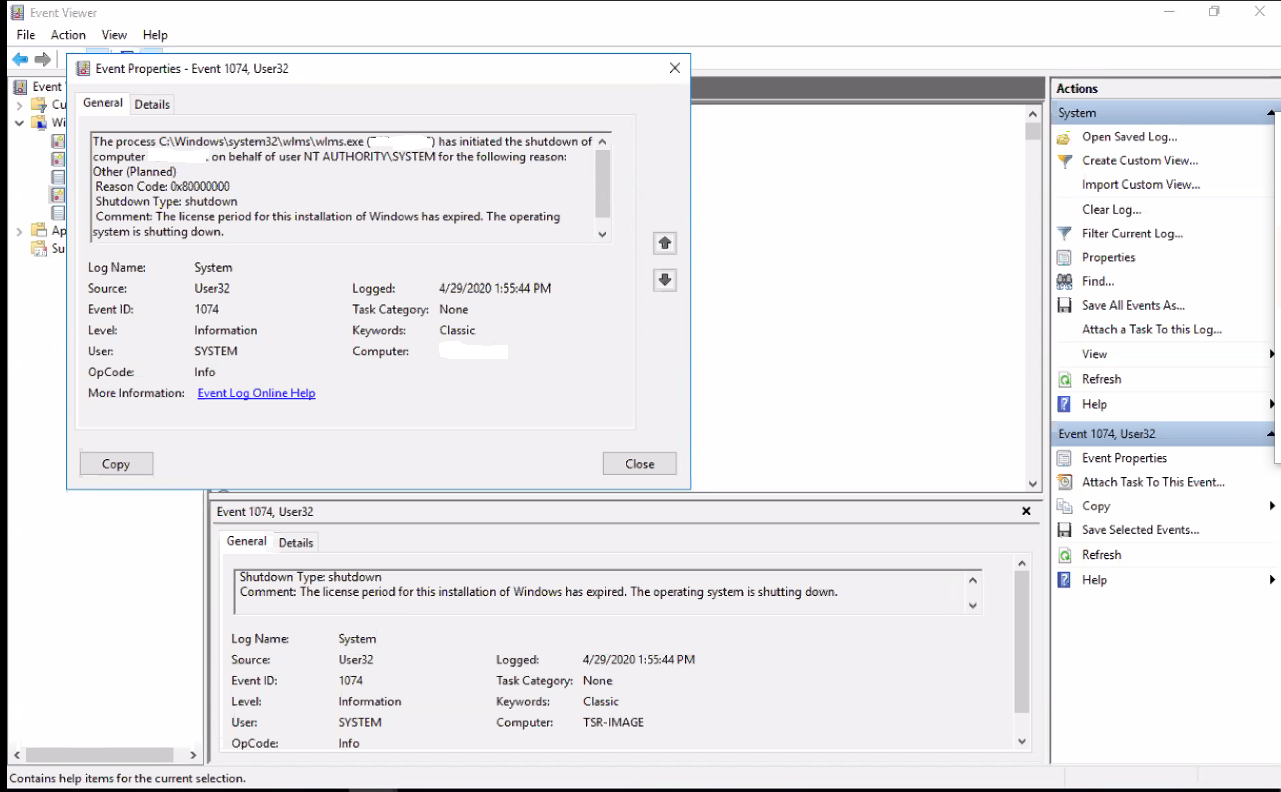
Cuando se observa el Visor de eventos de Windows en la máquina virtual, se muestra el siguiente error:
Event ID 1074:

The process C:\Windows\system32\wlms\wlms.exe (VM_NAME) has initiated the shutdown of computer VM_NAME on behalf of user NT AUTHORITY\SYSTEM for the following reason: Other (Planned)
 Reason Code: 0x80000000
 Shutdown Type: shutdown
 Comment: The license period for this installation of Windows has expired. The operating system is shutting down.
Resolution
Activar la máquina virtual de Windows con una clave de producto válida resuelve este problema.
Article Properties
Article Number: 000062449
Article Type: Solution
Last Modified: 14 Aug 2025
Version: 5
Find answers to your questions from other Dell users
Support Services
Check if your device is covered by Support Services.