VxRail: Windowsin virtuaalikone sammuu ajoittain.
Summary: Windowsin virtuaalikone (VM) sammuu vanhentuneen tai virheellisen aktivoinnin vuoksi
This article applies to
This article does not apply to
This article is not tied to any specific product.
Not all product versions are identified in this article.
Symptoms
Windowsin virtuaalikone sammuu ajoittain.
Vmware.log-tiedosto, joka sijaitsee sen isännän vmfs/-asemissa, jossa virtuaalikone on käynnissä, osoittaa, että vieraskäyttöjärjestelmä käynnisti virran katkaisun.
Lokimerkinnät voivat näyttää tältä:
2020-04-29T11:55:47.259Z| vcpu-0| I125: PIIX4: PM Soft Off.  Good-bye.
2020-04-29T11:55:47.259Z| vcpu-0| I125: Chipset: Issuing power-off request...
2020-04-29T11:55:47.259Z| vcpu-0| A100: ConfigDB: Setting softPowerOff = "TRUE"
Cause
pikanäppäimellä wlms palvelu aloittaa ajoittain sammumisen, koska Windows ei ole aktivoitu.
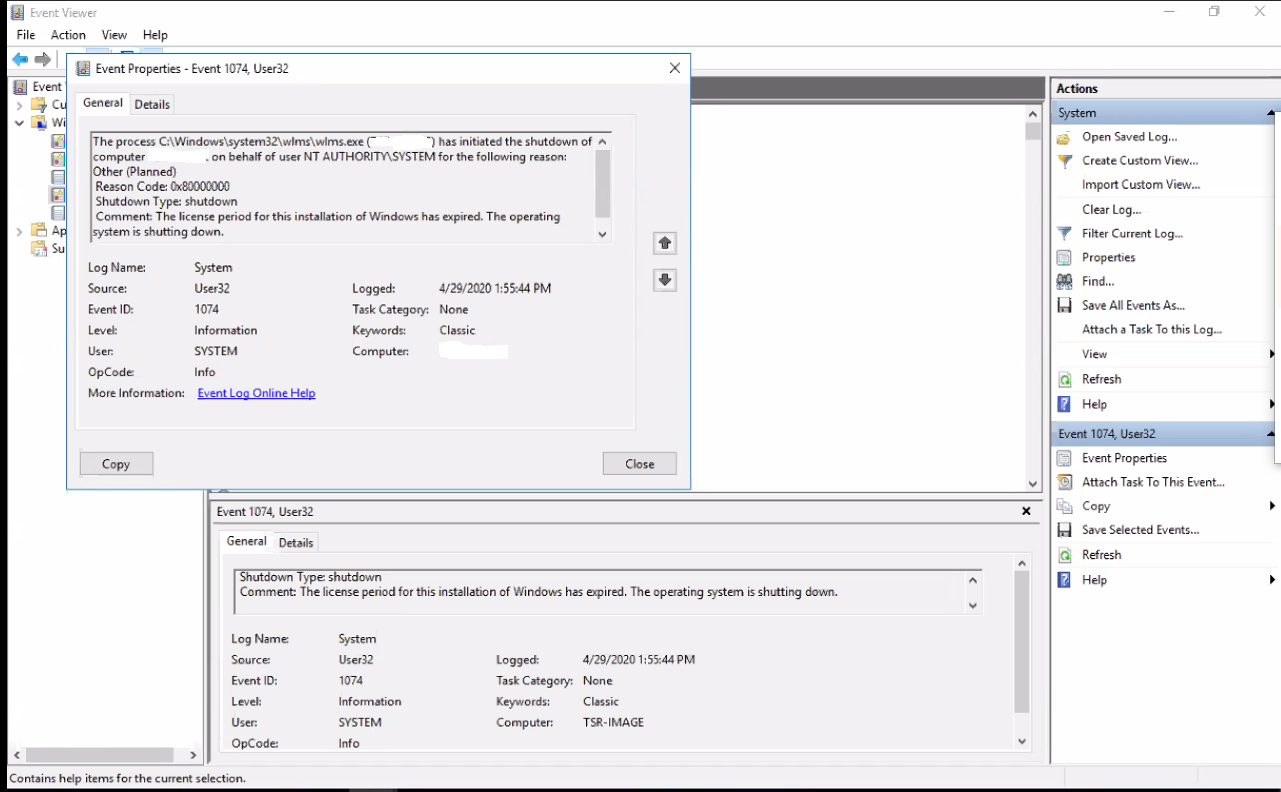
Kun tarkastellaan virtuaalikoneen Windowsin tapahtumienvalvontaa, se näyttää seuraavan virheen:
Event ID 1074:

The process C:\Windows\system32\wlms\wlms.exe (VM_NAME) has initiated the shutdown of computer VM_NAME on behalf of user NT AUTHORITY\SYSTEM for the following reason: Other (Planned)
 Reason Code: 0x80000000
 Shutdown Type: shutdown
 Comment: The license period for this installation of Windows has expired. The operating system is shutting down.
Resolution
Ongelma korjaantuu, kun Windows-virtuaalikone aktivoidaan kelvollisella tuoteavaimella.
Article Properties
Article Number: 000062449
Article Type: Solution
Last Modified: 14 Aug 2025
Version: 5
Find answers to your questions from other Dell users
Support Services
Check if your device is covered by Support Services.