VxRail: La macchina virtuale Windows si spegne in modo intermittente.
Summary: La macchina virtuale (VM) Windows si spegne a causa di un'attivazione scaduta o non valida
This article applies to
This article does not apply to
This article is not tied to any specific product.
Not all product versions are identified in this article.
Symptoms
La macchina virtuale Windows si spegne in modo intermittente.
Il file Vmware.log, che si trova in vmfs/volumi sull host su cui è in esecuzione la VM, mostra che il sistema operativo guest ha avviato lo spegnimento.
Le voci di registro possono essere simili a quelle riportate di seguito:
2020-04-29T11:55:47.259Z| vcpu-0| I125: PIIX4: PM Soft Off.  Good-bye.
2020-04-29T11:55:47.259Z| vcpu-0| I125: Chipset: Issuing power-off request...
2020-04-29T11:55:47.259Z| vcpu-0| A100: ConfigDB: Setting softPowerOff = "TRUE"
Cause
La colonna wlms il servizio avvia periodicamente uno spegnimento a causa della mancata attivazione di Windows.
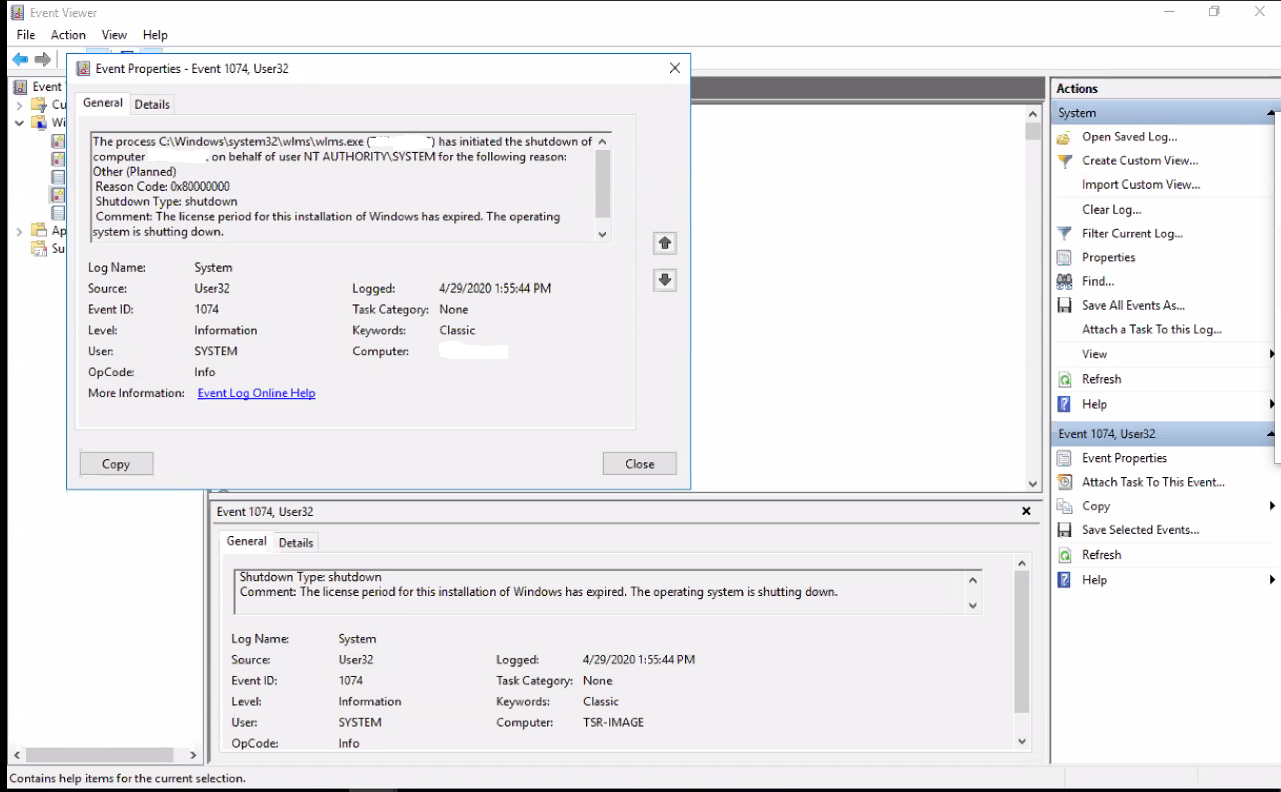
Quando si esamina il Visualizzatore eventi di Windows sulla macchina virtuale, viene visualizzato l'errore seguente:
Event ID 1074:

The process C:\Windows\system32\wlms\wlms.exe (VM_NAME) has initiated the shutdown of computer VM_NAME on behalf of user NT AUTHORITY\SYSTEM for the following reason: Other (Planned)
 Reason Code: 0x80000000
 Shutdown Type: shutdown
 Comment: The license period for this installation of Windows has expired. The operating system is shutting down.
Resolution
L'attivazione della macchina virtuale Windows con un codice Product Key valido risolve questo problema.
Article Properties
Article Number: 000062449
Article Type: Solution
Last Modified: 14 Aug 2025
Version: 5
Find answers to your questions from other Dell users
Support Services
Check if your device is covered by Support Services.