VxRail: Windows VM의 전원이 간헐적으로 꺼집니다.
Summary: 만료되거나 잘못된 활성화로 인해 Windows VM(Virtual Machine) 전원이 꺼짐
This article applies to
This article does not apply to
This article is not tied to any specific product.
Not all product versions are identified in this article.
Symptoms
Windows VM의 전원이 간헐적으로 꺼집니다.
VM이 실행 중인 호스트의 vmfs/volumes에 있는 Vmware.log 파일은 게스트 OS가 전원을 끄기 시작했음을 보여줍니다.
로그 항목은 다음과 같을 수 있습니다.
2020-04-29T11:55:47.259Z| vcpu-0| I125: PIIX4: PM Soft Off.  Good-bye.
2020-04-29T11:55:47.259Z| vcpu-0| I125: Chipset: Issuing power-off request...
2020-04-29T11:55:47.259Z| vcpu-0| A100: ConfigDB: Setting softPowerOff = "TRUE"
Cause
이 wlms Windows가 정품 인증되지 않아 서비스는 주기적으로 전원 끄기를 시작합니다.
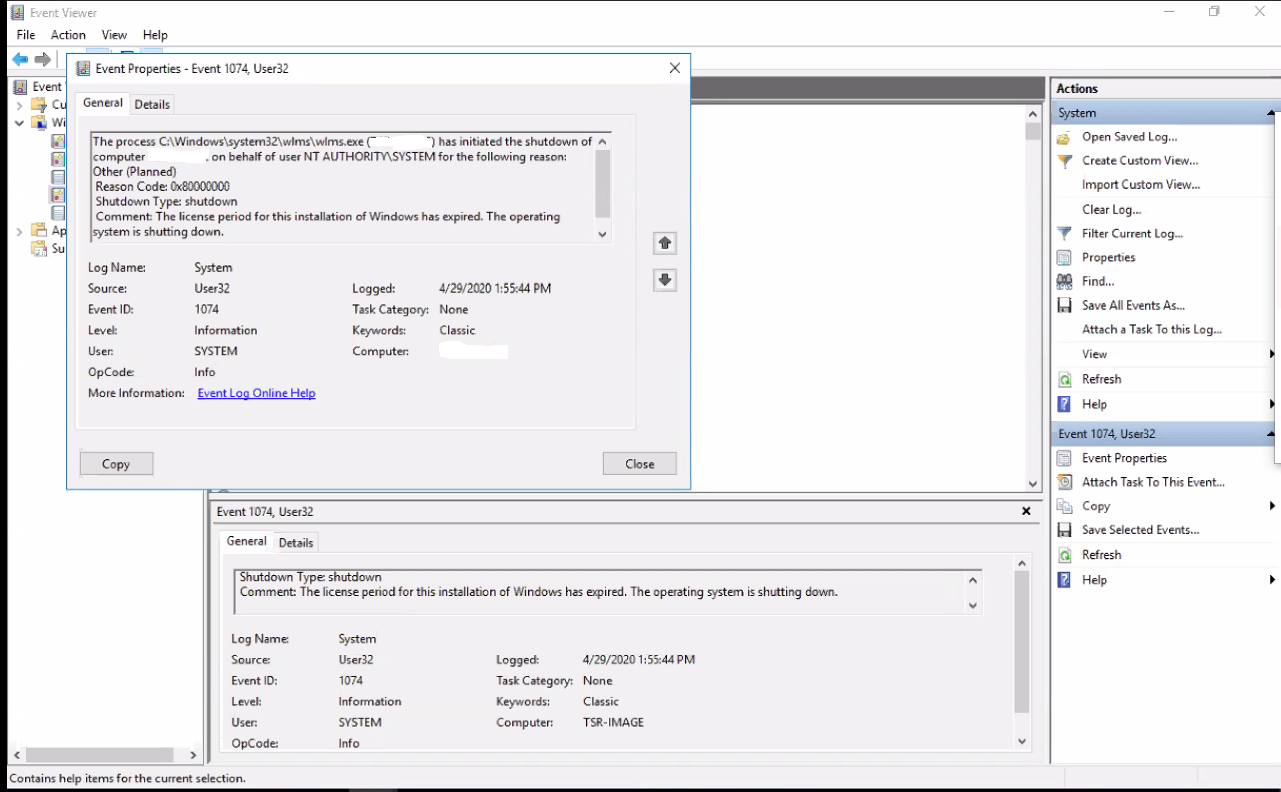
VM에서 Windows 이벤트 뷰어를 볼 때 다음 오류가 표시됩니다.
Event ID 1074:

The process C:\Windows\system32\wlms\wlms.exe (VM_NAME) has initiated the shutdown of computer VM_NAME on behalf of user NT AUTHORITY\SYSTEM for the following reason: Other (Planned)
 Reason Code: 0x80000000
 Shutdown Type: shutdown
 Comment: The license period for this installation of Windows has expired. The operating system is shutting down.
Resolution
유효한 제품 키를 사용하여 Windows VM을 활성화하면 이 문제가 해결됩니다.
Article Properties
Article Number: 000062449
Article Type: Solution
Last Modified: 14 Aug 2025
Version: 5
Find answers to your questions from other Dell users
Support Services
Check if your device is covered by Support Services.