VxRail: Windows VM aralıklı olarak kapanıyor.
Summary: Windows Sanal Makinesi (VM), süresi dolmuş veya geçersiz etkinleştirme nedeniyle kapanıyor
This article applies to
This article does not apply to
This article is not tied to any specific product.
Not all product versions are identified in this article.
Symptoms
Windows VM aralıklı olarak kapanıyor.
VM'nin üzerinde çalıştığı ana bilgisayardaki vmfs/volumes konumunda bulunan Vmware.log dosyası, kapatmayı Konuk İşletim Sistemi tarafından başlatıldığını gösterir.
Günlük girişleri şuna benzer şekilde görünebilir:
2020-04-29T11:55:47.259Z| vcpu-0| I125: PIIX4: PM Soft Off.  Good-bye.
2020-04-29T11:55:47.259Z| vcpu-0| I125: Chipset: Issuing power-off request...
2020-04-29T11:55:47.259Z| vcpu-0| A100: ConfigDB: Setting softPowerOff = "TRUE"
Cause
Komutta wlms hizmeti, Windows un etkinleştirilmemesi nedeniyle belirli aralıklarla kapatma işlemi başlatır.
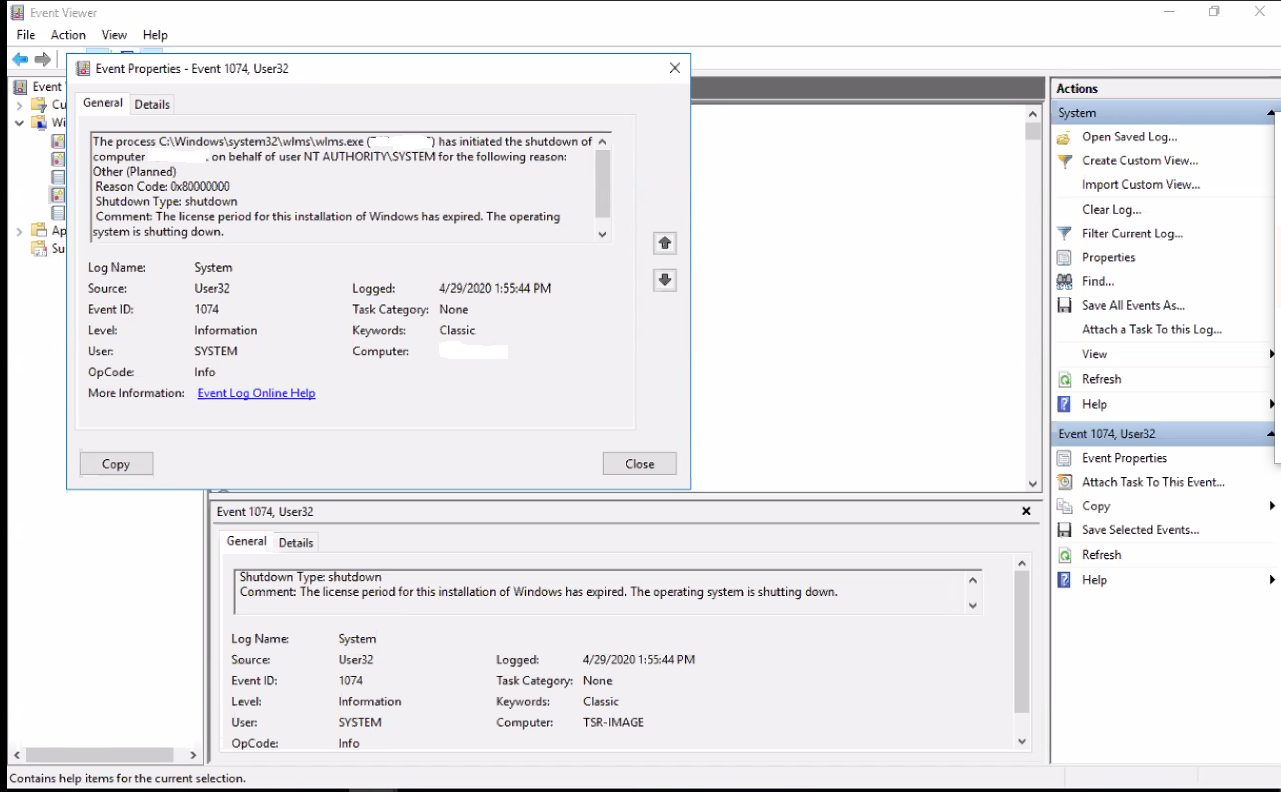
VM'deki Windows Olay Görüntüleyicisi'ne bakıldığında aşağıdaki hatayı gösteriyor:
Event ID 1074:

The process C:\Windows\system32\wlms\wlms.exe (VM_NAME) has initiated the shutdown of computer VM_NAME on behalf of user NT AUTHORITY\SYSTEM for the following reason: Other (Planned)
 Reason Code: 0x80000000
 Shutdown Type: shutdown
 Comment: The license period for this installation of Windows has expired. The operating system is shutting down.
Resolution
Windows VM yi geçerli bir ürün anahtarıyla etkinleştirmek bu sorunu çözer.
Article Properties
Article Number: 000062449
Article Type: Solution
Last Modified: 14 Aug 2025
Version: 5
Find answers to your questions from other Dell users
Support Services
Check if your device is covered by Support Services.