How to Verify Certificate Type in Dell Encryption
Summary: This article provides information for verifying certificate provider types.
This article applies to
This article does not apply to
This article is not tied to any specific product.
Not all product versions are identified in this article.
Symptoms
Affected Products:
- Dell Encryption
- Dell Data Protection | Encryption
Cause
Not Applicable
Resolution
Verifying Cert Provider Types
Updating Certificates - Users are unable to access various parts of Dell Encryption (formerly Dell Data Protection | Encryption), Mainly Remote Management Console (RMC).
Sometimes users have trouble accessing the RMC or issues with Dell Encryption due to the wrong Cert Provider Type being used. This is not an issue with Dell Encryption, but rather with the .net that Dell Encryption is built to use. So when using or upgrading third-party certs, always verify that the Cert Provider Type is correct, Provider = Microsoft RSA Channel Cryptographic Provider.
In order to verify the Cert Provider Type you must run the certutil from within a Command Prompt.
- Open a Command Prompt (CMD).
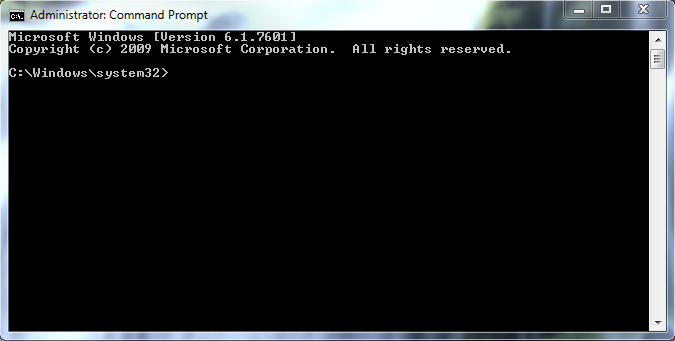
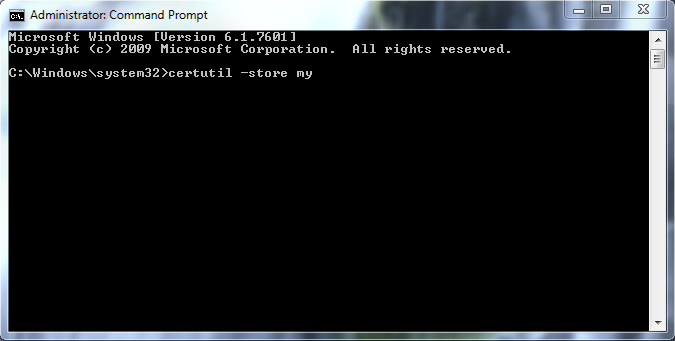
- From the Prompt Type:
certutil –store my
- Validate Cert Type
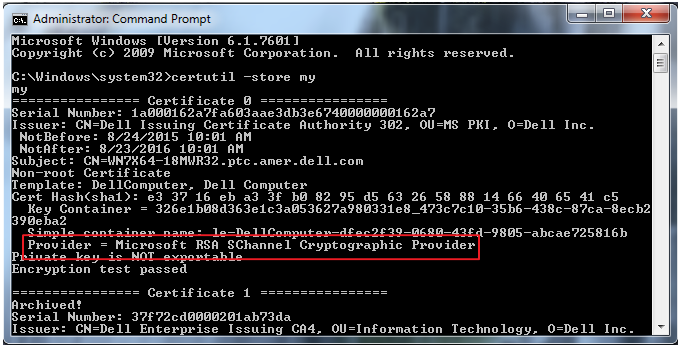
The two types are listed Below;
Good - Microsoft RSA Channel Cryptographic Provider:
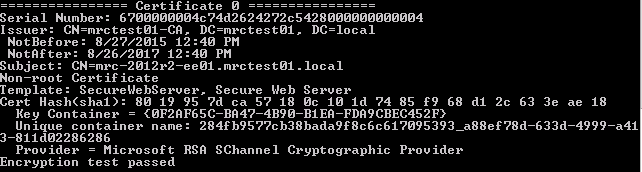
Bad - Microsoft Software Key Storage Provider:
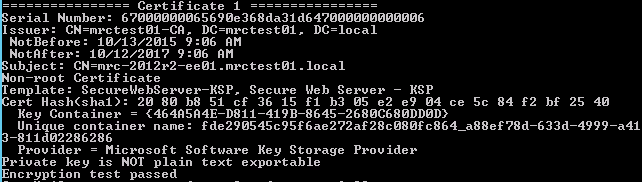
Steps for modifying your internal CA to specify "Cert Type" are below.
- Alter the template on the Internal CA to specify the use of the Legacy Cryptographic Service Provider.
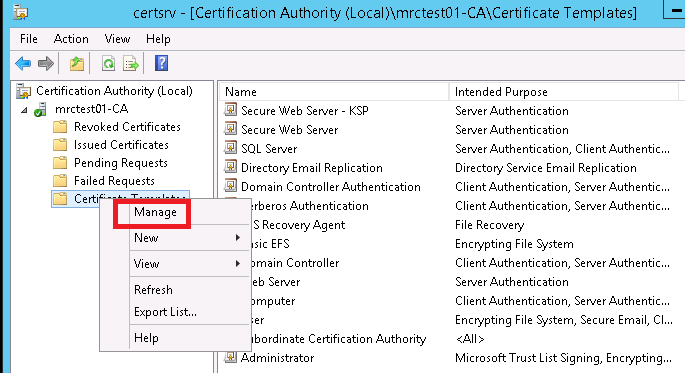
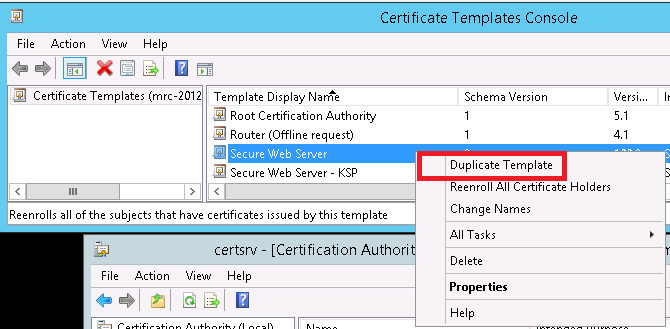
- They must duplicate an existing template to a new template if they do not already have a template that can be used for Legacy Cryptographic Service Provider. The provider type cannot be changed once the template is created.
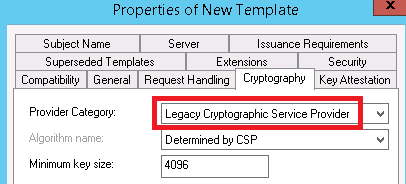
- Customize the template to meet security standards. On the Cryptography tab, ensure to select the Provider Category as Legacy Cryptographic Service Provider.
- Request a new certificate from the internal CA selecting this new template. The requesting computer must have permissions to enroll certificates with this template.
To contact support, reference Dell Data Security International Support Phone Numbers.
Go to TechDirect to generate a technical support request online.
For additional insights and resources, join the Dell Security Community Forum.
Affected Products
Dell EncryptionArticle Properties
Article Number: 000126117
Article Type: Solution
Last Modified: 09 Jun 2026
Version: 9
Find answers to your questions from other Dell users
Support Services
Check if your device is covered by Support Services.