How to Uninstall the Netskope Client
Summary: Learn about how the Netskope Client can be uninstalled by following these instructions for either Windows or Mac computers.
This article applies to
This article does not apply to
This article is not tied to any specific product.
Not all product versions are identified in this article.
Instructions
For steps on uninstalling the Netskope Client, select Windows or Mac.
Windows
- As an administrator, right-click the Windows start menu and then click Run.

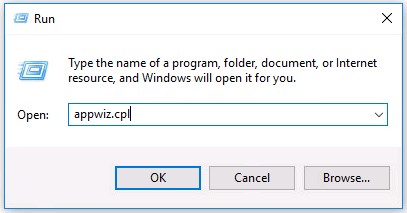
- In the Run UI, type the following command and then press OK.
appwiz.cpl
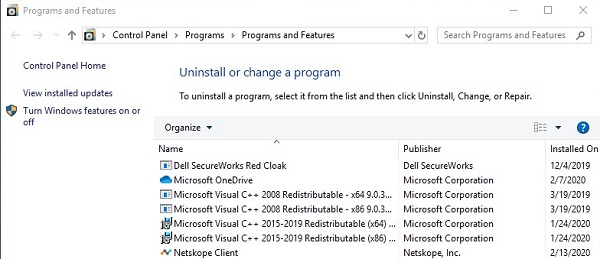
- Double-click Netskope Client.
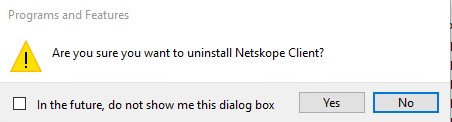
- Click Yes.
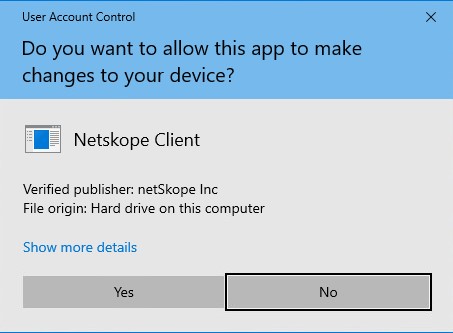
- If User Account Control (UAC) is enabled, click Yes.
Mac
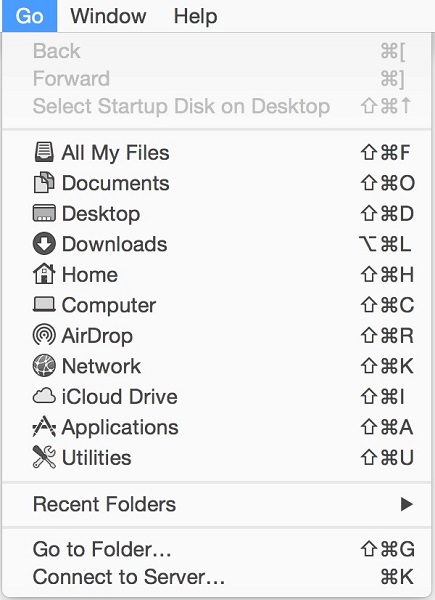
- From the Apple menu, click Go and then select Applications.
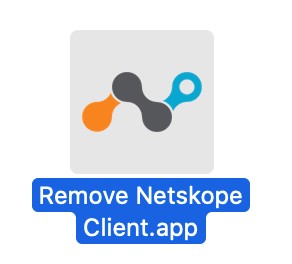
- Double-click Remove Netskope Client.
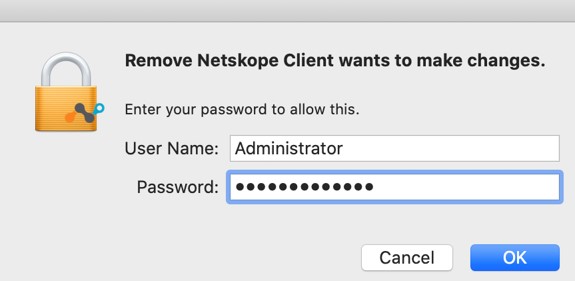
- Populate the User Name and Password and then click OK.
- Click Ok.

Affected Products
NetskopeArticle Properties
Article Number: 000126730
Article Type: How To
Last Modified: 03 Sept 2026
Version: 12
Find answers to your questions from other Dell users
Support Services
Check if your device is covered by Support Services.