How to Uninstall Dell Data Protection Cloud Edition
Summary: Learn about how to uninstall Dell Data Protection Cloud Edition by following these step-by-step instructions for either Windows or Mac.
This article applies to
This article does not apply to
This article is not tied to any specific product.
Not all product versions are identified in this article.
Instructions
Note:
- As of May 2018, Dell Data Protection | Cloud Edition has reached End of Life. This product and its articles are no longer updated by Dell. For more information, reference Product Life Cycle (End of Support and End of Life) Policy for Dell Data Security. If you have any questions on alternative articles, either reach out to your sales team or contact endpointsecurity@dell.com.
- Reference Endpoint Security for additional information about current products.
Dell Data Protection | Cloud Edition may be uninstalled from an endpoint to:
- Fix licensing discrepancies
- Troubleshoot the product
- Address operating system incompatibilities
Affected Products:
- Dell Data Protection | Cloud Edition
Affected Versions:
- 1.0
Affected Operating Systems:
- Windows
- Mac
The uninstallation process differs between Windows and Mac. Click the appropriate operating system for the steps to uninstall Dell Data Protection | Cloud Edition.
Windows
Note: The Dell Data Protection | Cloud Edition installer must be downloaded before performing these steps.
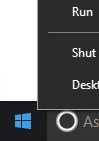
- Right-click the Windows start menu and then click Run.
- In the Run UI, type
appwiz.cpland then press OK. This opens Programs and Features.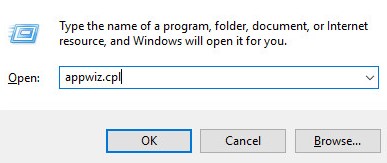
- Double-click Dell Data Protection | Cloud Edition.
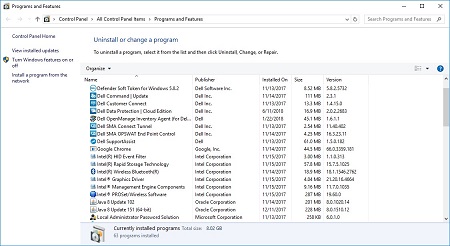
- Click Next to proceed.
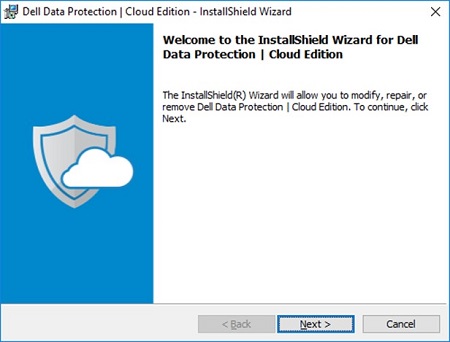
- Select Remove and then click Next.
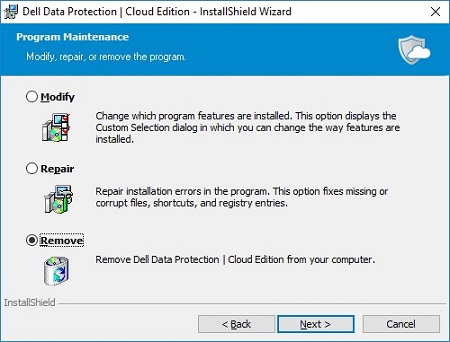
- Click Remove.
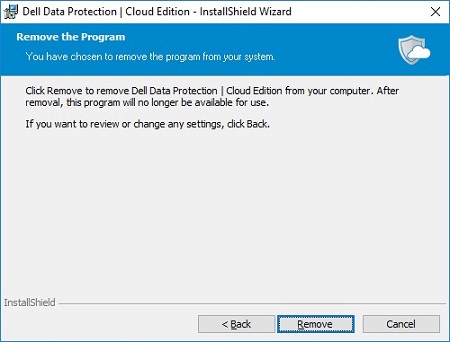
- Upon removal, click Finish to close the UI.
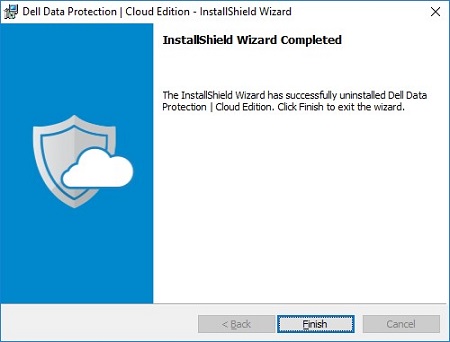
- Click Yes to reboot the machine.
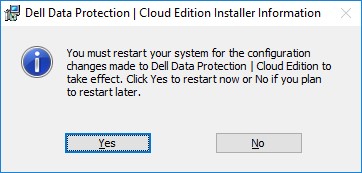
Mac
- Locate the DDP Cloud Edition icon on your desktop.
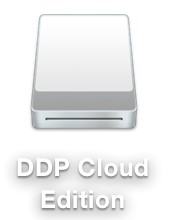
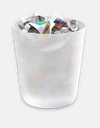
- Drag the DDP Cloud Edition icon to the Trash icon.
Affected Products
Dell Data GuardianArticle Properties
Article Number: 000126851
Article Type: How To
Last Modified: 13 Feb 2025
Version: 10
Find answers to your questions from other Dell users
Support Services
Check if your device is covered by Support Services.