Latitude 9510: コンピュータのためのビジュアルガイド
Summary: 次の記事では、Latitude 9510ノートパソコンのビジュアル ガイドを提供し、お使いのPCの外部ポートと機能の一覧を示します。
This article applies to
This article does not apply to
This article is not tied to any specific product.
Not all product versions are identified in this article.
Symptoms
メモ: 各場所に関する詳しい説明については、www.dell.com/supportのシステム マニュアルを参照してください。
目次:
Cause
前面図
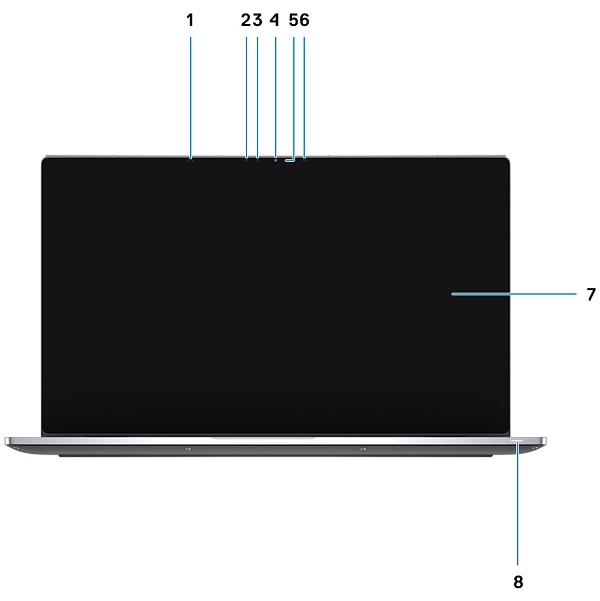
(図1:前面図)
| 1 | 近接センサー | 2 | 赤外線エミッター |
| 3 | 環境照明センサー(ALS) | 4 | カメラ(赤外線/RGB) |
| 5 | カメラ ステータスLED | 6 | 赤外線エミッター |
| 7 | ディスプレイ パネル | 8 | バッテリー/診断ステータスLED |
上面図
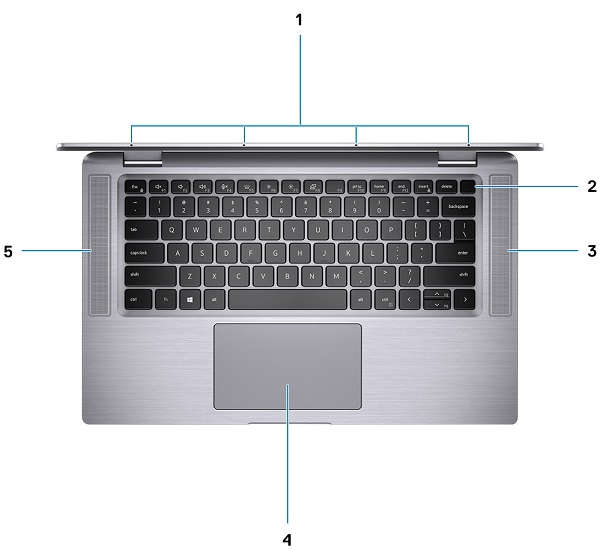
(図2:上面図)
| 1 | マイク | 2 | 電源ボタン |
| 3 | 右側スピーカー | 4 | タッチパッド |
| 5 | 左側スピーカー |
底面図
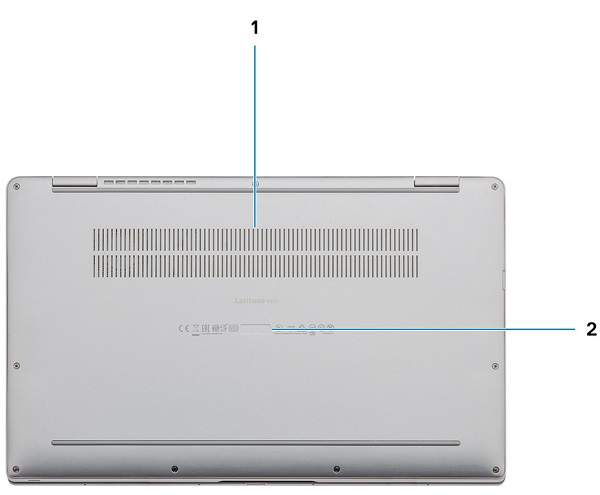
(図3:底面図)
| 1 | 通気孔 | 2 | サービスタグの位置 |
左側面図
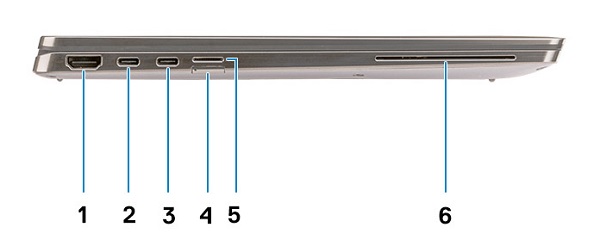
(図4:左側面図)
| 1 | HDMI 2.0コネクター | 2 | USB 3.2 Gen2 USB Type-Cコネクター(Thunderbolt 3/PowerDelivery/DisplayPort搭載) |
| 3 | USB 3.2 Gen2 USB Type-Cコネクター(Thunderbolt 3/PowerDelivery/DisplayPort搭載) | 4 | SIMカードスロット |
| 5 | Micro SDカード スロット | 6 | スマート カード リーダー(オプション) |
右側面図
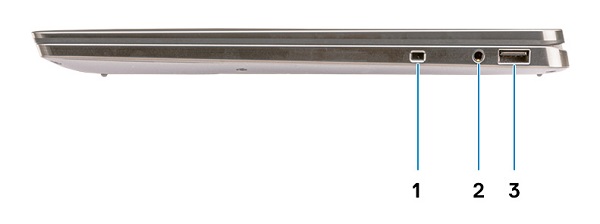
(図5:右側面図)
| 1 | くさび形のセキュリティ スロット | 2 | ユニバーサル3.5 mmオーディオ ジャック コネクター |
| 3 | USB 3.2 Gen1 Type-Aコネクター(PowerDelivery搭載) |
シャーシ モード
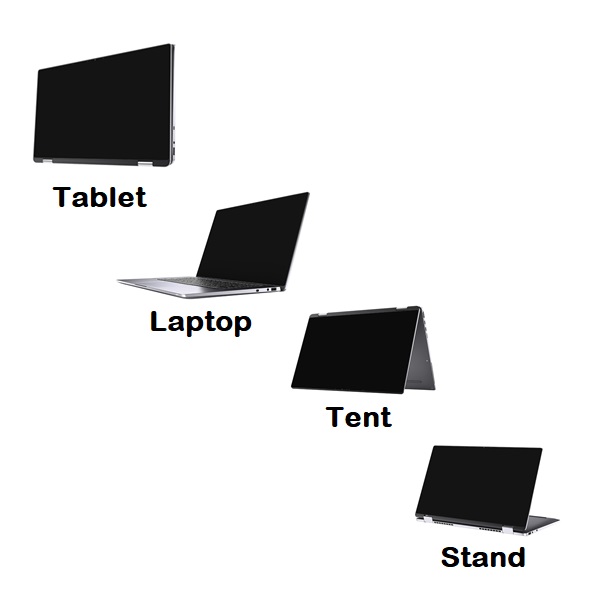
(図6 :シャーシ モード タイプ)
Resolution
ACアダプター図
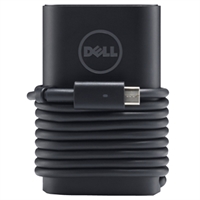
(図7: 65/90 W Type-C ACアダプター)
| USB Type-C 65/90W | 説明 |
| 入力電圧 | AC 100 VAC~240 VAC |
| 出力電流 | 4.62 A(連続稼働の場合) |
| 出力電力 | 65/90W |
| 出力電圧 | 19.5 VDC |
Additional Information
Affected Products
Latitude 9510Article Properties
Article Number: 000131419
Article Type: Solution
Last Modified: 18 Sept 2023
Version: 6
Find answers to your questions from other Dell users
Support Services
Check if your device is covered by Support Services.