Latitude 9510: Visuele handleiding voor uw computer
Summary: Het volgende artikel biedt een visuele handleiding voor uw Latitude 9510 laptop en een overzicht van de externe poorten en functies van uw computer.
This article applies to
This article does not apply to
This article is not tied to any specific product.
Not all product versions are identified in this article.
Symptoms
Opmerking: Een meer gedetailleerde beschrijving van elke locatie kunt u vinden in de systeemhandleidingen op www.dell.com/support
Inhoudsopgave:
Cause
Vooraanzicht
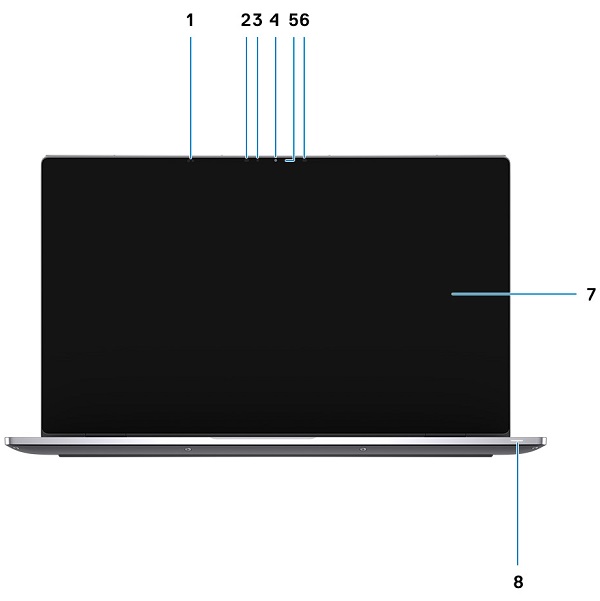
(Afbeelding 1 Vooraanzicht)
| 1 | Nabijheidssensor | 2 | IR-zender |
| 3 | Omgevingslichtsensor (ALS) | 4 | Camera (IR/RGB) |
| 5 | LED-lampje camerastatus | 6 | IR-zender |
| 7 | Beeldscherm | 8 | LED-lampje voor status van batterij/diagnostiek |
Bovenaanzicht

(Afbeelding 2 Bovenaanzicht)
| 1 | Microfoons | 2 | Aan/uit-knop |
| 3 | Rechterluidspreker | 4 | Touchpad |
| 5 | Linkerluidspreker |
Onderaanzicht
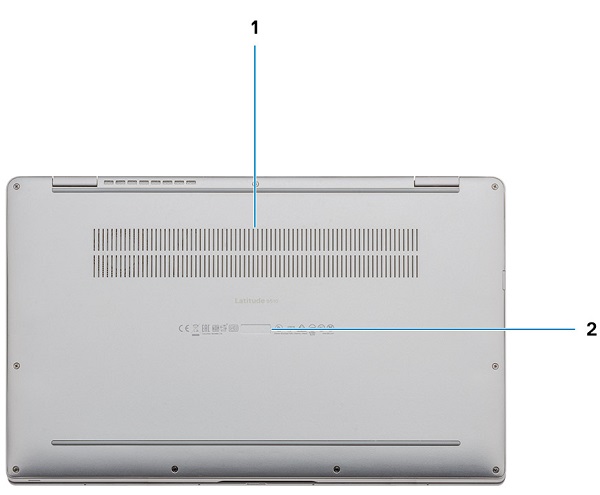
(Afbeelding 3 Onderaanzicht)
| 1 | Ventilatieopening | 2 | Locatie servicetag |
Linkerzijaanzicht
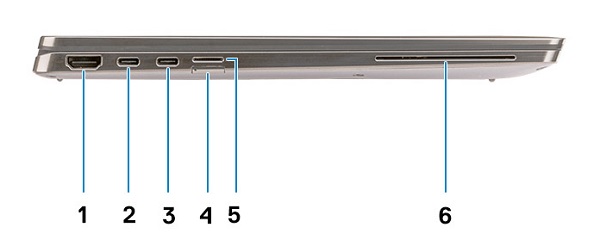
(Afbeelding 4 Linkerzijaanzicht)
| 1 | HDMI 2.0-connector | 2 | USB 3.2 Gen2 USB Type-C-connector met Thunderbolt 3/PowerDelivery/DisplayPort |
| 3 | USB 3.2 Gen2 USB Type-C-connector met Thunderbolt 3/PowerDelivery/DisplayPort | 4 | SIM-kaartslot |
| 5 | Slot voor micro-SD-kaart | 6 | Smartcardlezer (optioneel) |
Rechterzijaanzicht
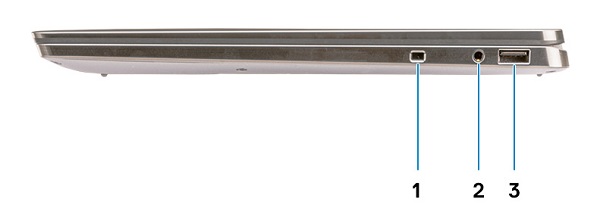
(Afbeelding 5 Rechterzijaanzicht)
| 1 | Wigvormig beveiligingsslot | 2 | Universele 3,5 mm audioaansluitingsconnector |
| 3 | USB 3.2 Gen1 Type-A-connector met PowerDelivery |
Chassismodi
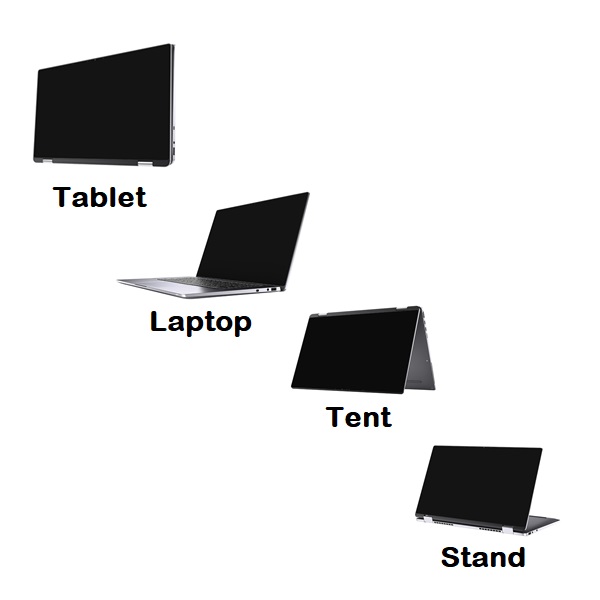
(Afbeelding 6 Typen chassismodus)
Resolution
Aanzicht voedingsadapter
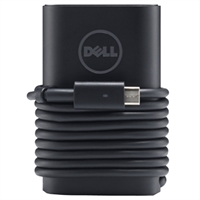
(Afbeelding 7 65/90 W Type-C voedingsadapter)
| USB type-C 65/90 W | Beschrijving |
| Ingangsspanning | 100 VAC tot 240 VAC |
| Uitgangsstroom | 4,62 A (continu) |
| Uitgangsvermogen | 65/90 W |
| Uitgangsspanning | 19,5 V DC |
Additional Information
Affected Products
Latitude 9510Article Properties
Article Number: 000131419
Article Type: Solution
Last Modified: 18 Sept 2023
Version: 6
Find answers to your questions from other Dell users
Support Services
Check if your device is covered by Support Services.