VPLEX: VPLEX 라이선스 파일을 가져오는 방법
Summary: 이 문서에서는 VPLEX 라이선스 파일을 가져오는 프로세스에 대해 설명합니다.
This article applies to
This article does not apply to
This article is not tied to any specific product.
Not all product versions are identified in this article.
Instructions
Dell VPLEX 라이선스 파일은 Unisphere for VPLEX UI 또는 VPLEX CLI 인터페이스를 통해 GeoSynchrony 6.1 이상을 실행하는 VPLEX에 설치할 수 있습니다.
6.1.x 이전의 이전 GeoSynchrony 버전은 다른 라이선스 체계를 사용했기 때문에 이 기술 자료 문서는 6.1.x 이전의 코드 수준에는 적용되지 않습니다.
참고: 라이선스 파일을 가져와야 하는 경우 라이선싱 서비스 요청을 열거나 현지 현장 엔지니어에게 지원을 요청하십시오.
Unisphere for VPLEX UI를 통해 라이선스 파일을 설치하려면 다음을 수행합니다.
-
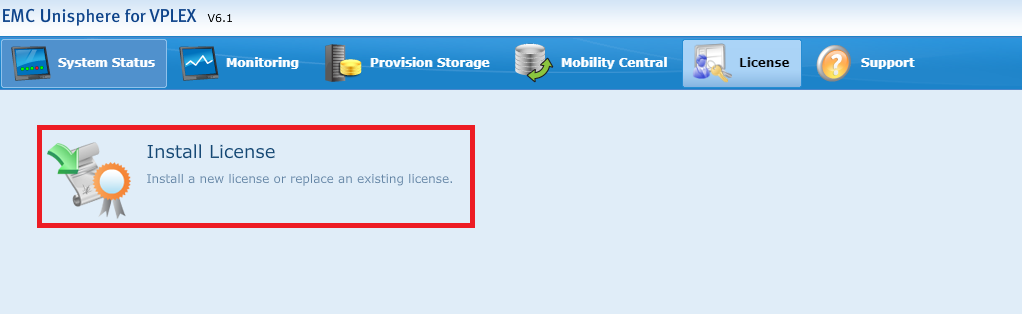
브라우저에서 VPLEX 공용 IP 주소를 사용하여 Unisphere for VPLEX UI에 로그인하고 상단 탐색 모음에서 "License" 탭으로 이동합니다.

-
License 메뉴에서 "Install License"를 선택합니다.
-
라이선스 설치 페이지에서 "찾아보기" 버튼을 선택하여 .lic 파일의 위치를 찾습니다.
라이선스 파일이 업로드되면 "Confirm" 확인란을 선택하고 화면 하단의 "Install License" 버튼을 클릭합니다.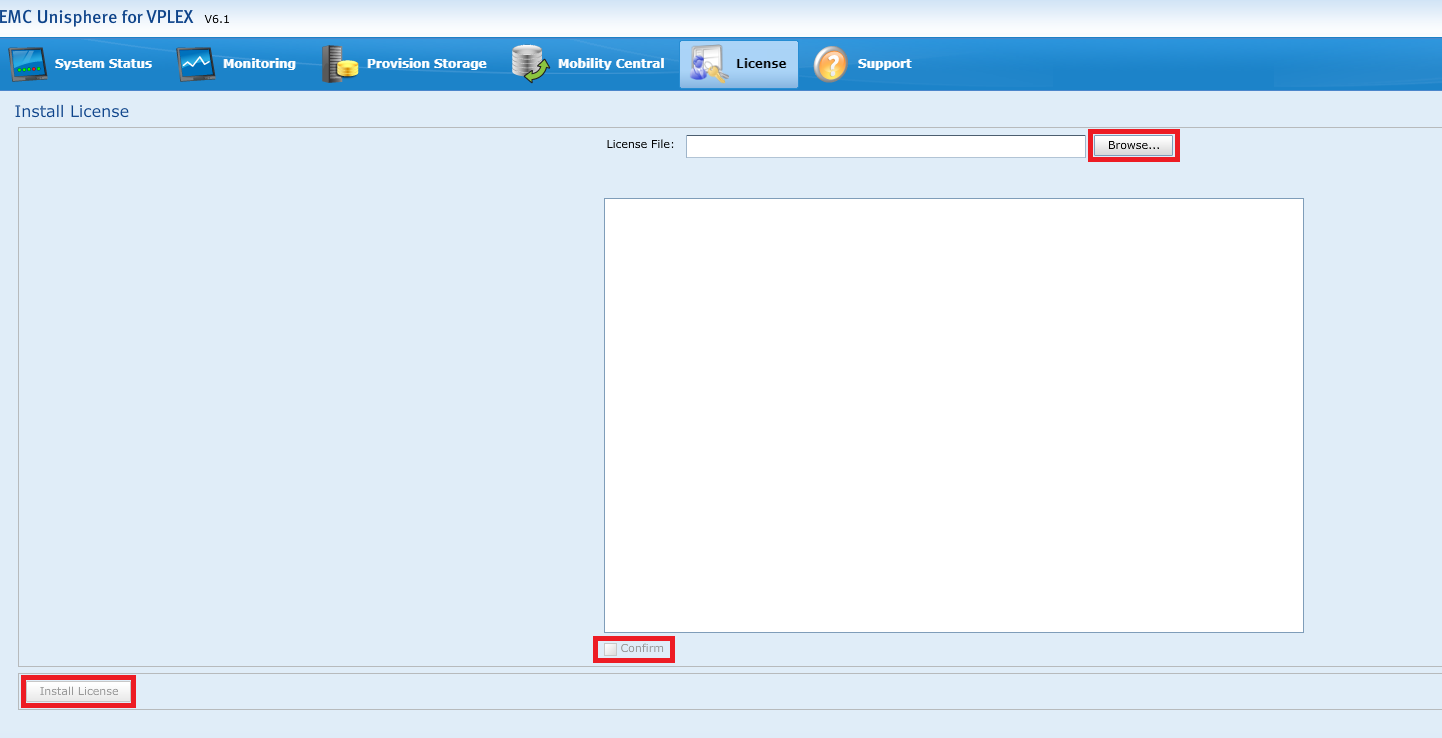
CLI에서 라이선스 파일을 설치하려면 다음을 수행합니다.
-
WinSCP와 같은 프로그램을 사용하여 .lic 파일을 관리 서버의 /home/service 디렉토리에 복사합니다.
-
서비스 계정을 사용하여 관리 서버에 로그인하고 VPLEX CLI를 입력합니다.
service@ManagementServer:~> vplexcli
-
VPLEX CLI에서 "license install -l <path/to/filename.lic>" 명령을 사용하여 라이선스 파일을 설치합니다.
예:
VPlexcli:/> license install -l /home/service/CKM00xxxxxxxxx_VPLEX_16-Apr-2019.lic
License installed.
-
그런 다음 "license show" 명령을 사용하여 라이선스 파일을 표시할 수 있습니다.
예:
VPlexcli:/> license show
Property      Value
------------- -------------------------------------------
Feature Name  VPLEX_LOCAL_CAPACITY
Issuer        EMC
Issued Date   Tue Apr 16 00:00:00 UTC 2019
Expiry Date   None
Notice        ACTIVATED TO License Site Number: xxxxxxxx
Valid         true
Platform      VS2
UOM Code      CA
UOM Name      Registered Capacity in TB
PLC           VPLEX
Product Line  VPLEX
Capacity      10 <<< note this is the capacity of the licenses installed
Capacity Unit TB
Usage         8.9 <<< this is how much of the capacity that has been used
Usage Unit    TB
Additional Information
자세한 내용은 VPLEX GeoSynchrony 6.1 이상 관리 가이드의 "Unisphere UI를 사용하여 디지털 라이선싱 수행" 섹션을 참조하십시오.
Affected Products
VPLEX Series, VPLEX VS6Products
VPLEX for All Flash, VPLEX VS2Article Properties
Article Number: 000158006
Article Type: How To
Last Modified: 07 Nov 2025
Version: 5
Find answers to your questions from other Dell users
Support Services
Check if your device is covered by Support Services.