AppSync:新しいストレージ システムを追加するときに、PowerMaxアレイがUIに表示されない
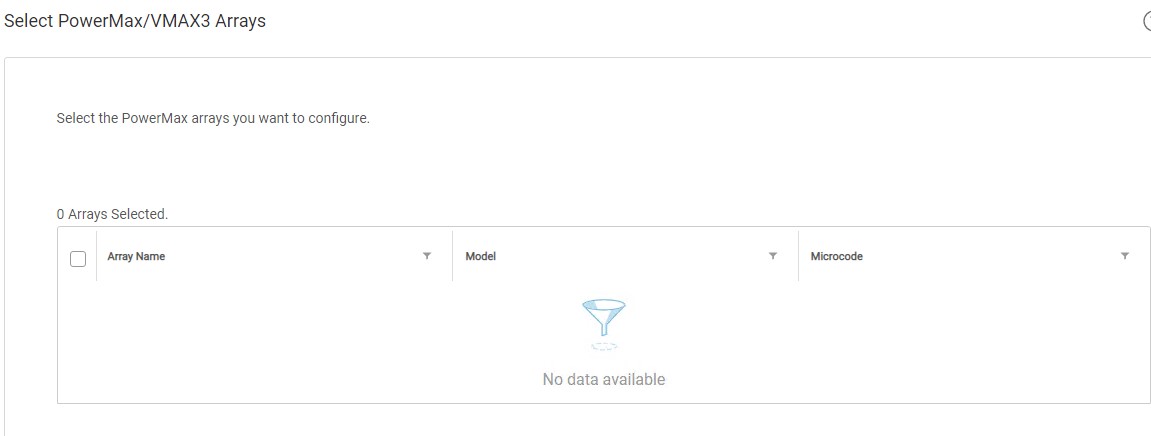
Summary: ストレージ システムの追加ウィザードのステップ3「PowerMax/VMAX3アレイの選択」で、ユーザーのPowerMaxアレイが表示されませんでした。
This article applies to
This article does not apply to
This article is not tied to any specific product.
Not all product versions are identified in this article.
Symptoms
初めてAppSync 4.0にPowerMaxアレイを追加しようとするときに、アレイを選択できません。
ユーザーのPowerMaxアレイは、Unisphere for PowerMax(U4P)UIに表示されます。
スタンドアロンのU4Pホストが使用されていました。
Cause
具体的な原因は不明です。
Resolution
回避策:
U4Pサーバーを再起動すると、この記事で説明されている問題が解決されました。
この回避策は、特定の環境で有効である場合があります。U4Pサービスを再起動した後も問題が解決しない場合は、Dell EMCテクニカル サポートに連絡してサービス リクエストを開いてください。
U4Pサーバーを再起動すると、この記事で説明されている問題が解決されました。
この回避策は、特定の環境で有効である場合があります。U4Pサービスを再起動した後も問題が解決しない場合は、Dell EMCテクニカル サポートに連絡してサービス リクエストを開いてください。
Additional Information
このKBは、AppSyncバージョン4.0以降にのみ関連します。
AppSync 4.0は、Unisphere for PowerMaxを使用してVMAX3およびPowerMaxアレイと通信します。
AppSync 4.0は、Unisphere for PowerMaxを使用してVMAX3およびPowerMaxアレイと通信します。
Affected Products
AppSyncProducts
AppSyncArticle Properties
Article Number: 000170231
Article Type: Solution
Last Modified: 05 May 2026
Version: 4
Find answers to your questions from other Dell users
Support Services
Check if your device is covered by Support Services.