Data Domain: How to migrate AWS Elastic Block Store (EBS) volume from gp2 to gp3 type for Data Domain Virtual Edition (DDVE) appliance deployed in AWS cloud platform
Summary: This article describes how to migrate AWS Elastic Block Store (EBS) volume from gp2 to gp3 type for Data Domain Virtual Edition (DDVE) appliance deployed in AWS cloud platform.
This article applies to
This article does not apply to
This article is not tied to any specific product.
Not all product versions are identified in this article.
Instructions
Amazon has announced new gp3 EBS Volume type which provides better I/O performance at lower cost compared to gp2 volume. It is the next-generation general purpose SSD volumes for Amazon EBS.
See following information on AWS web portal for additional information.
https://aws.amazon.com/blogs/storage/migrate-your-amazon-ebs-volumes-from-gp2-to-gp3-and-save-up-to-20-on-costs/
Data Domain Virtual Edition (DDVE) deployed in AWS cloud platform can take advantage of new GP3 EBS Volume features and cost saving.
In DDOS 7.7.x and later version gp3 volumes will be selected as default for new DDVE deployment.
For current DDVE instances with DDOS 7.6.x version, use the following procedure to migrate the system from gp2 to gp3.
Note: No down time is required to upgrade EBS volume type from gp2 to gp3. Refer to following installation and administration Guide "Migrate from gp2 to gp3" section for more information.
Dell EMC PowerProtect DDVE on Amazon Web Services Installation and Administration Guide

EC2 => Elastic Block Volume => Select Volume => Actions => Modify Volume



See following information on AWS web portal for additional information.
https://aws.amazon.com/blogs/storage/migrate-your-amazon-ebs-volumes-from-gp2-to-gp3-and-save-up-to-20-on-costs/
Data Domain Virtual Edition (DDVE) deployed in AWS cloud platform can take advantage of new GP3 EBS Volume features and cost saving.
In DDOS 7.7.x and later version gp3 volumes will be selected as default for new DDVE deployment.
For current DDVE instances with DDOS 7.6.x version, use the following procedure to migrate the system from gp2 to gp3.
Note: No down time is required to upgrade EBS volume type from gp2 to gp3. Refer to following installation and administration Guide "Migrate from gp2 to gp3" section for more information.
Dell EMC PowerProtect DDVE on Amazon Web Services Installation and Administration Guide
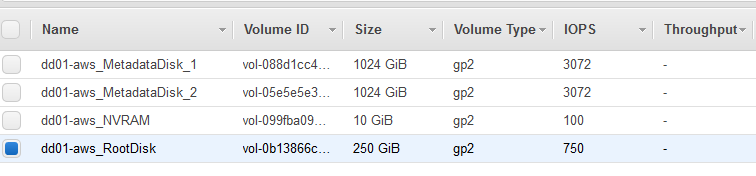
- Login to AWS portal and check and identify current EBS volume type for DDVE instance
EC2 => Elastic Block Volume
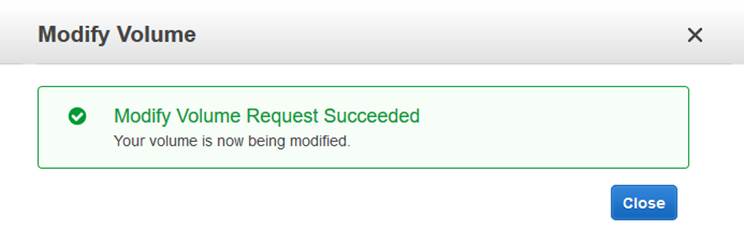
- Update all EBS volume from gp2 gp3 after DDVE instance as follows
EC2 => Elastic Block Volume => Select Volume => Actions => Modify Volume
- Repeat the above steps for the remaining EBS volumes attached to DDVE instance
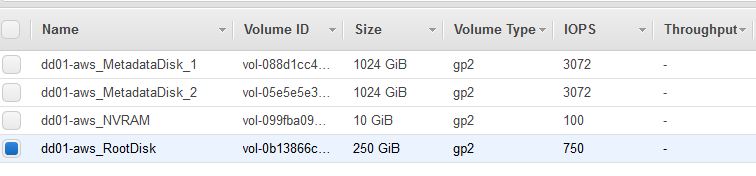
Note: System will show gp2 information after the above steps and latest changes will be updated after few minutes.
- Verify EBS volume after few minutes for information
Affected Products
Data DomainArticle Properties
Article Number: 000192086
Article Type: How To
Last Modified: 11 Jan 2023
Version: 7
Find answers to your questions from other Dell users
Support Services
Check if your device is covered by Support Services.