NetWorker: Unable to Load Drivers Using NetWorker BMR Wizard
Summary: During a Bare Metal Recovery (BMR) performed through NetWorker, unable to load any operating system drivers, such as Network or Disk Drivers.
This article applies to
This article does not apply to
This article is not tied to any specific product.
Not all product versions are identified in this article.
Symptoms
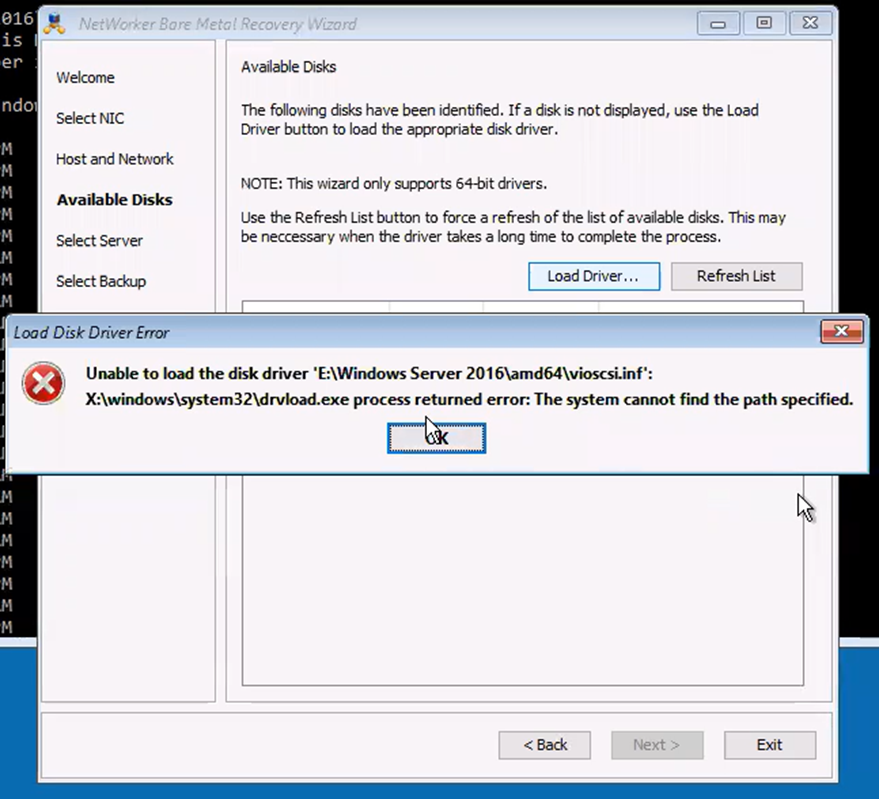
The following error is observed from the NetWorker Bare Metal Recovery (BMR) wizard:
Unable to load the disk driver 'E:\Windows Server 2016\amd64\vioscsi.inf'
X:\windows\system32\drvload.exe process returned error: The system cannot find the path specified.
Cause
The NetWorker BMR wizard is unable to fetch the drivers or upload the drivers. For example, WinPE is not supported with DISK Driver vioscsi.inf. The driver can be manually loaded.
Resolution
Note: Loading system drivers must be performed by VM or operating system team. Manually load drivers using the
drvload command.
Scenario
A Virtual CD Disk is attached to the VM and the location was assigned as E:\.
- From BMR Wizard terminal, go to
E:\ locationusing "cd" command:
cd E:\driver_location
- Load drivers using
drvloadcommand:
drvload driver_name.inf
After, click the "refresh list" option to refresh the drivers.
Note: If
drvload fails, the issue is with WinPE or the driver.
drvload is a Microsoft WinPE utility, not a NetWorker command. A failure reported by drvload indicates that WinPE was unable to load the specified driver package. This typically points to a driver, path, architecture, compatibility, or WinPE-related issue rather than a NetWorker issue. If the same error occurs when running drvload manually from a WinPE command prompt, the driver-loading issue must be resolved at the Windows/VM layer before NetWorker BMR can proceed.
Affected Products
NetWorker, NetWorker SeriesArticle Properties
Article Number: 000195424
Article Type: Solution
Last Modified: 22 Jul 2026
Version: 2
Find answers to your questions from other Dell users
Support Services
Check if your device is covered by Support Services.