出厂安装后,MyDell 应用程序磁贴未在 Windows 10“开始”菜单中显示
Summary: 本文提供有关 Windows 10 的信息,MyDell 应用程序在出厂安装后显示为空白。
This article applies to
This article does not apply to
This article is not tied to any specific product.
Not all product versions are identified in this article.
Symptoms
Windows 10“开始”菜单中未显示应用程序磁贴
在 Windows 10 中,MyDell 应用程序在出厂安装后显示为空白,而用户可以单击并启动该应用程序。
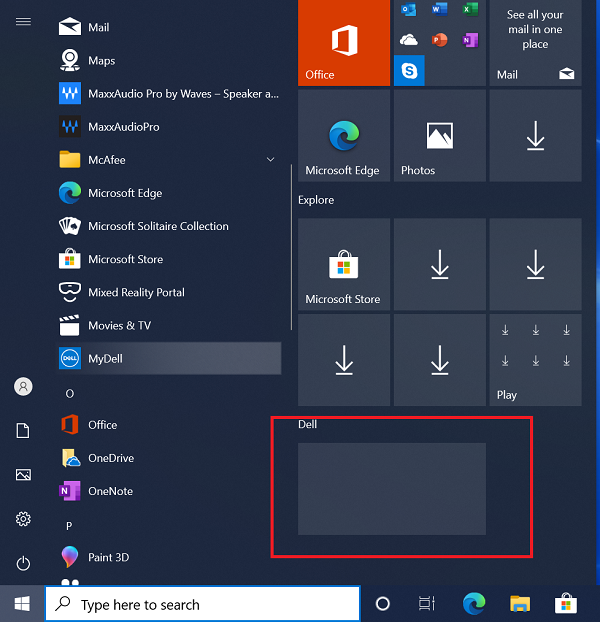
(图 1 — MyDell 应用程序)
受影响的系统
- MyDell
Cause
Resolution
Affected Products
MyDellArticle Properties
Article Number: 000207813
Article Type: Solution
Last Modified: 14 Mar 2025
Version: 3
Find answers to your questions from other Dell users
Support Services
Check if your device is covered by Support Services.