VxRail: Vsandrv: 이 노드에서 사용 중인 vSAN 드라이브 x개 중 x개
Summary: vSAN 디스크의 PERC/HBA 스토리지 어댑터에서 수행된 잘못된 구성으로 인해 호스트의 디스크가 vSAN 스토리지에 기여하지 않습니다.
This article applies to
This article does not apply to
This article is not tied to any specific product.
Not all product versions are identified in this article.
Symptoms
1 - "Host - Configure - Storage adapters" 아래에 스토리지 컨트롤러가 누락되었습니다.
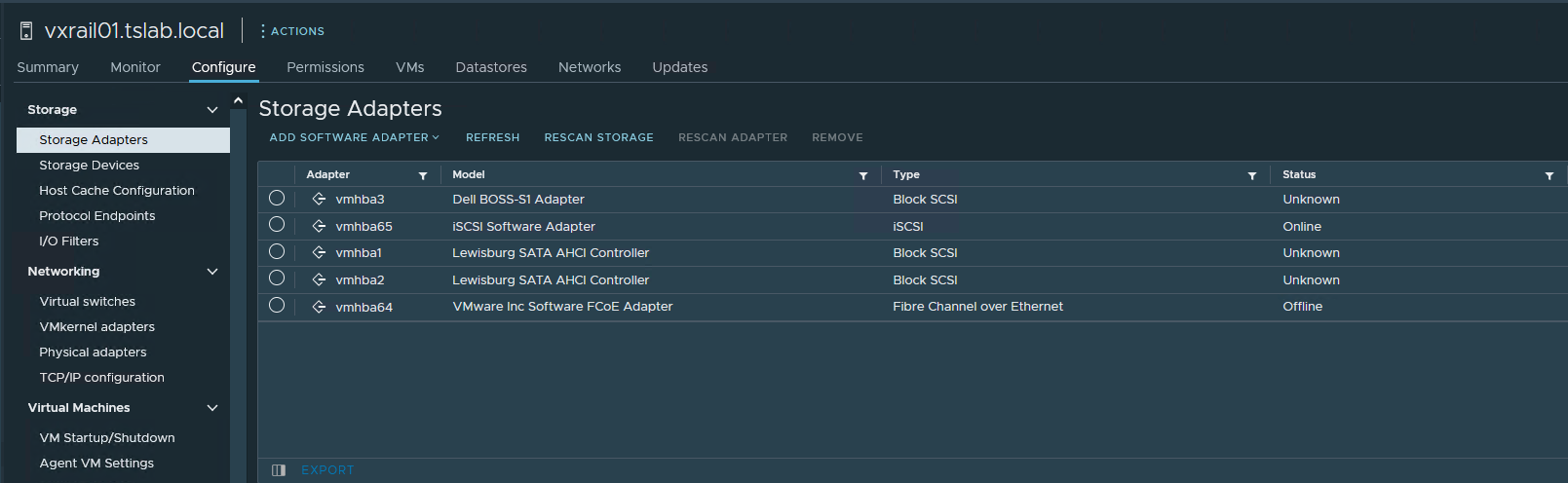
2 - "클러스터 - 구성 - vSAN - 디스크 관리" 및 "사용 중인 디스크"로 이동하면 호스트 중 하나가 0/0으로 표시됩니다.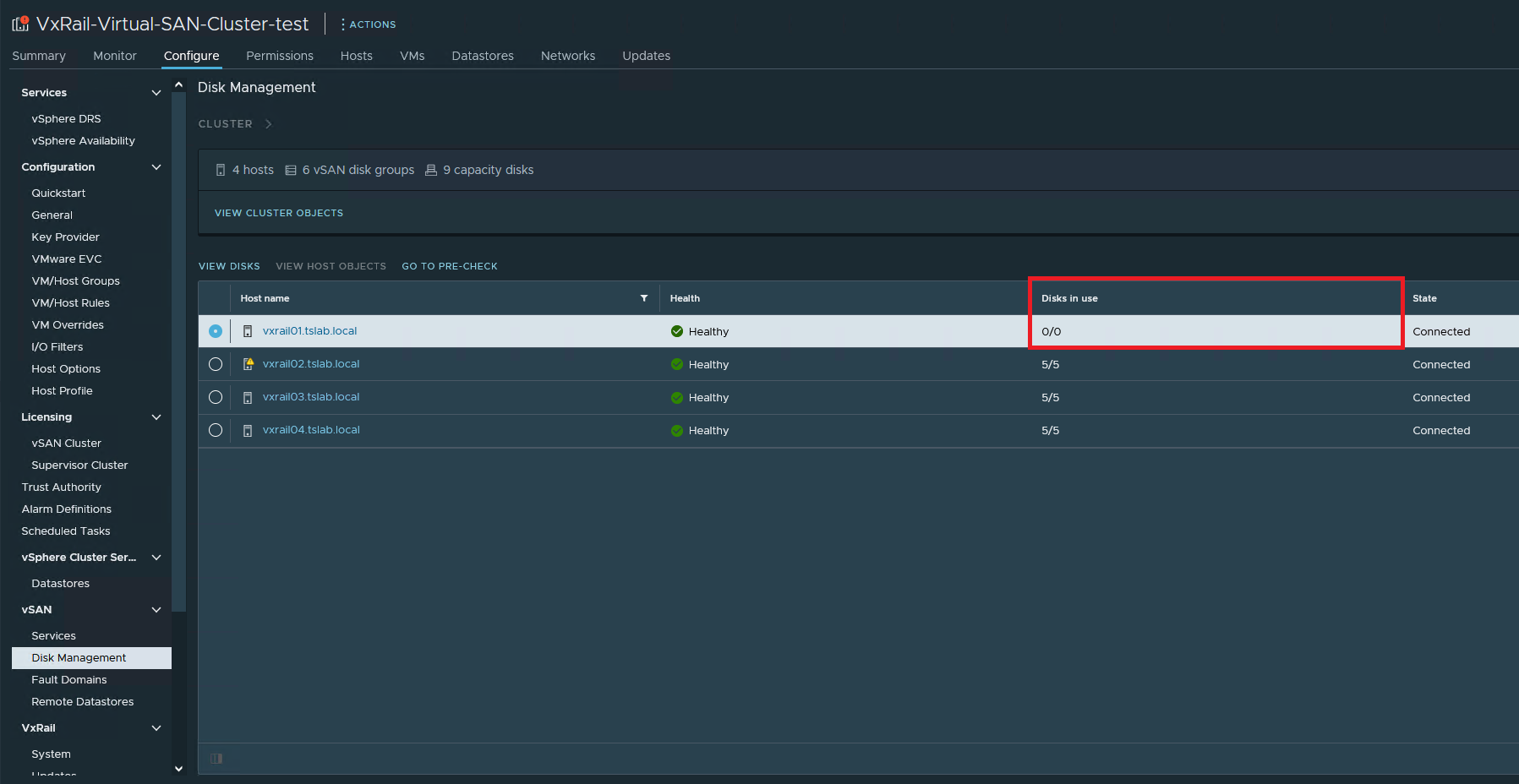
3 - "iDRAC - Storage - Controllers"로 이동하면 컨트롤러가 있습니다.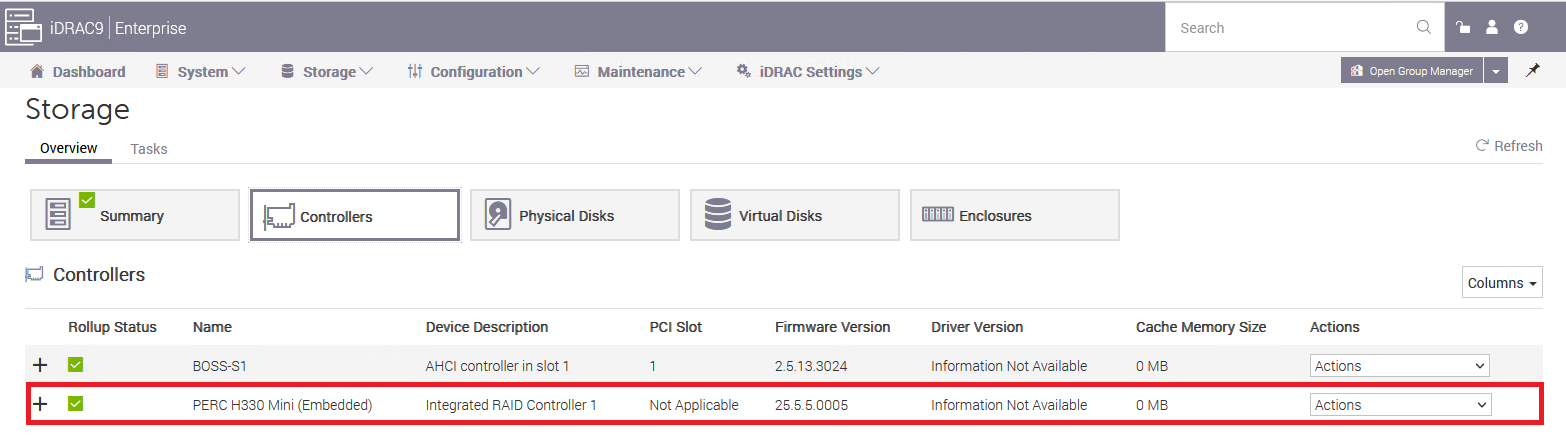
4 - 또한 "iDRAC - 스토리지 - 물리적 디스크"에도 모든 디스크가 있습니다.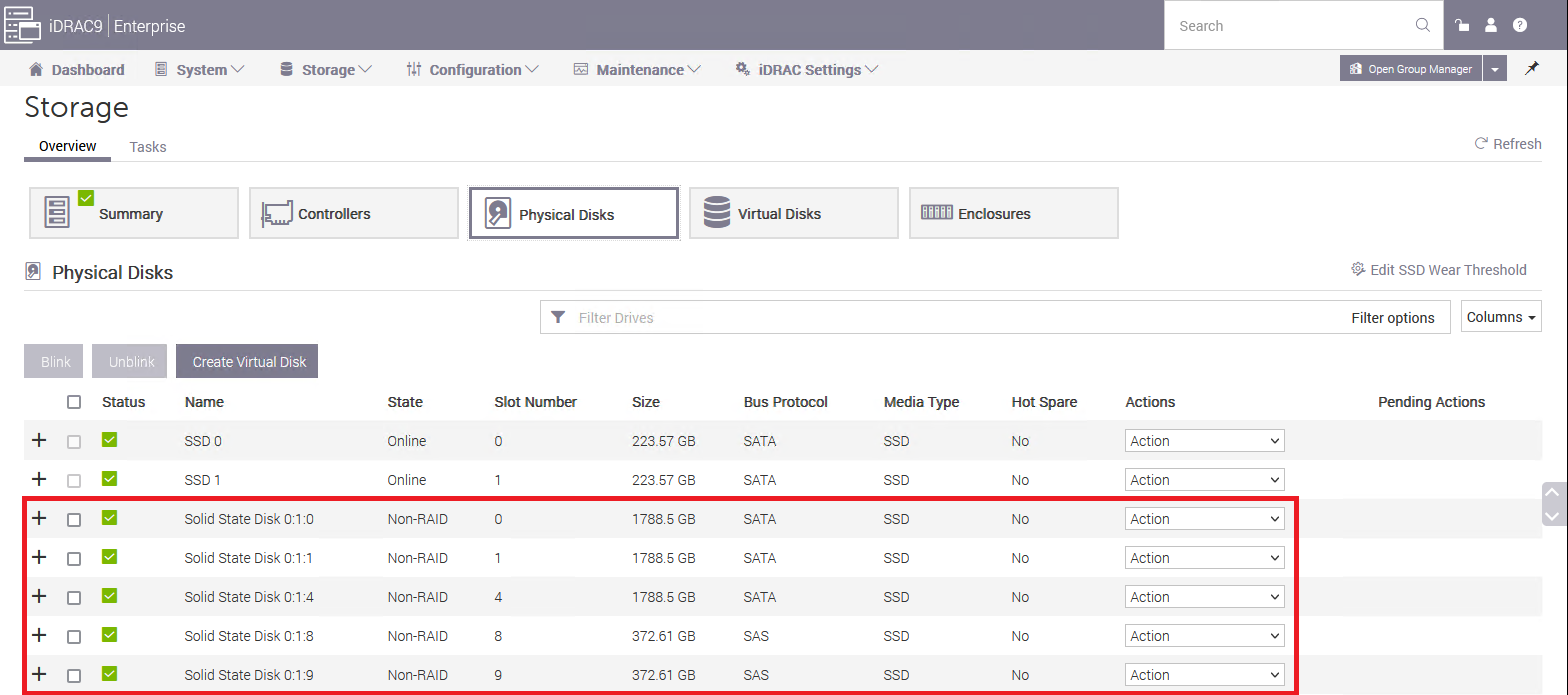
5 - SSH를 통해 호스트에 연결하고 "esxcli storage core adapter list" 및 vmhbaX(이 경우 vmhab0)가 누락되었습니다.
[root@vxrail01:~] esxcli storage core adapter list
HBA Name  Driver     Link State  UID                                     Capabilities         Description
--------  ---------  ----------  --------------------------------------  -------------------  -----------
vmhba1    vmw_ahci   link-n/a    sata.vmhba1                                                  (0000:00:11.5) Intel Corporation Lewisburg SATA AHCI Controller
vmhba2    vmw_ahci   link-n/a    sata.vmhba2                                                  (0000:00:17.0) Intel Corporation Lewisburg SATA AHCI Controller
vmhba3    vmw_ahci   link-n/a    sata.vmhba3                                                  (0000:3b:00.0) Marvell Technology Group Ltd. Dell BOSS-S1 Adapter
vmhba64   vmkfcoe    link-down   fcoe.1000000c2902a258:2000000c2902a258  Second Level Lun ID  VMware Inc Software FCoE Adapter
vmhba65   iscsi_vmk  online      iscsi.vmhba65                           Second Level Lun ID  iSCSI Software Adapter
6 - "를 사용하여 PCI 장치를 나열하는 경우lspci | grep -i hba", 거기 PERC/HBA
[root@vxrail01:~] lspci | grep -i hba
0000:00:11.5 SATA controller: Intel Corporation Lewisburg SATA AHCI Controller [vmhba1]
0000:00:17.0 SATA controller: Intel Corporation Lewisburg SATA AHCI Controller [vmhba2]
0000:18:00.0 RAID bus controller: Broadcom PERC H330 Mini [vmhba0]
0000:3b:00.0 SATA controller: Marvell Technology Group Ltd. Dell BOSS-S1 Adapter [vmhba3]
7 - "를 실행하여 HBA의 속성을 확인합니다.lspci -p | grep -i vmhbaX"
[root@vxrail01:~] lspci -p | grep -i vmhba0
0000:18:00.0 1000:005f 1028:1f4b 255/   /     A P pciPassthru  vmhba0
이 경우 보시다시피 vmhba0은 "pciPassthru", 그것이 문제입니다.
Cause
누군가 vSAN 디스크를 담당하는 HBA에서 PCI 패스스루를 활성화할 때 발생합니다.
Resolution
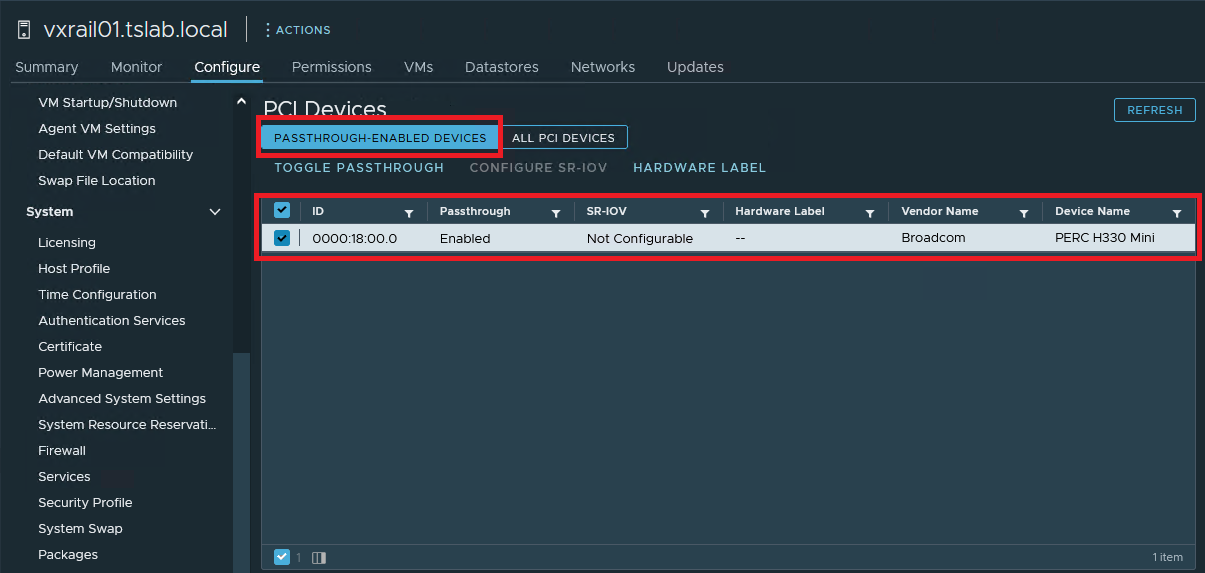
1 - HBA가 표시되지 않는 호스트를 클릭합니다. "Configure - Hardware - PCI Devices"의 "PASSTHROUGH-ENABLED DEVICES" 탭에서 문제가 발생한 HBA를 확인해야 합니다. 그것을 선택하고 "TOGGLE PASSTHROUGH"를 클릭하십시오.
Affected Products
VxRail SoftwareArticle Properties
Article Number: 000212003
Article Type: Solution
Last Modified: 21 Aug 2025
Version: 3
Find answers to your questions from other Dell users
Support Services
Check if your device is covered by Support Services.