PowerStore: ESXi Hosts for Storage-Containers is empty or reports on wrong hosts
Summary: The ESXi Hosts for Storage-Containers appears as empty or reports on wrong hosts in the PowerStore Manager.
This article applies to
This article does not apply to
This article is not tied to any specific product.
Not all product versions are identified in this article.
Symptoms
ESXi Hosts for Storage-Containers is empty or reports on wrong hosts.
In the PowerStore Manager UI (Storage -> Storage Containers -> Click on the relevant SC (Storage-Controller-For-DDD in our example) -> "ESXi Hosts". The storage container does not map to any host:
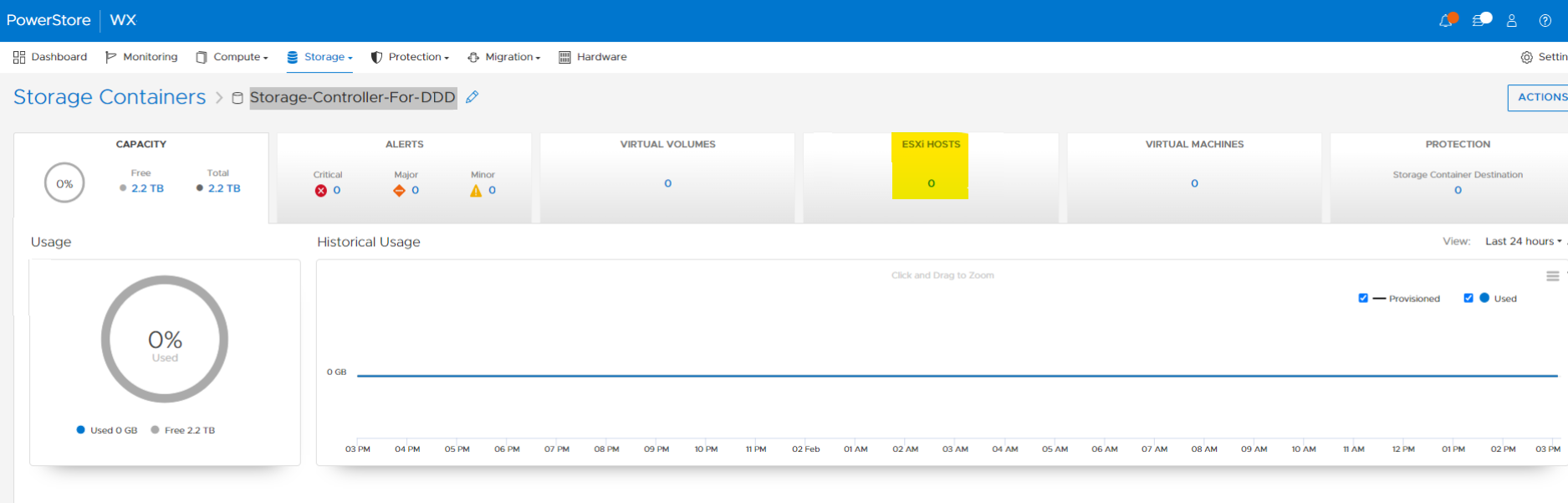
In the PowerStore Manager UI (Storage -> Storage Containers -> Click on the relevant SC (Storage-Controller-For-DDD in our example) -> "ESXi Hosts". The storage container does not map to any host:
Cause
To support an association between an ESXi NVMe vVol host and a storage container, vSphere SDK 8.0 is required.
Until vSphere SDK 8.0 is supported in a future PowerStoreOS version, the PowerStore Manager is unable to correctly display the ESXi NVMe vVol hosts in the "ESXi hosts" tab of a Storage Container.
Until vSphere SDK 8.0 is supported in a future PowerStoreOS version, the PowerStore Manager is unable to correctly display the ESXi NVMe vVol hosts in the "ESXi hosts" tab of a Storage Container.
Resolution
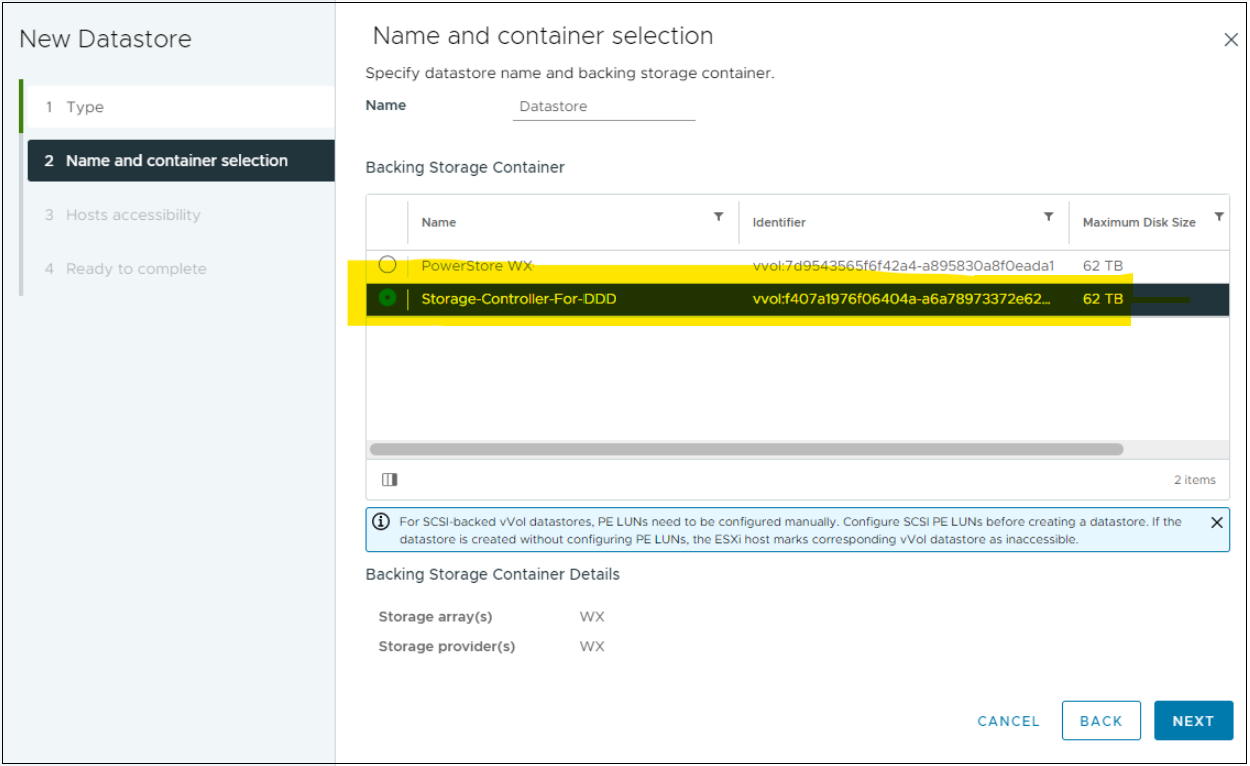
Verify host details in the vSphere client UI.
Affected Products
PowerStoreArticle Properties
Article Number: 000216357
Article Type: Solution
Last Modified: 14 Jun 2025
Version: 3
Find answers to your questions from other Dell users
Support Services
Check if your device is covered by Support Services.