NetWorker:NWUI 可瀏覽復原會要求變更安全性設定或檢視安全性設定權限
Summary: 在 NWUI 中執行可瀏覽復原時,如果您登入的 NWUI 使用者沒有 ChangeSecuritySettings 或 ViewSecuritySettings 權限,您將無法手動瀏覽要復原的檔案。
This article applies to
This article does not apply to
This article is not tied to any specific product.
Not all product versions are identified in this article.
Symptoms
-
使用屬於「操作員」群組的使用者,在 NWUI 中執行可瀏覽的還原:
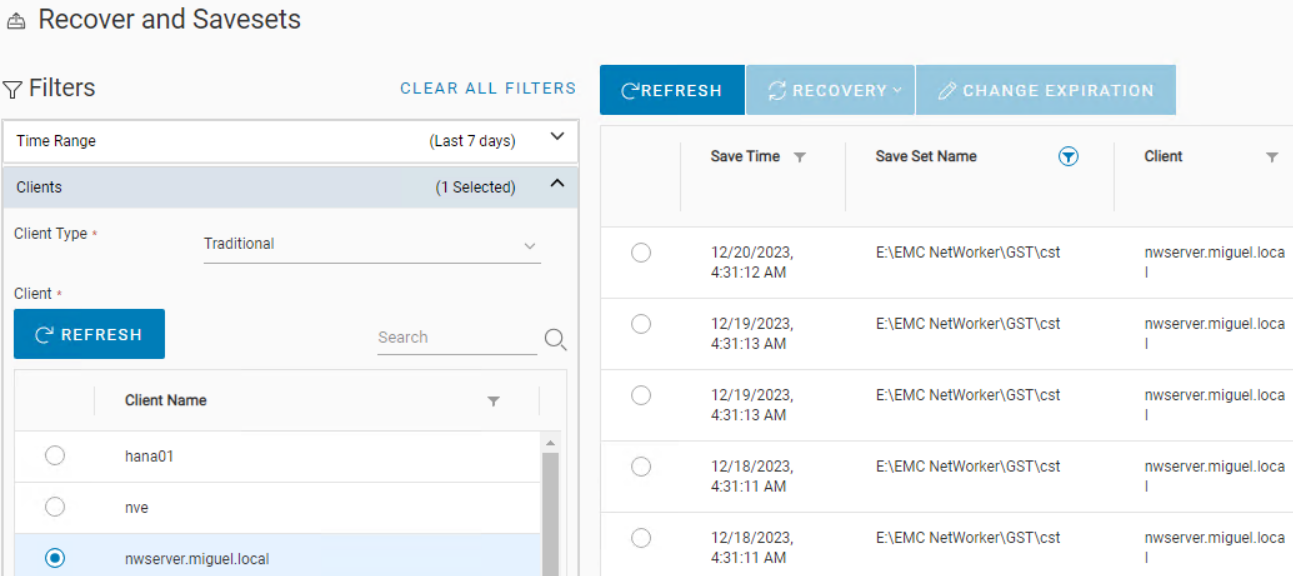
圖 1:NWUI - 復原與儲存集檢視
圖 2:NWUI - 選取檔案層級復原 -
如果您在此處按下「流覽」以找到必須恢復的檔,則會看到錯誤:
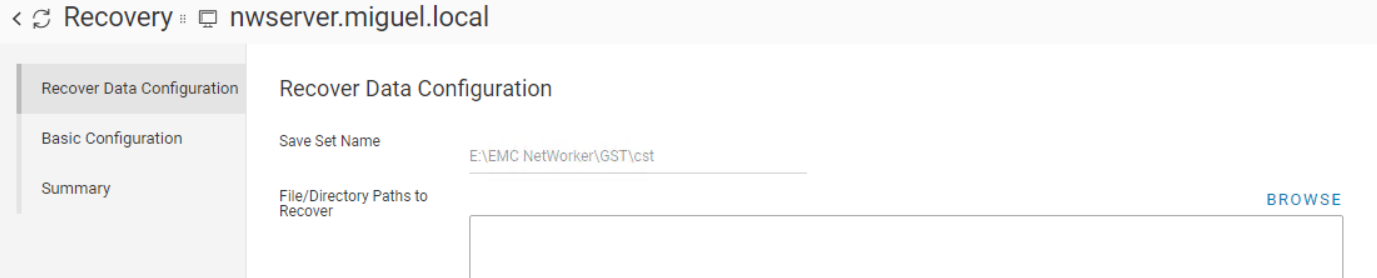
圖 3:復原精靈 - 瀏覽按鈕檢視
圖 4:復原精靈 - 從圖 3 按一下瀏覽按鈕後失敗錯誤訊息為:
Could not get directory contents.
Permission denied. User <user> has no ChangeSecuritySettings or ViewSecuritySettings privilege.
使用者執行可瀏覽復原時不需要此類權限。例如,NMC不需要它。
目前,如果您必須在 NWUI 中執行此操作,您必須授予使用者 ViewSecuritySettings 權限。 -
此問題不會阻止您運行恢復;它只會避免您選擇要恢復的檔。我們可以手動輸入復原路徑:
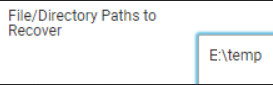
圖 5:還原精靈 - 手動輸入要從中恢復的路徑。 -
按一下下一步,即可成功執行復原。
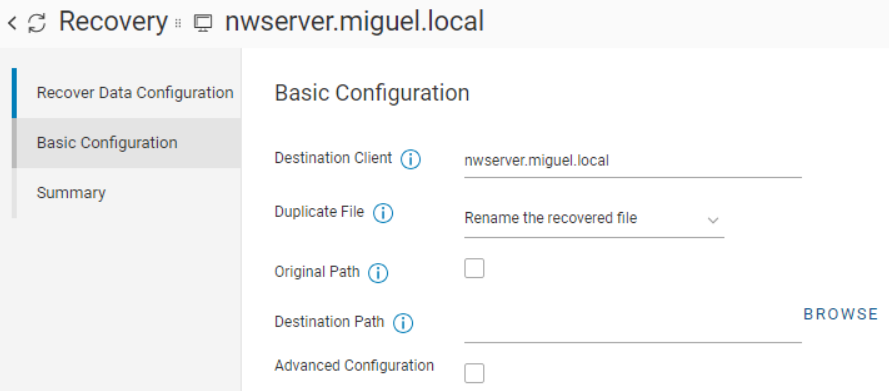
圖 6:復原精靈 - 基本組態選項,您可以使用瀏覽按鈕再次選取要復原的路徑。 -
再次在上面的螢幕上,如果我們按兩下「流覽」,它會失敗,但這並不能阻止我們手動輸入要將檔定向到的路徑。
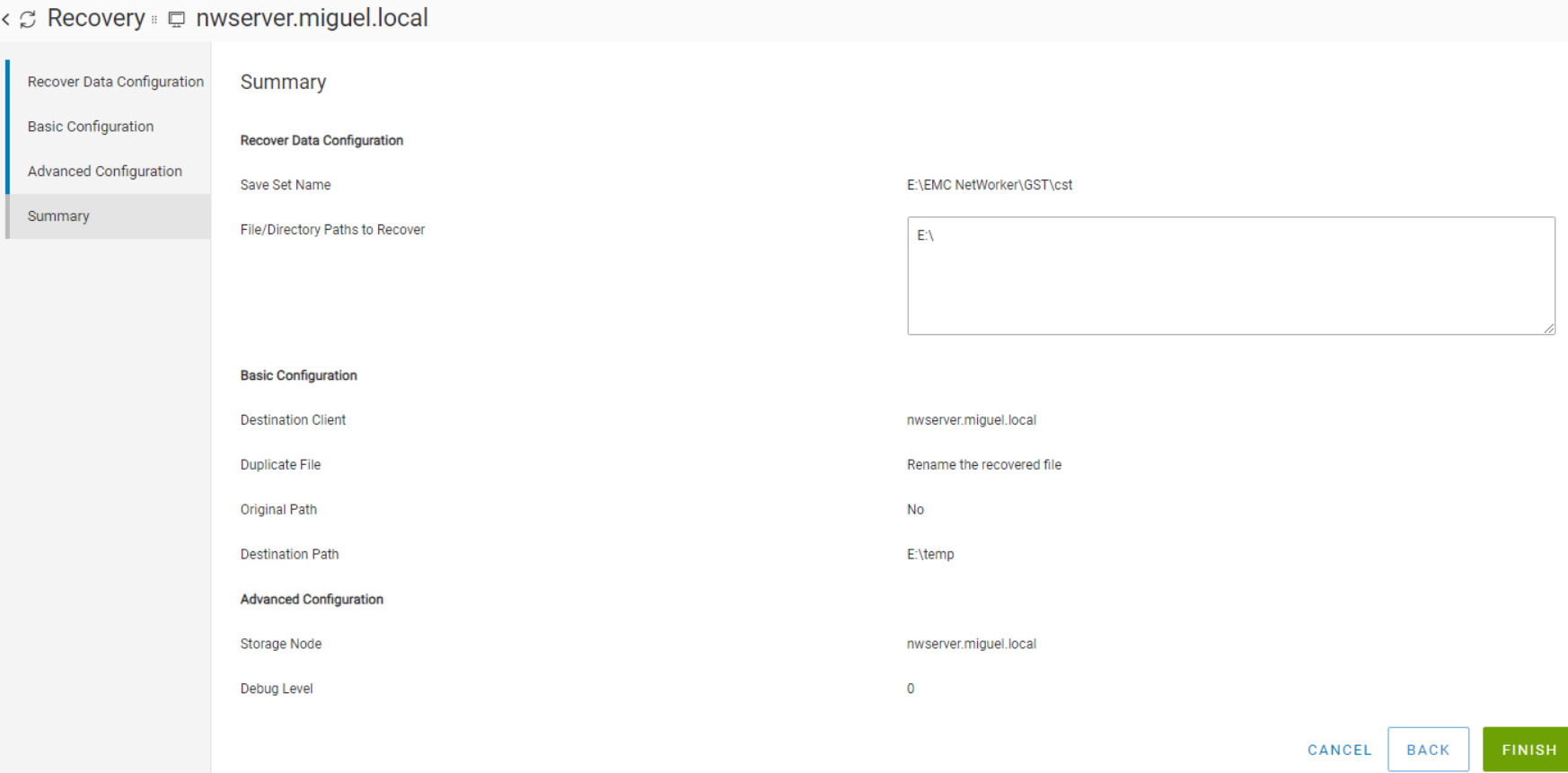
圖 7:復原精靈 - 手動輸入復原起點/目的地的路徑時,成功復原。按一下「完成」後,我們可以檢查「復原工作」標籤是否顯示已完成:
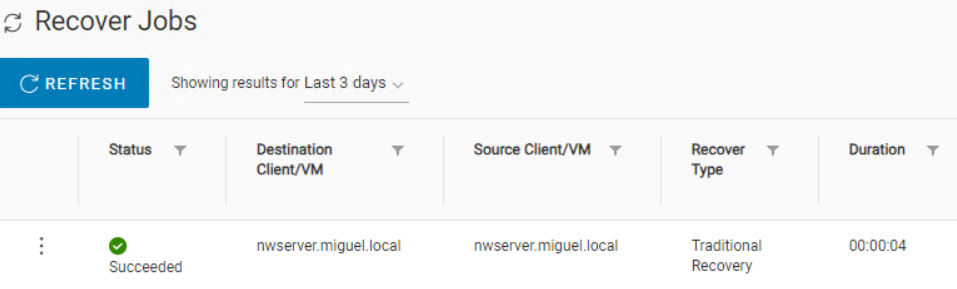
圖 8:NWUI - 顯示復原的「復原工作」檢視,手動輸入復原路徑成功。
Cause
此問題是由代碼缺陷引起的:NETWORKER-91941
Resolution
截至今天,沒有修復的版本。
Article Properties
Article Number: 000222868
Article Type: Solution
Last Modified: 25 Apr 2024
Version: 2
Find answers to your questions from other Dell users
Support Services
Check if your device is covered by Support Services.