Incorrect BIOS v1.7.0 on OptiPlex 5490 All-in-One
Summary: This article provides information about how to resolve incorrect BIOS v1.7.0 on OptiPlex 5490 All-in-One (AIO).
This article applies to
This article does not apply to
This article is not tied to any specific product.
Not all product versions are identified in this article.
Symptoms
Affected Platforms:
- OptiPlex 5490 All-in-One
Affected Versions:
- BIOS v1.7.0
Cause
Not Applicable
Resolution
- Obtain the BIOS_IMG.rcv file for BIOS v1.26.0 (this can be obtained from the Dell Drives & Downloads).
- Look for the v1.26.0 under Older Versions in the BIOS update page.
- Then look for Other Formats.
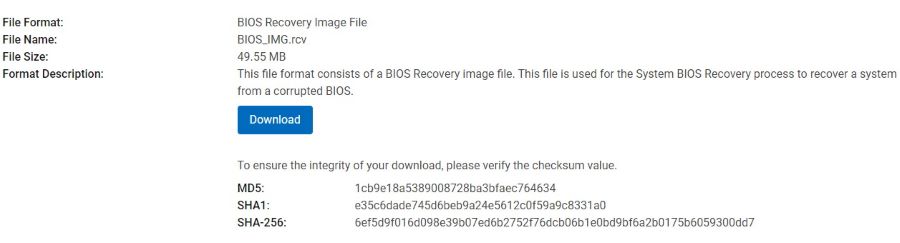
Figure 1: (English Only) BIOS Recover Image File
- Load the BIOS onto a USB stick that is formatted to FAT32.
- Plug the USB stick into the affected device and reboot it. Hold CTRL + ESC on reboot (might have to reboot a couple of times) to get this working. Keep holding it until a window is displayed.
- There is an option to Load file from USB KEY. Select that option and then select OK.
- The BIOS proceeds with flashing to 1.26.0.
- After it is done flashing, the computer will come up fine.
Warning: If you restart at this point, the bad BIOS firmware is reloaded onto the BIOS.
- To stop Windows Updates from reinstalling the incorrect BIOS, download the latest firmware from the Dell Downloads page for the affected device (use the service tag to obtain it).
- You are looking for the executable file for BIOS firmware 1.27.1.
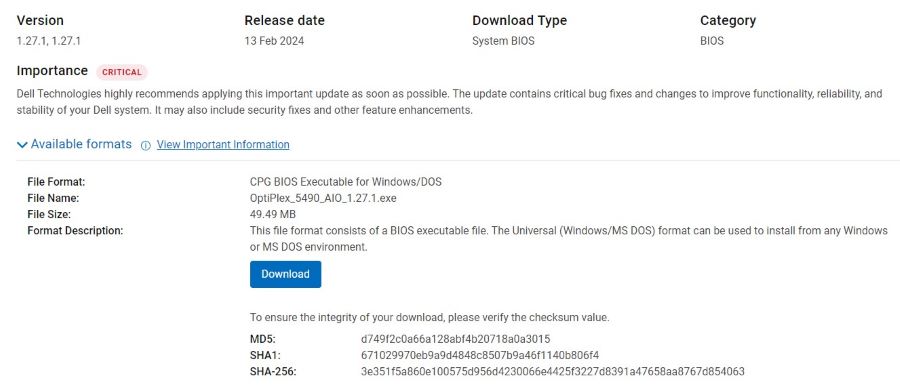
Figure 2: (English Only) Dell OptiPlex 5490 All-in-One System BIOS v1.27.1.27.1
- After download, run the .exe BIOS update and restart the computer when prompted.
- This flashes the BIOS to 1.27.1 and mitigate the computer from reinstalling the bad BIOS version when rebooted.
Note:
- It is important to manually install 1.27.1 after recovering BIOS to 1.26.0. If you reboot directly after recovering, the bad firmware (1.27.0) will reinstall.
- On some computers, if you stop holding down CTRL + ESC, the recovery window disappears again. To be safe, continue holding CTRL + ESC until the flashing starts.
- The same BIOS_IMG.rcv can be used on all 5490 devices.
Affected Products
OptiPlex 5490 All-In-OneArticle Properties
Article Number: 000223883
Article Type: Solution
Last Modified: 16 Sept 2025
Version: 2
Find answers to your questions from other Dell users
Support Services
Check if your device is covered by Support Services.