E2E 연결 - 디바이스 데이터를 A1으로 수동으로 내보내는 방법
Summary: 개요: 재배포 시 고객이 SCG UI에 액세스할 수 없고 디바이스 관리 페이지에서 디바이스 데이터를 내보낼 수 없는 상황이 발생할 수 있습니다. 그러나 CLI에서 아래에 설명된 프로세스를 사용하여 디바이스 데이터를 수동으로 내보낼 수 있습니다
This article applies to
This article does not apply to
This article is not tied to any specific product.
Not all product versions are identified in this article.
Instructions
지침:
- SSH 클라이언트(예: PuTTY)를 사용하여 루트 자격 증명으로 SCG에 로그인합니다.
- 다음 명령을 실행하여 디바이스 목록에 액세스합니다.
-
docker exec -it esrsde-app bash
psql -d vapp -U postgres
 select * from device_management;

- 다음 명령을 실행하여 디바이스 목록을 . CSV 파일:
-
COPY device_management TO '/tmp/devices.csv' DELIMITER ',' CSV HEADER;
exit
exit
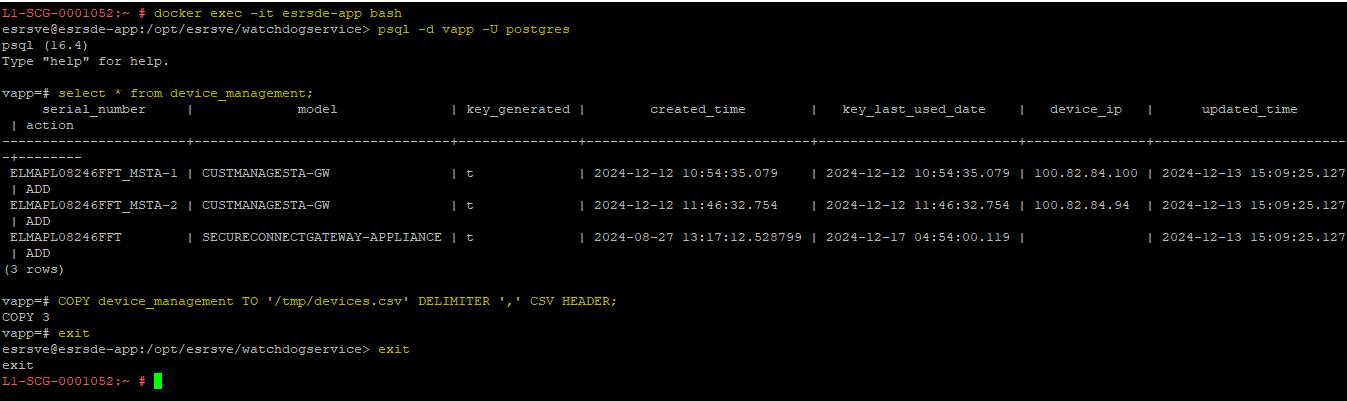
- 이제 장치 데이터가 . 이름이 devices.csv인 CSV 파일입니다. Docker 컨테이너 내에서 이 파일을 찾으려면 다음 명령을 실행합니다.
-
find /var -type f -iname devices.csv

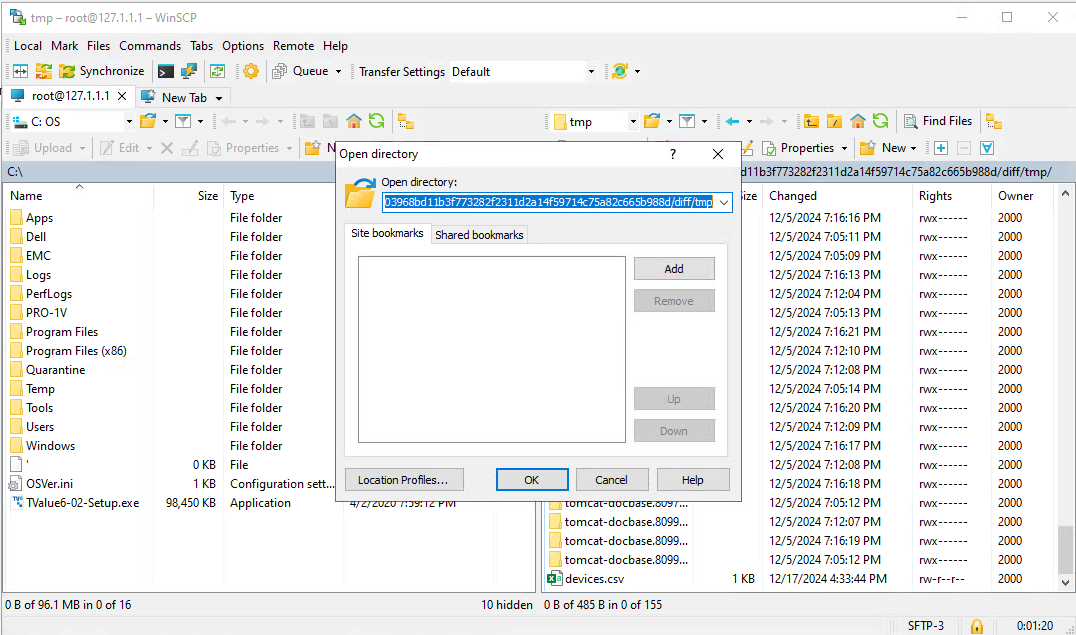
- 이전 명령에서 반환된 파일 경로를 복사합니다. 그런 다음 파일 전송 클라이언트(예: WinSCP 또는 FileZilla)를 사용하여 SCG에 연결합니다. 파일 경로를 주소 표시줄에 붙여 넣거나 WinSCP에서 "Open Directory" 옵션을 사용합니다.
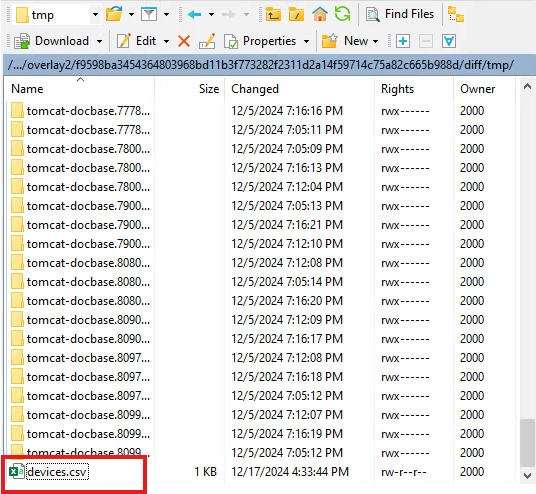
- devices.csv 파일을 찾아 로컬 머신에 복사합니다.
Affected Products
Secure Connect Gateway - Virtual EditionArticle Properties
Article Number: 000273682
Article Type: How To
Last Modified: 29 Mar 2025
Version: 2
Find answers to your questions from other Dell users
Support Services
Check if your device is covered by Support Services.