Avvisi di rilevamento delle anomalie in Unisphere for PowerMax
Summary: Avvisi osservati in Unisphere for PowerMax e CloudIQ "Host IOs/sec () (x.x) supera la soglia (y.y)" e "Host Throughput (MB/sec) (x.x) supera la soglia (y.y)"
This article applies to
This article does not apply to
This article is not tied to any specific product.
Not all product versions are identified in this article.
Symptoms
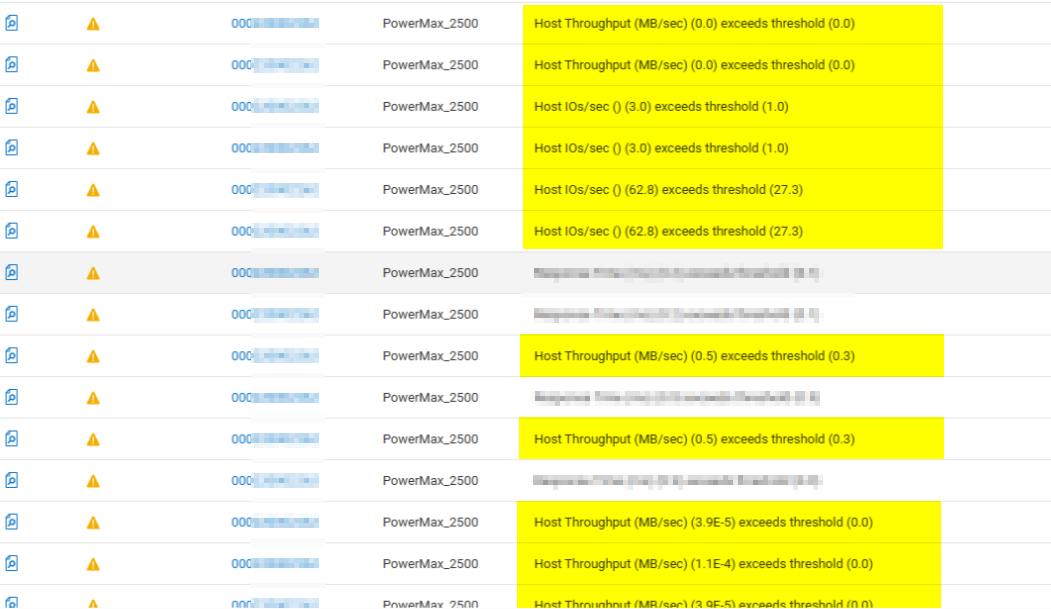
Avvisi osservati in Unisphere for PowerMax e CloudIQ:
- I/O host/sec () (x.x) supera la soglia (y.y)
- Il throughput dell'host (MB/sec) (x.x) supera la soglia (a.y.)
Cause
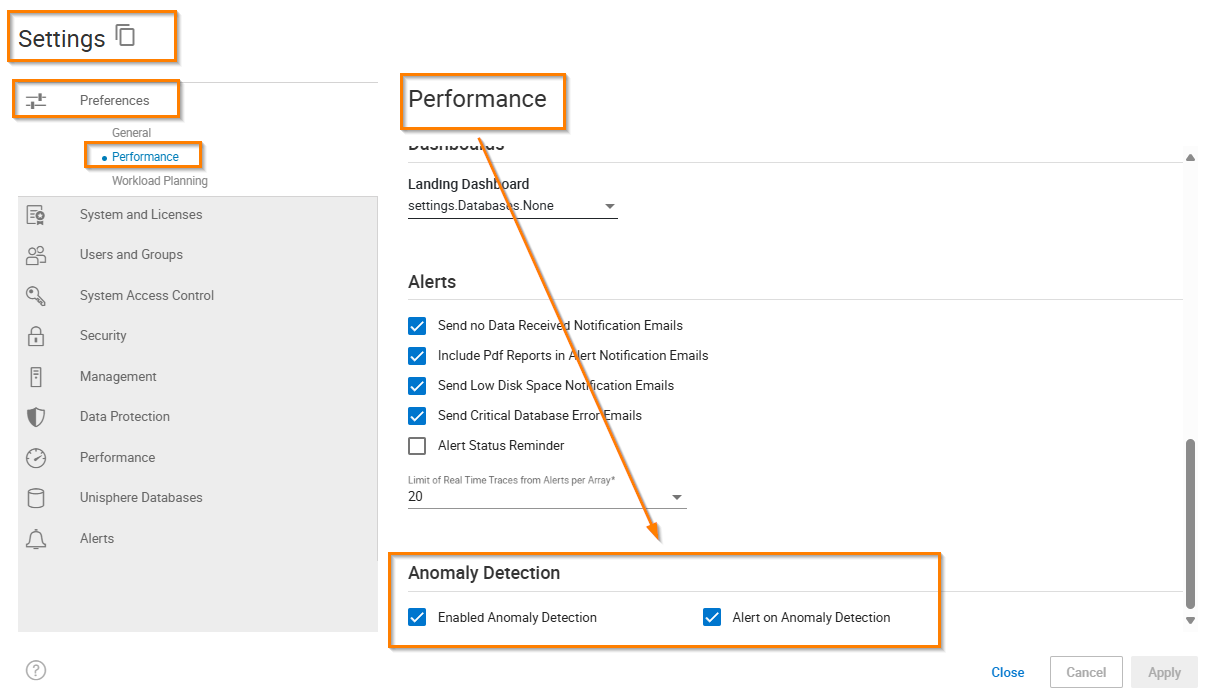
Il rilevamento e l'invio di avvisi alle anomalie in Unisphere for PowerMax sono abilitati: (il rilevamento delle anomalie è disabilitato per impostazione predefinita)
Resolution
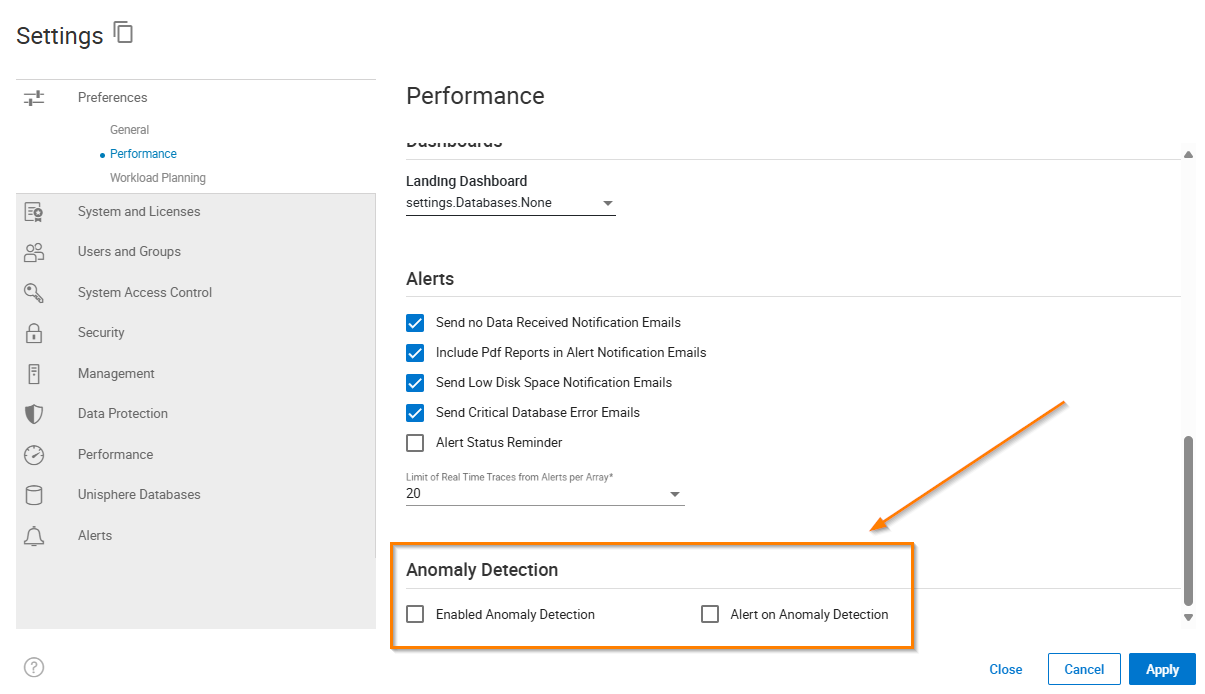
Disabilitare Anomaly Detection in Settings > Performance - Anomaly detection:
Additional Information
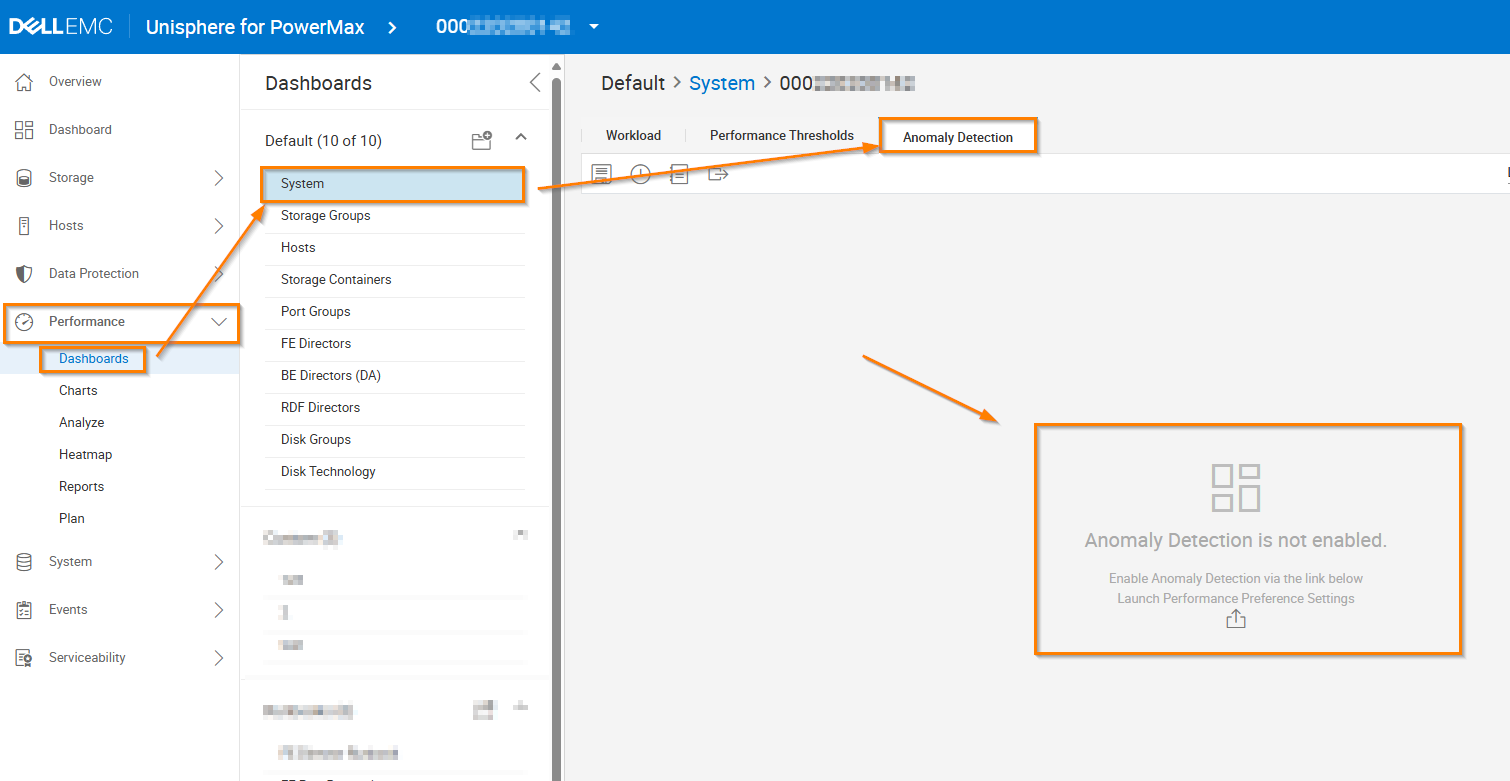
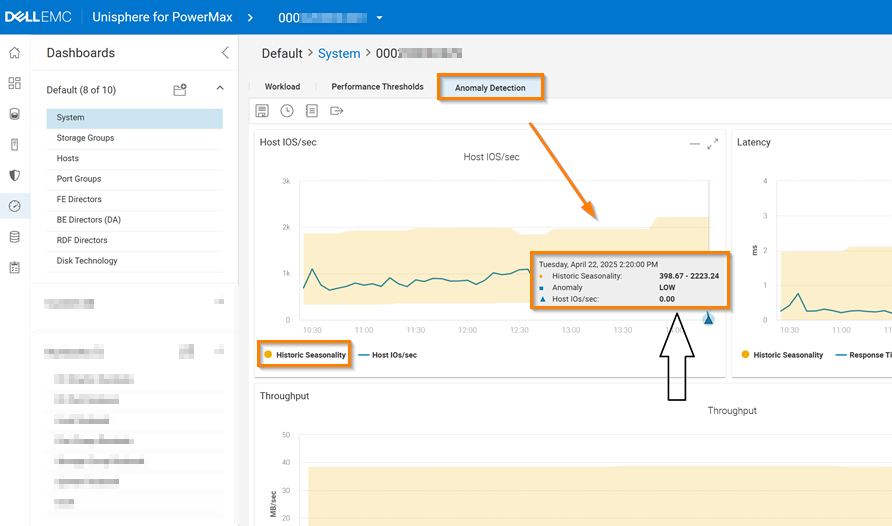
Il rilevamento delle anomalie è disabilitato per impostazione predefinita e ciò può essere osservato nella scheda Rilevamento anomalie - Sistema di dashboard delle > prestazioni>:
Qui, la "stagionalità cronologica" esamina i dati diagnostici dei 15 giorni precedenti e costruisce l'intervallo di quello che viene considerato un comportamento "normale".
Se un valore corrente è al di fuori di tale intervallo, viene considerato un'anomalia.
ad es., Poiché l'I/O dell host "0" non rientra nell'intervallo previsto compreso tra "398" e "2223", si tratta di un'anomalia:
Affected Products
PowerMax, PowerMax, PowerMax 2000, PowerMax 2500, PowerMax 8000, PowerMax 8500, Unisphere for PowerMaxArticle Properties
Article Number: 000311529
Article Type: Solution
Last Modified: 24 Apr 2025
Version: 1
Find answers to your questions from other Dell users
Support Services
Check if your device is covered by Support Services.