PowerScale: Using Dynamic Licensing when connectivity is disconnected
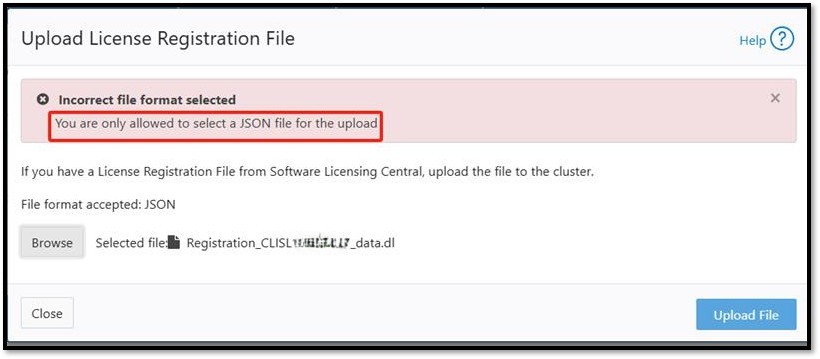
Summary: For disconnected or dark-site customers using PowerScale, registering their cluster with Dynamic Licensing needs interaction with the Software Licensing Portal. Users must download a registration file with the '.dl' extension and upload it to the PowerScale UI (WebUI) after registering the product in the portal. However, the OneFS UI only accepts files with a '.json' extension, creating an incompatibility that prevents successful registration. The error seen states "You are only allowed to select a JSON file for the upload". ...
This article applies to
This article does not apply to
This article is not tied to any specific product.
Not all product versions are identified in this article.
Instructions
Example error:
Users have two options to resolve the file extension issue:
-
Change the File Extension:
Rename the downloaded registration file from '.dl'to '.json'and upload it through the OneFS UI. - Use CLI for Upload Without Renaming:
Upload the '.dl' file directly using the following CLI command:
isi license add --path=/ifs/Registration_<SWID>_data.dl
Affected Products
PowerScale OneFSArticle Properties
Article Number: 000411200
Article Type: How To
Last Modified: 06 Jan 2026
Version: 2
Find answers to your questions from other Dell users
Support Services
Check if your device is covered by Support Services.