NetWorker: NMC workflow details error "unable to obtain root job list"
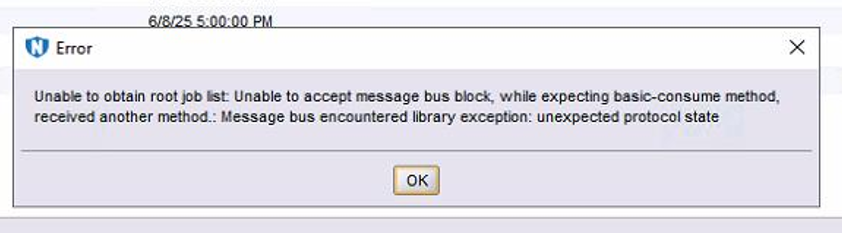
Summary: The NetWorker Management Console (NMC) workflow "Show Details" option generates an error message: "unable to obtain root job list."
This article applies to
This article does not apply to
This article is not tied to any specific product.
Not all product versions are identified in this article.
Symptoms
Clicking Show Details on any workflow in NMC results in this error message:
Cause
The root cause of the issue could be attributed to missing exchanges or corruption in RabbitMQ's data structures.
Resolution
- On the NetWorker server, open an
Admin PowerShellprompt orrootshell and run the following commands to stop the NetWorker and NMC services:
Linux: nsr_shutdown ; sleep 10 ; systemctl stop gst
Windows: net stop nsrexecd /y
- Rename the RabbitMQ
tmpfolder:
Linux: /nsr/tmp/rabbitmq
Windows: C:\Program Files\EMC NetWorker\nsr\tmp\RabbitMQ
- Start the NetWorker server and NMC services. When RabbitMQ was renamed, the service startup created new files, including a new data directory:
Linux: systemctl start networker ; sleep 10 ; systemctl start gst
Windows (PowerShell): net start nsrd ; Start-Sleep 10 ; net start gstd
Article Properties
Article Number: 000332286
Article Type: Solution
Last Modified: 25 May 2026
Version: 3
Find answers to your questions from other Dell users
Support Services
Check if your device is covered by Support Services.