Dell Unity: Secure Remote Services con stato Non connesso
Summary: Dell Unity: Secure Remote Services (ESRS) con stato Not Connected
This article applies to
This article does not apply to
This article is not tied to any specific product.
Not all product versions are identified in this article.
Instructions
EMC Secure Remote Services mostra lo stato "Not Connected" dopo aver modificato l'indirizzo IP dell'interfaccia di gestione

Additional Information
Seguire la seguente procedura per disabilitare e riabilitare il servizio Secure Remote Services.

2. Cliccare su "Support Configuration"
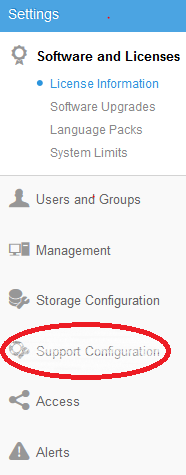
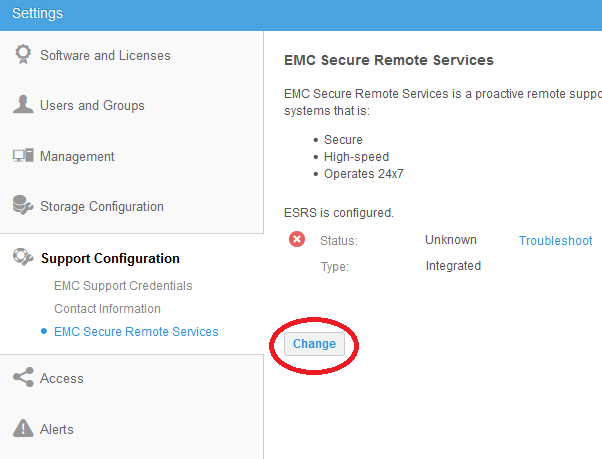
3. Cliccare su "Secure Remote Services"

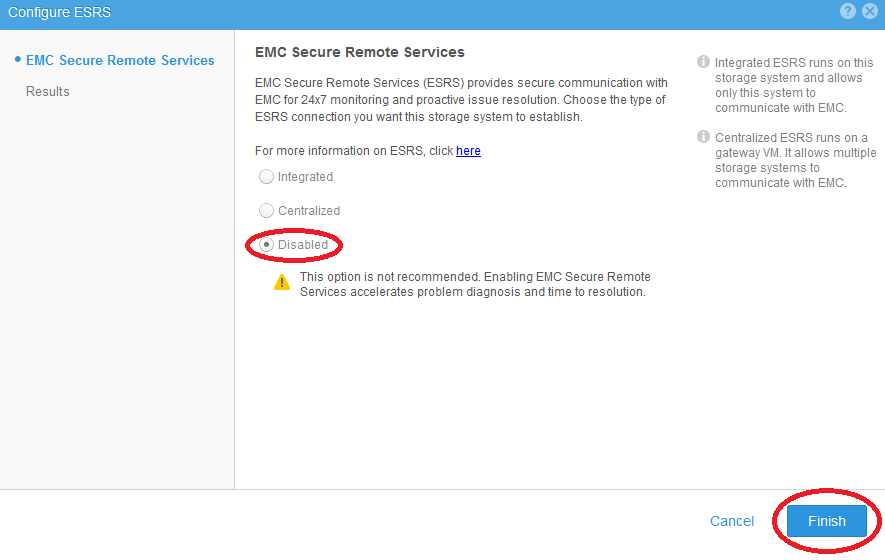
5. Cliccare su "Disabled" seguito dal pulsante "Finish".
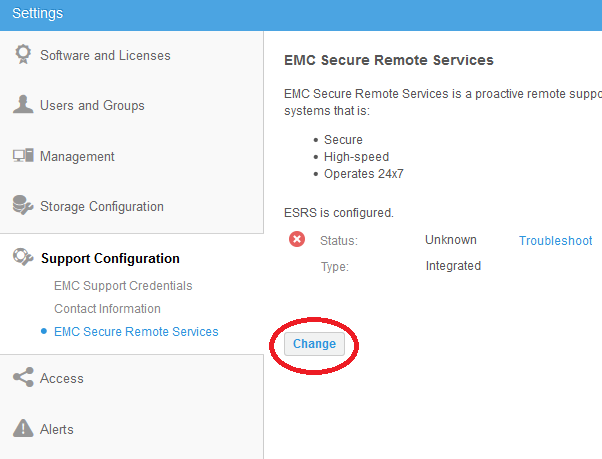
7. Cliccare su "Integrated", quindi sul pulsante "Next" e seguire la guida "Secure Remote Services Configuration Wizard" per terminare.
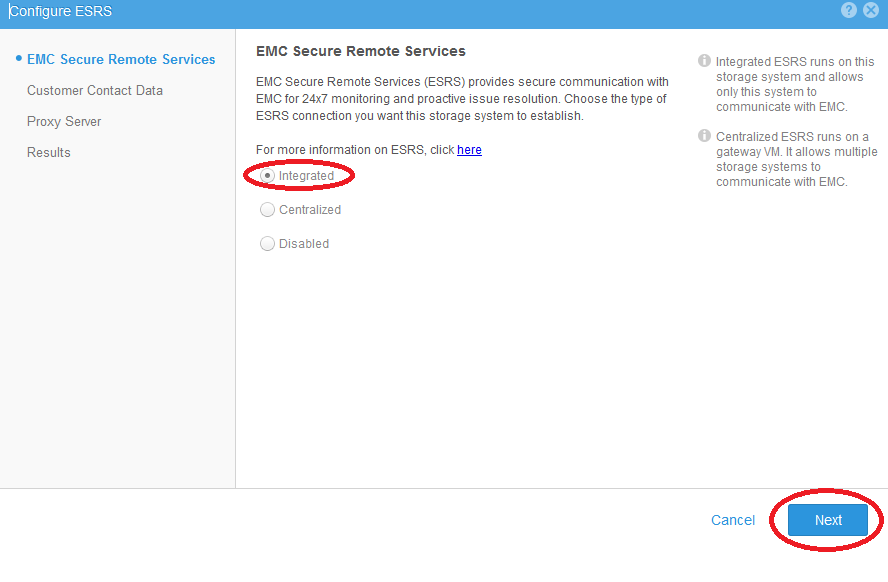
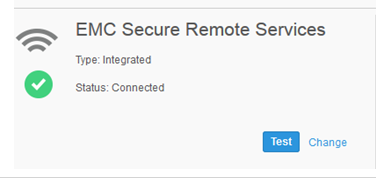
1. Cliccare sull'icona "Update system settings" nell'angolo in alto a destra.
2. Cliccare su "Support Configuration"
3. Cliccare su "Secure Remote Services"
4. Cliccare sul pulsante "Change".
5. Cliccare su "Disabled" seguito dal pulsante "Finish".
6. Riattivare Secure Remote Services cliccando sul pulsante "Change".
7. Cliccare su "Integrated", quindi sul pulsante "Next" e seguire la guida "Secure Remote Services Configuration Wizard" per terminare.
8. Potrebbe essere necessario un po' di tempo prima che Secure Remote Services mostri lo stato "Connected". Dopo che Secure Remote Services mostra lo stato "Connesso", cliccare sul pulsante "Test" per verificare che sia stata creata una connessione dial-home.
Nota
Per ulteriore assistenza, contatta il Supporto Dell e cita questo articolo.
Per ulteriore assistenza, contatta il Supporto Dell e cita questo articolo.
Affected Products
Dell EMC Unity FamilyProducts
Dell EMC Unity FamilyArticle Properties
Article Number: 000022670
Article Type: How To
Last Modified: 22 Oct 2025
Version: 7
Find answers to your questions from other Dell users
Support Services
Check if your device is covered by Support Services.