PowerStore: System Health Checks detects an incorrect PSU State
Summary: System Health Checks detects an incorrect PSU State.
This article applies to
This article does not apply to
This article is not tied to any specific product.
Not all product versions are identified in this article.
Instructions
System Health may fail in the heath check for "Fru FW Upgrade Flag Check" one of the following scenarios:
- Running a System Check using PowerStore Manager (UI) with the Run Upgrade Extensions option:
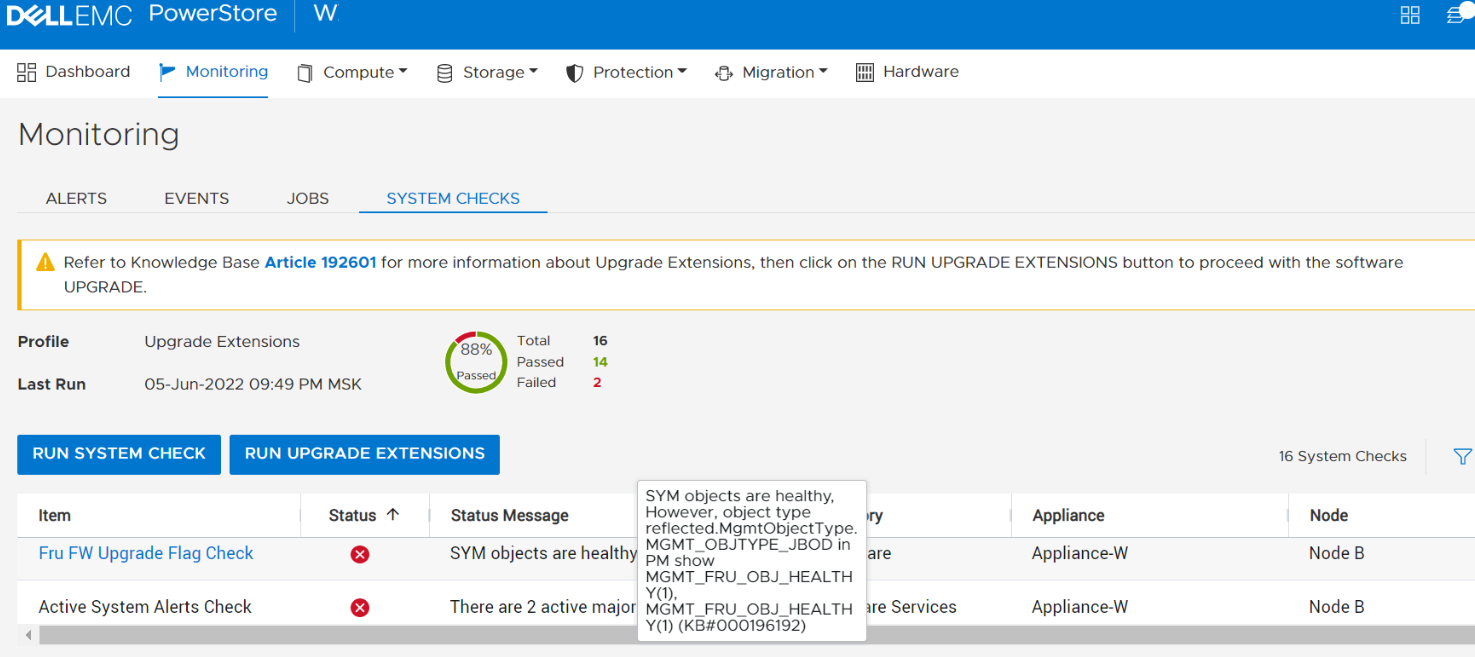
Tip: The Profile field displays Upgrade Extensions when the Run Upgrade Extensions option is used to perform a System Check.
- Running a System Check using PowerStore Manager (UI) with the Run System Check option:
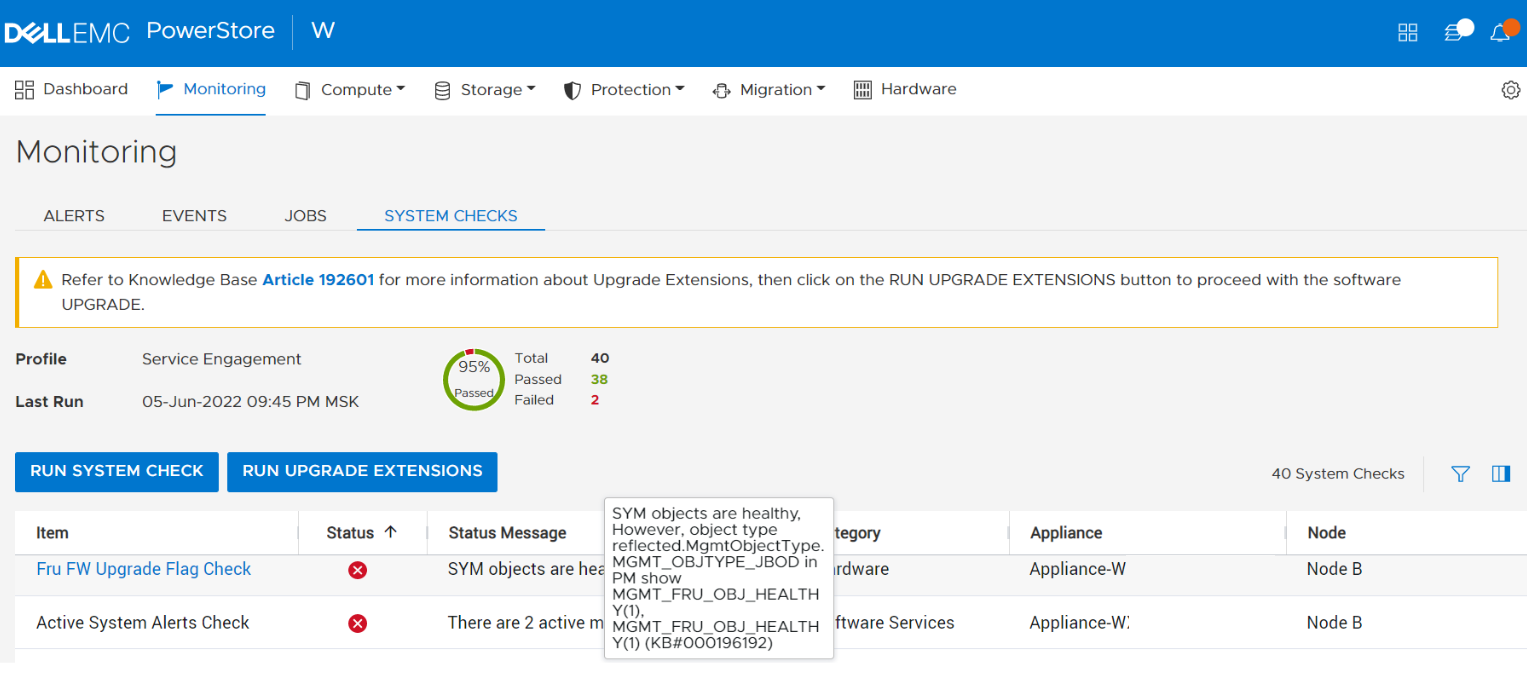
Tip: The Profile field displays Service Engagement when the Run System Check option is used to perform a System Check.
- Running the System Health Service Script (svc_health_check) using an SSH connection:
]$ svc_health_check run -rhc symmd_fw_upgrade_flag_check  -p Upgrade_Extensions
Name                          Location Status     Description
Fru FW Upgrade Flag Check     node_b   FAILED     SYM objects are healthy, However, object type
                                                  reflected.MgmtObjectType.MGMT_OBJTYPE_JBOD in PM show
                                                  MGMT_FRU_OBJ_HEALTHY(1), MGMT_FRU_OBJ_HEALTHY(1)
                                                  (KB#000196192)
The above message indicates that the PSU is detected as being in an invalid state. This state may occur as a result of the addition of an expansion enclosure. See PowerStore: DAE Expansion requires escalation following NDU to PowerStoreOS 2.1 .
When this issue exists there is reduced redundancy. There will be a service interruption during a software upgrade (NDU) if there is a hardware issue or AC input issue to the PSU.
To resolve this issue, contact technical support as soon as possible for assistance. Reference KB #000199922 for expedited attention and resolution.
Affected Products
PowerStoreArticle Properties
Article Number: 000199922
Article Type: How To
Last Modified: 13 Jun 2025
Version: 6
Find answers to your questions from other Dell users
Support Services
Check if your device is covered by Support Services.